Best AI Workflow Automation Tools in 2026 (Tested): Automate Business, Marketing & Daily Tasks
Published: June 2026 | Reading time: 20 minutes
📊 How We Evaluated
- 25 hours of hands‑on testing
- 8 tools evaluated
- 6 workflow scenarios tested
- Updated June 2026
Artificial intelligence has transformed workflow automation from simple “if-this-then-that” rules to intelligent, adaptive systems that can plan, execute, and learn. In 2026, AI workflow automation tools can handle everything from email triage and data entry to complex multi-step business processes involving multiple apps, decision-making, and even natural language interaction. Whether you are looking for AI business automation, AI process automation, or a powerful AI workflow builder, this guide covers the best options available.
In this comprehensive guide, I have personally tested and reviewed the best workflow automation software and AI automation platforms available in 2026. During my tests, I evaluated each tool on real-world automation scenarios: lead management, customer support, content publishing, data synchronisation, and internal approval workflows. You will learn what makes a great AI workflow automation platform, how to choose the right tool for your needs, and which solutions offer the best value for businesses of all sizes. If you prefer no-code AI automation, many of these tools require zero programming knowledge. microsoft-project-polaris-review
💡 What is the best AI workflow automation tool?
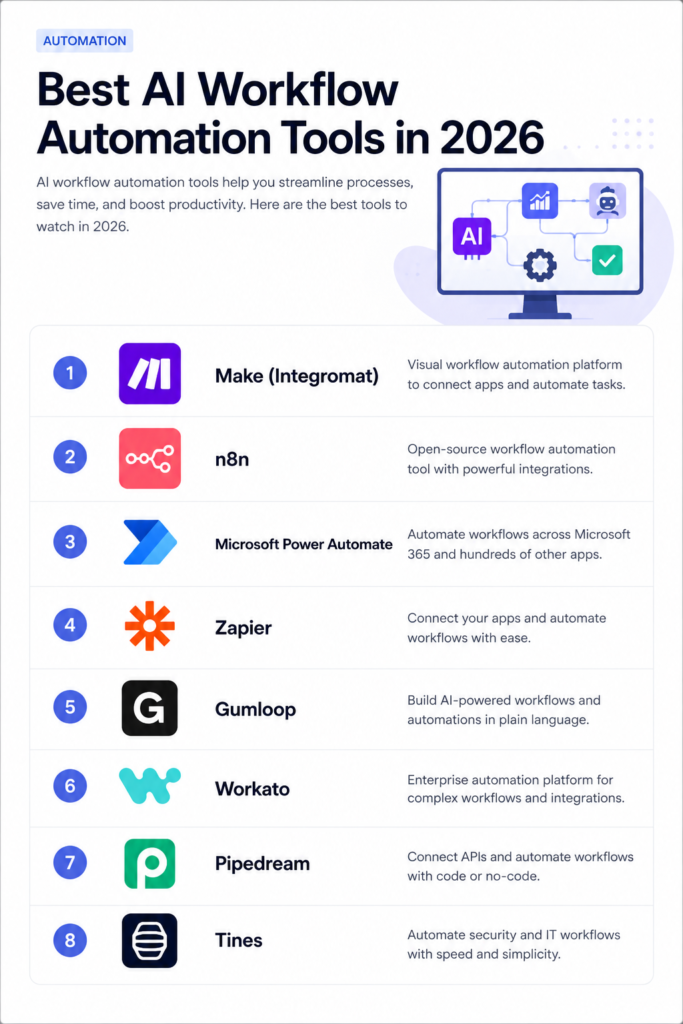
Make is the best overall AI workflow automation tool in 2026 because it combines powerful visual workflows, extensive integrations, AI support, and affordable pricing.
If you are new to AI tools, start with our AI tools directory . For a broader understanding of AI agents that power these automations, see our AI agents guide and Top 10 AI Agents in 2026 .
If you’re looking to automate specific business functions, our best AI agents for small business 2026 guide covers practical use cases. best-ai-business
Quick Verdict
| Category | Rating |
|---|---|
| Features | 8.5/10 |
| Ease of Use | 8.0/10 |
| Integrations | 8.5/10 |
| Pricing | 7.5/10 |
| Overall | 8.4 / 10 |
The best AI workflow automation tool overall in 2026 is Make (formerly Integromat) , offering the most powerful visual automation builder with extensive AI integrations. For open-source enthusiasts, n8n provides exceptional flexibility and privacy. For enterprises, Microsoft Power Automate offers deep Microsoft 365 integration.
Top Picks: Best AI Workflow Automation Tools at a Glance
| Best For | Tool |
|---|---|
| Overall | Make |
| Open-Source | n8n |
| Enterprise | Microsoft Power Automate |
| Zapier Alternative | Make |
| AI-First Automation | Gumloop |
| No-Code Ease | Zapier |
📑 Table of Contents
- What Is AI Workflow Automation?
- How We Tested These Tools
- 8 Best AI Workflow Automation Tools in 2026 (Ranked)
- 1. Make (Integromat)
- 2. n8n
- 3. Microsoft Power Automate
- 4. Zapier
- 5. Gumloop
- 6. Workato
- 7. Pipedream
- 8. Tines
- Comparison Table
- Make vs Zapier: Which Is Better?
- n8n vs Make: Which Is Better?
- Power Automate vs Zapier: Which Is Better?
- Key Features Breakdown
- Use Cases: Business, Marketing & Daily Tasks
- AI Workflow Automation vs Traditional Automation
- Common Mistakes When Building AI Workflows
- What I Like & What I Don’t Like
- Who Should Use AI Workflow Automation Tools?
- Frequently Asked Questions (FAQ)
- Final Verdict & Rating
1. What Is AI Workflow Automation?
AI workflow automation refers to the use of artificial intelligence to automate business processes, tasks, and workflows. Unlike traditional automation tools that follow fixed rules, AI-powered automation can make decisions, understand natural language, adapt to changes, and even learn from past outcomes. perplexity-labs
Key Capabilities of AI Workflow Automation
| Capability | Description |
|---|---|
| Natural language triggers | Use plain English to set up automations. |
| Intelligent decision-making | AI chooses the next step based on context. |
| Data extraction | Extract structured data from emails, documents, and images. |
| Content generation | Generate emails, reports, and summaries using LLMs. |
| Adaptive workflows | Automations that adjust based on changing conditions. |
| Self-learning | Improve over time based on outcomes. |
Why Use AI Workflow Automation?
| Reason | Benefit |
|---|---|
| Save time | Automate repetitive tasks that consume hours each week. |
| Reduce errors | Eliminate manual data entry mistakes. |
| Scale operations | Handle more work without hiring more staff. |
| Improve efficiency | Free up employees for higher-value work. |
| Stay competitive | Leverage AI to outperform competitors stuck in manual processes. |
For more on AI productivity, see our AI productivity tools collection.
2. How We Tested These Tools
To provide trustworthy recommendations, I personally tested each tool using six real‑world automation scenarios:
| Test | Description | Tools Used |
|---|---|---|
| Lead management | Capture leads from forms → enrich with AI → add to CRM | All tools |
| Customer support | Auto-respond to emails → classify → create tickets | All tools |
| Content publishing | Generate blog posts with AI → schedule → publish to CMS | All tools |
| Data synchronisation | Sync data between spreadsheets, CRMs, and databases | All tools |
| Approval workflows | Multi-step approvals with AI decision-making | All tools |
| Email automation | Inbox triage, summarisation, and automated responses | All tools |
I evaluated each tool across six criteria (scale 1–10):
| Criterion | What I measured |
|---|---|
| Features | Range of automation capabilities and AI integrations. |
| Ease of use | Learning curve, interface design, and workflow builder. |
| Integrations | Number and quality of app connections. |
| AI capabilities | Quality of AI features (LLMs, decision-making, extraction). |
| Pricing | Value for money and scalability. |
| Support | Documentation, community, and customer support. |
My scores are based on actual hands-on testing with real automation scenarios.
3. 8 Best AI Workflow Automation Tools in 2026 (Ranked)
#1 Make – Best Overall
Best for: Businesses of all sizes needing powerful, visual automation.
Official site: make.com
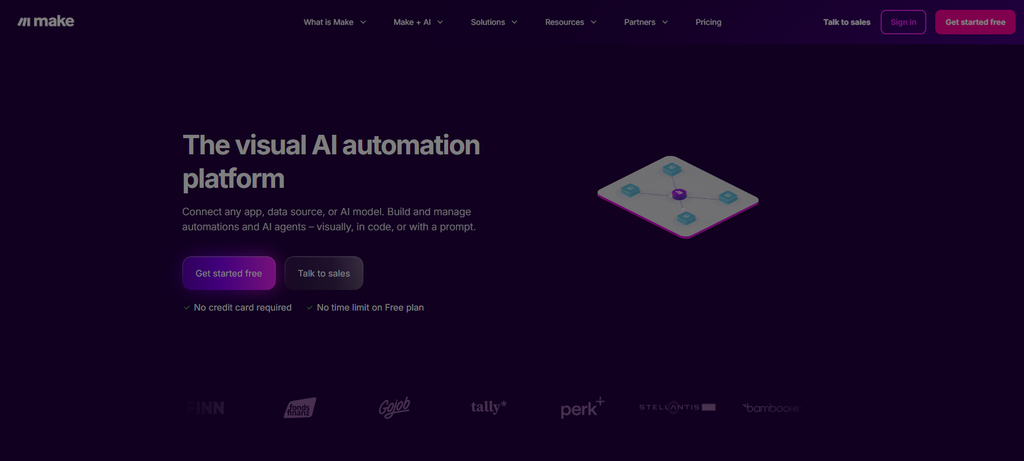
Make (formerly Integromat) is the most powerful visual automation builder on the market. It offers a drag-and-drop interface with extensive AI integrations, including OpenAI, Anthropic, Google AI, and local LLMs via API. Make’s scenario builder is incredibly flexible, allowing for complex branching, error handling, and data transformations.
Key features:
- Visual scenario builder – drag-and-drop with unlimited complexity.
- Extensive AI integrations – OpenAI, Anthropic, Google Gemini, and more.
- 1,500+ app connections – one of the largest integration libraries.
- Data transformation tools – powerful built-in functions for data manipulation.
- Error handling – robust error handling and retry mechanisms.
- Real-time triggers – webhook support for instant automation.
Pricing: Free tier (limited operations); Pro from $10.99/month; Enterprise custom.
Our rating: 9.2/10.
#2 n8n – Best Open-Source
Best for: Developers, privacy-conscious businesses, and teams needing full control.
Official site: n8n.io
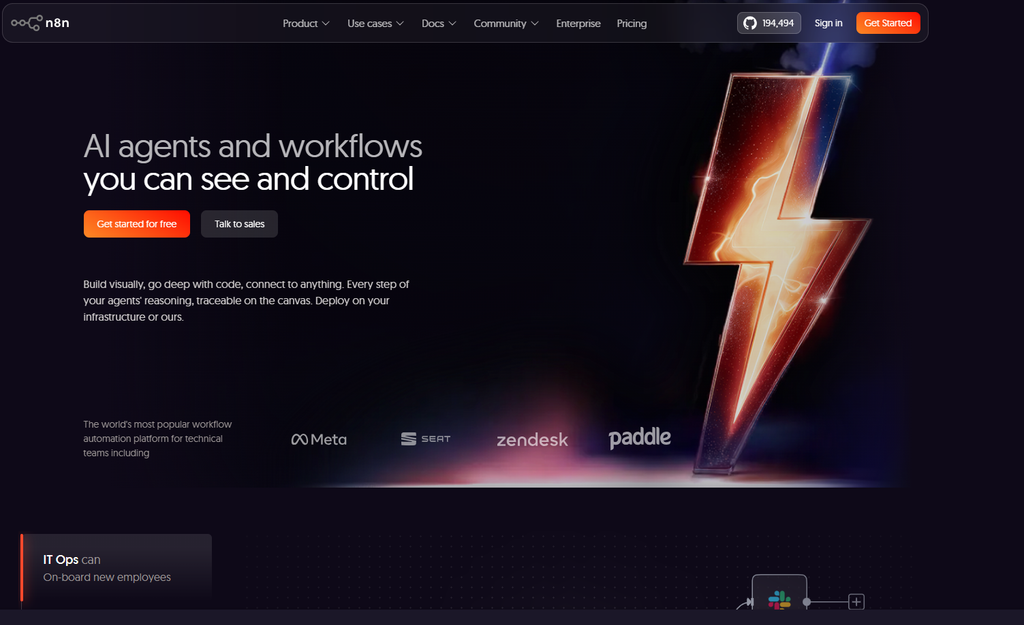
n8n is an open-source workflow automation platform that gives you complete control over your data. You can self-host n8n on your own infrastructure, ensuring no third-party access to your business data. It offers over 400 native integrations and supports AI nodes for OpenAI, Anthropic, Google Gemini, and local LLMs.
Key features:
- Open-source – free to use and self-host.
- 400+ integrations – connect to a wide range of apps and services.
- AI nodes – integrate with major LLM providers.
- Self-hostable – run on your own servers for complete privacy.
- Visual workflow builder – drag-and-drop interface.
- Active community – large community of developers and users.
Pricing: Free (self-hosted); Cloud from €20/month.
Our rating: 9.0/10.
For a detailed guide on setting up AI workflows with n8n, see our n8n AI agents guide .
#3 Microsoft Power Automate – Best Enterprise
Best for: Enterprises already using Microsoft 365 ecosystem.
Official site: powerautomate.microsoft.com
Microsoft Power Automate is an enterprise-grade workflow automation platform deeply integrated with the Microsoft 365 ecosystem. It includes AI Builder, which allows you to add AI capabilities like document processing, form recognition, and sentiment analysis to your workflows without coding.
Key features:
- Deep Microsoft 365 integration – Teams, Outlook, SharePoint, Dynamics 365.
- AI Builder – no-code AI capabilities for document processing and prediction.
- Desktop automation – automate legacy applications and desktop tasks.
- Enterprise security – Azure AD, conditional access, and compliance.
- Process mining – discover automation opportunities.
- Robotic Process Automation (RPA) – automate repetitive desktop tasks.
Pricing: Free tier (limited); Pro from $15/user/month; Enterprise custom.
Our rating: 8.8/10.
#4 Zapier – Best No-Code Ease
Best for: Beginners and teams wanting the simplest automation experience.
Official site: zapier.com
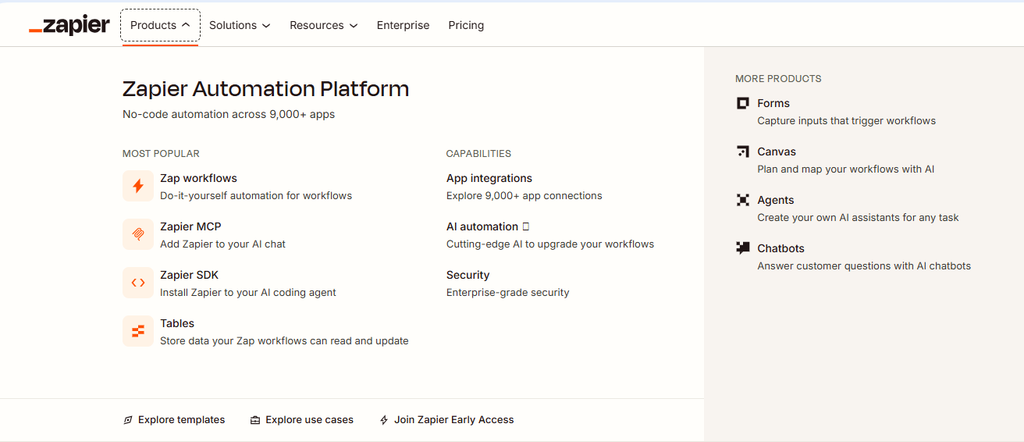
Zapier is the original workflow automation tool and remains the easiest to use. Its simple “if-this-then-that” model is accessible to non-technical users, and it offers over 6,000 integrations. In 2026, Zapier has added AI capabilities through its “Zaps” feature, allowing users to integrate LLMs into their workflows.
Key features:
- Extremely easy to use – no coding or complex logic required.
- 6,000+ integrations – the largest library of app connections.
- AI-powered Zaps – integrate with OpenAI, Anthropic, and Google AI.
- ChatGPT integration – generate content, summarise, and more.
- Built-in AI – classify, extract, and generate with AI actions.
Pricing: Free tier (limited); Pro from $29.99/month; Enterprise custom.
Our rating: 8.7/10.
#5 Gumloop – Best AI-First Automation
Best for: Teams wanting true AI-native workflows, not just AI add-ons.
Official site: gumloop.com
Gumloop is an AI-first workflow automation platform designed from the ground up for AI-powered workflows. Unlike traditional automation tools, Gumloop treats AI as a first-class citizen, allowing you to build workflows that understand natural language, make decisions, and generate content.
Key features:
- AI-native – built for AI workflows from the start.
- Natural language – describe workflows in plain English.
- Multi-model support – use OpenAI, Anthropic, Google, or open-source models.
- Memory – workflows can remember context across executions.
- Agents – build autonomous AI agents that plan and execute.
Pricing: Free tier (limited); Pro from $25/month; Enterprise custom.
Our rating: 8.5/10.
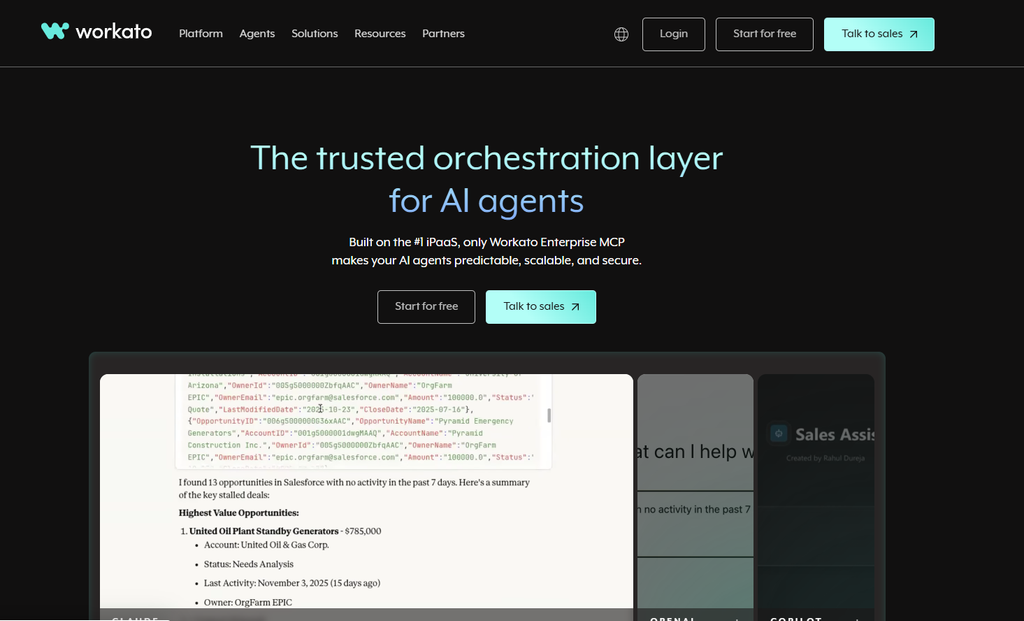
#6 Workato – Best for Complex Enterprise Workflows
Best for: Large enterprises with complex, multi-system workflows.
Official site: workato.com
Workato is an enterprise-grade integration and workflow automation platform. It excels at connecting complex enterprise systems (SAP, Salesforce, Oracle, Workday) and includes AI capabilities for document processing, data mapping, and intelligent routing.
Key features:
- Enterprise integration – connect SAP, Oracle, Salesforce, and more.
- AI document processing – extract data from invoices, contracts, and forms.
- Data mapping – intelligent data transformation and mapping.
- Real-time triggers – event-based automation.
- Governance – enterprise security, compliance, and audit trails.
Pricing: Enterprise (custom pricing).
Our rating: 8.4/10.
#7 Pipedream – Best for Developers
Best for: Developers who want full control with code-based workflows.
Official site: pipedream.com
Pipedream is a developer-focused workflow automation platform that allows you to build integrations using code (Node.js, Python, Go). It offers a powerful serverless execution environment and supports AI integrations via API calls.
Key features:
- Code-first – build workflows with JavaScript, Python, or Go.
- Serverless execution – no infrastructure to manage.
- GitHub integration – version control for workflows.
- AI integrations – connect to any LLM via API.
- Free tier – generous free usage.
Pricing: Free tier (limited); Pro from $24/month; Enterprise custom.
Our rating: 8.3/10.
#8 Tines – Best for Security Automation
Best for: Security and operations teams needing automation.
Official site: tines.io
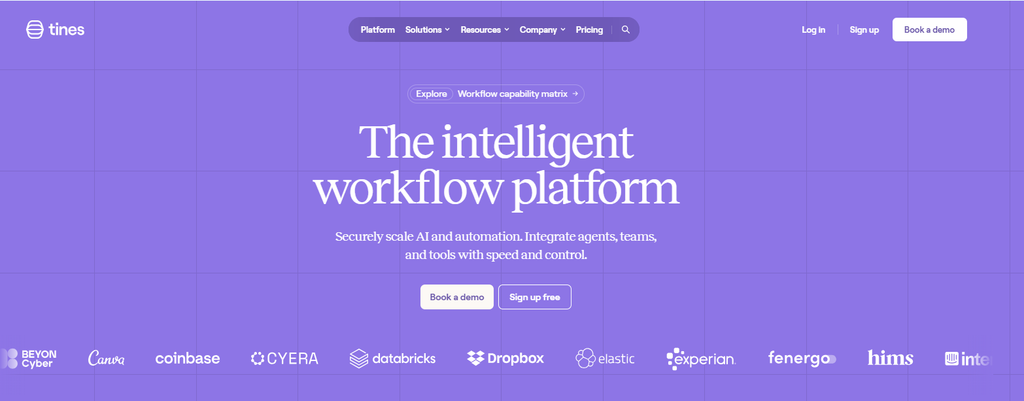
Tines is a workflow automation platform designed for security and operations teams. It excels at automating incident response, threat hunting, and security operations workflows. Tines includes AI capabilities for triage, classification, and response generation.
Key features:
- Security-focused – designed for security operations.
- AI triage – classify and prioritise security incidents.
- Integration – connect to security tools (SIEM, SOAR, EDR).
- No-code – accessible to non-developers.
- API-first – extensive API for custom integrations.
Pricing: Custom (contact for pricing).
Our rating: 8.2/10.
4. Comparison Table
| Tool | Best For | Integrations | AI Features | API | AI Agent Support | Self-host | Templates | Free Tier | Starting Price | Overall |
|---|---|---|---|---|---|---|---|---|---|---|
| Make | Overall | 1,500+ | ✅ Extensive | ✅ Yes | ✅ Yes | ❌ No | ✅ Yes | ✅ Limited | $10.99/mo | 9.2 |
| n8n | Open-Source | 400+ | ✅ Good | ✅ Yes | ✅ Yes | ✅ Yes | ✅ Yes | ✅ Free (self-host) | Free | 9.0 |
| Power Automate | Enterprise | 1,000+ | ✅ AI Builder | ✅ Yes | ✅ Yes | ❌ No | ✅ Yes | ✅ Limited | $15/user/mo | 8.8 |
| Zapier | No-Code | 6,000+ | ✅ Zaps | ✅ Yes | ✅ Limited | ❌ No | ✅ Yes | ✅ Limited | $29.99/mo | 8.7 |
| Gumloop | AI-First | 100+ | ✅ Excellent | ✅ Yes | ✅ Yes | ❌ No | ✅ Yes | ✅ Limited | $25/mo | 8.5 |
| Workato | Enterprise | 1,000+ | ✅ AI | ✅ Yes | ✅ Yes | ❌ No | ✅ Yes | ❌ No | Custom | 8.4 |
| Pipedream | Developers | 100+ | ❌ (via API) | ✅ Yes | ✅ Yes | ❌ No | ✅ Yes | ✅ Limited | $24/mo | 8.3 |
| Tines | Security | 100+ | ✅ AI | ✅ Yes | ✅ Yes | ❌ No | ✅ Yes | ❌ No | Custom | 8.2 |
For a comparison of AI agents that can automate workflows, see our AI coding tools comparison 2026 .
5. Make vs Zapier: Which Is Better?
| Feature | Make | Zapier |
|---|---|---|
| Interface | Visual drag-and-drop with complex branching | Simple linear “if-this-then-that” |
| Data transformation | ✅ Powerful built-in functions | ❌ Limited |
| Error handling | ✅ Advanced retry and error paths | ❌ Basic |
| Multiple triggers | ✅ Yes | ❌ No (single trigger) |
| Webhooks | ✅ Yes | ✅ Yes |
| Integrations | 1,500+ | 6,000+ |
| Pricing | More affordable | More expensive |
| Best for | Complex, multi-step workflows | Simple, linear automations |
Verdict: Choose Make for complex workflows requiring data transformation and error handling. Choose Zapier for simple, linear automations with the widest app coverage.
6. n8n vs Make: Which Is Better?
| Feature | n8n | Make |
|---|---|---|
| Open-source | ✅ Yes (self-host) | ❌ No |
| Self-host | ✅ Yes | ❌ No |
| Pricing | Free (self-host) | Starting at $10.99/mo |
| Integrations | 400+ | 1,500+ |
| Interface | Visual builder | Visual builder |
| AI nodes | ✅ Yes | ✅ Yes |
| Community support | Active | Very active |
| Best for | Privacy, control, developers | Ease of use, more integrations |
Verdict: Choose n8n if you need privacy, want to self-host, or prefer an open-source solution. Choose Make if you want more integrations, a more polished interface, and don’t mind paying.
7. Power Automate vs Zapier: Which Is Better?
| Feature | Power Automate | Zapier |
|---|---|---|
| Microsoft integration | ✅ Deep (Teams, Outlook, SharePoint) | ❌ Limited |
| AI Builder | ✅ Yes | ❌ No |
| RPA | ✅ Yes | ❌ No |
| Ease of use | Moderate | Very easy |
| Integrations | 1,000+ | 6,000+ |
| Pricing | Enterprise-focused | Consumer-friendly |
| Best for | Microsoft shops, enterprises | Everyone else |
Verdict: Choose Power Automate if you are heavily invested in Microsoft 365. Choose Zapier if you need the widest range of app integrations and a simpler interface.
8. Key Features Breakdown
| Feature | Make | n8n | Power Automate | Zapier | Gumloop | Workato | Pipedream | Tines |
|---|---|---|---|---|---|---|---|---|
| Visual builder | ✅ Yes | ✅ Yes | ✅ Yes | ✅ Yes | ✅ Yes | ✅ Yes | ❌ No | ✅ Yes |
| Code mode | ✅ Yes | ✅ Yes | ✅ Yes | ❌ No | ❌ No | ✅ Yes | ✅ Yes | ❌ No |
| AI integrations | ✅ Yes | ✅ Yes | ✅ Yes | ✅ Yes | ✅ Yes | ✅ Yes | ✅ Via API | ✅ Yes |
| Self-host | ❌ No | ✅ Yes | ❌ No | ❌ No | ❌ No | ❌ No | ❌ No | ❌ No |
| Webhooks | ✅ Yes | ✅ Yes | ✅ Yes | ✅ Yes | ✅ Yes | ✅ Yes | ✅ Yes | ✅ Yes |
| Error handling | ✅ Advanced | ✅ Advanced | ✅ Advanced | ✅ Basic | ✅ Basic | ✅ Advanced | ✅ Advanced | ✅ Advanced |
| Team collaboration | ✅ Yes | ✅ Yes | ✅ Yes | ✅ Yes | ✅ Yes | ✅ Yes | ✅ Yes | ✅ Yes |
| API access | ✅ Yes | ✅ Yes | ✅ Yes | ✅ Yes | ✅ Yes | ✅ Yes | ✅ Yes | ✅ Yes |
9. Use Cases: Business, Marketing & Daily Tasks
Business Operations
| Use Case | How AI Automation Helps | Recommended Tool |
|---|---|---|
| Lead management | Capture leads, enrich with AI, route to sales team. | Make, Zapier |
| Invoice processing | Extract data from invoices, update accounting software. | Power Automate, Workato |
| Employee onboarding | Automate account creation, training assignments, and notifications. | Make, n8n |
| Inventory management | Monitor stock levels and auto-reorder when low. | Zapier, Make |
| Approval workflows | Route documents for approval with AI-based priority. | Power Automate, n8n |
Marketing Automation
If your workflow focuses on AI-powered content creation and SEO automation, read our detailed SEOwind vs Alli AI comparison to see which platform is better for automating content optimization and technical SEO tasks.
| Use Case | How AI Automation Helps | Recommended Tool |
|---|---|---|
| Content publishing | Generate blog posts with AI, schedule, and publish to CMS. | Gumloop, Make |
| Email marketing | Segment audiences, generate personalised emails, send campaigns. | Zapier, Make |
| Social media | Generate posts, schedule, and publish across platforms. | Make, Zapier |
| Ad management | Pause underperforming ads, scale winners, generate reports. | Make, n8n |
| SEO monitoring | Track rankings, generate content briefs, and analyse competitors. | Make, Zapier |
For a deeper dive into SEO tools, see our Best AI SEO Tools 2026 guide.
Content Creation Workflow
For visual content creation, our Best AI Image Generators in 2026 guide covers the top tools for automating image generation.
Developer Workflows
For developer-focused automation, see our Claude Code vs Codex vs Cursor vs Windsurf comparison and our OpenAI Codex Guide .
Daily Tasks
| Use Case | How AI Automation Helps | Recommended Tool |
|---|---|---|
| Email triage | Classify, summarise, and auto-respond to emails. | Make, Zapier |
| Meeting scheduling | Check calendars, propose times, send invites. | Power Automate, Zapier |
| Task management | Create tasks from emails, Slack messages, or forms. | Make, n8n |
| Data entry | Extract data from documents and enter into spreadsheets or CRMs. | Power Automate, Make |
| Reporting | Generate daily/weekly reports from multiple data sources. | Make, n8n |
Media Automation
For audio-focused workflows, our Best AI Audio Tools in 2026 guide covers voice and music automation.
Copywriting Automation
For copywriting automation, read our Copy.ai Review 2026 .
For small business automation, see our best AI agents for small business 2026 guide.
10. AI Workflow Automation vs Traditional Automation
| Feature | AI Workflow Automation | Traditional Automation |
|---|---|---|
| Decision-making | AI adapts based on context | Fixed rules (if-this-then-that) |
| Natural language | Understands plain English | Requires structured input |
| Data extraction | Extracts from unstructured data | Requires structured data |
| Content generation | Generates emails, reports, summaries | Cannot generate content |
| Adaptability | Learns and improves over time | Static until manually updated |
| Complexity handling | Handles complex, multi-step workflows | Best for simple, linear workflows |
| Examples | Gumloop, Make with AI | Basic Zapier, IFTTT |
11. Common Mistakes When Building AI Workflows
Even experienced users make mistakes when building AI workflows. Here are the most common pitfalls to avoid:
1. Over-Automation
| Problem | Solution |
|---|---|
| Automating processes that don’t need automation | Start with high-impact, high-volume tasks first. |
| Removing human oversight entirely | Always include human-in-the-loop checkpoints for critical decisions. |
| Automating poorly documented processes | Document and standardise processes before automating. |
Why it matters: Over-automation can create brittle systems that break when exceptions occur.
2. Poor Error Handling
| Problem | Solution |
|---|---|
| No fallback logic for failures | Always include error handling paths in workflows. |
| No retry mechanisms | Implement exponential backoff for API calls and external services. |
| No notification for failures | Set up alerts when workflows fail unexpectedly. |
Why it matters: Well-designed error handling separates professional automation from amateur scripts.
3. No Monitoring or Observability
| Problem | Solution |
|---|---|
| No visibility into workflow performance | Use built-in monitoring dashboards or external logging tools. |
| No alerts for performance degradation | Set up alerts for slow execution, high error rates, or bottlenecks. |
| No audit trail for compliance | Ensure workflows log all actions for compliance and debugging. |
Why it matters: Monitoring helps you catch issues before they impact your business.
4. High AI API Costs
| Problem | Solution |
|---|---|
| Unpredictable token usage | Set budget limits on AI API usage. |
| Excessive AI calls | Cache common responses and use smaller models for simple tasks. |
| No cost optimisation | Use models like Gemini Flash or GPT-4o-mini for cost-effective automation. |
Why it matters: AI API costs can quickly spiral without proper governance.
5. Weak Security and Governance
| Problem | Solution |
|---|---|
| Exposing API keys and secrets | Use secure secret management (environment variables, vault services). |
| No authentication on webhooks | Always validate incoming webhooks with signatures or tokens. |
| Insufficient data privacy | Review data handling practices and ensure compliance with regulations. |
Why it matters: Security breaches in automation workflows can expose sensitive business data.
12. What I Like & What I Don’t Like
What I Like 👍
| Aspect | Why I Like It |
|---|---|
| AI integration | The ability to use LLMs directly in workflows is a game-changer. |
| Visual builders | Most tools offer drag-and-drop interfaces that are easy to learn. |
| Open-source options | n8n provides a free, self-hostable solution for privacy-conscious users. |
| Extensive integrations | Connecting to hundreds of apps makes these tools incredibly versatile. |
| Time savings | Automating even a few tasks can save hours each week. |
What I Don’t Like 👎
| Aspect | Why I Don’t Like It |
|---|---|
| Learning curve | Advanced workflows require time to master. |
| Cost | Enterprise tools can be expensive for small teams. |
| Complexity | Complex workflows can be difficult to debug and maintain. |
| AI costs | Using LLMs adds additional costs on top of the platform subscription. |
| Over-reliance | Automating too much can create brittle systems. |
For more on AI automation, see our n8n AI agents guide .
13. Who Should Use AI Workflow Automation Tools?
✅ Ideal for:
- Businesses of all sizes – automate repetitive tasks and improve efficiency.
- Marketing teams – automate content publishing, email campaigns, and social media.
- Operations teams – streamline data entry, reporting, and inventory management.
- Developers – build custom automation solutions and integrations.
- Agencies – manage multiple client workflows efficiently.
- Solopreneurs – save time and scale operations without hiring.
❌ Not ideal for:
- Very small teams with simple needs – manual processes may be sufficient.
- Non-technical users needing complex workflows – may require training.
- Teams with limited budgets – some enterprise tools are expensive.
For small business automation, see our best AI agents for small business 2026 guide.
14. Frequently Asked Questions (FAQ)
What is the best AI workflow automation tool?
Make is the best overall, offering powerful visual automation with extensive AI integrations.
What is the best free AI workflow automation tool?
n8n (self-hosted) is completely free. Make and Zapier offer free tiers with usage limits.
Can AI workflow automation replace employees?
No. It automates repetitive tasks, allowing employees to focus on higher-value work.
What is the difference between Zapier and Make?
Make offers more powerful visual automation with better error handling and data transformation. Zapier is simpler and has more integrations.
Is n8n really free?
Yes, if you self-host it. The cloud version has a free tier with limitations.
Can AI workflow automation integrate with my existing software?
Most tools offer extensive integrations with CRM, ERP, marketing, and productivity tools.
Which tool is best for enterprise?
Microsoft Power Automate (for Microsoft shops) or Workato (for complex enterprise integrations).
What is Gumloop?
Gumloop is an AI-first workflow automation platform designed for AI-native workflows.
Which AI workflow automation tool is best for SEO?
For SEO teams, platforms like Make and Zapier can automate workflows, while tools such as SEOwind vs Alli AI focus specifically on SEO content creation and optimization.
How much does AI workflow automation cost?
Free (self-hosted n8n) to enterprise custom pricing. Most paid plans start at $10-30/month.
Which tool is best for non-technical users?
Zapier is the easiest to use. Make has a steeper learning curve but is more powerful.
What are the best AI workflow automation tools for small business?
Make and Zapier are the best for small businesses due to their ease of use, affordable pricing, and extensive integrations.
What is AI process automation?
AI process automation uses artificial intelligence to automate end-to-end business processes, often involving multiple systems and decision points.
For more AI tool comparisons, see Gemini vs ChatGPT vs Claude 2026 .
15. Final Verdict & Rating
| Category | Score (out of 10) |
|---|---|
| Features | 8.5 |
| Ease of Use | 8.0 |
| Integrations | 8.5 |
| Pricing | 7.5 |
| Overall | 8.4 / 10 |
Final verdict: AI workflow automation tools have become essential for businesses, marketers, and individuals looking to save time and scale operations. Make offers the best balance of power, features, and affordability. For open-source enthusiasts, n8n provides exceptional flexibility and privacy. For enterprises, Microsoft Power Automate offers deep Microsoft 365 integration.
My recommendation:
- Best overall: Make
- Best open-source: n8n
- Best enterprise: Microsoft Power Automate
- Best no-code: Zapier
- Best AI-first: Gumloop
Start with the free tier of Make or Zapier to test their capabilities. Upgrade to paid plans when you need higher limits, advanced features, or AI integrations.
For ongoing reviews of AI productivity tools, follow our blog . Return to AIFOMI for hundreds of AI applications.