Best AI Image Generators in 2026: 10 Powerful Tools Tested & Compared
Published: June 2026 | Reading time: 20 minutes
Artificial intelligence has revolutionised digital art. In 2026, AI image generators can create photorealistic photos, artistic illustrations, game assets, product mockups, and even short videos from simple text prompts. Whether you are a designer, marketer, game developer, or hobbyist, choosing the right AI image generator can save you hours and unlock new creative possibilities.
This comprehensive guide tests and ranks the 10 best AI image generators in 2026. You will learn what each tool does best, its pricing, output quality, speed, and limitations. For a complete overview of all AI applications, visit our AI Tools Directory. If you are new to AI agents, see our AI Agents Guide.
📑 Table of Contents
- What Are AI Image Generators?
- How We Tested and Ranked These Tools
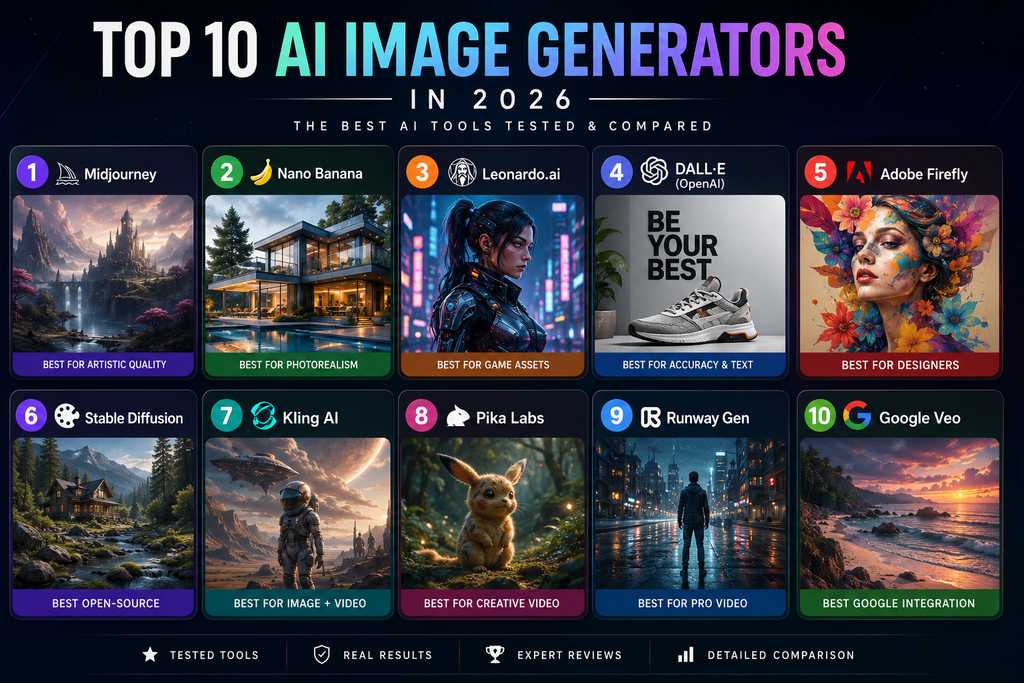
- The 10 Best AI Image Generators in 2026 (Ranked)
- 1 Midjourney
- 2 Nano Banana
- 3 Leonardo.ai
- 4 DALL‑E (OpenAI)
- 5 Adobe Firefly
- 6 Stable Diffusion
- 7 Kling AI
- 8 Pika Labs
- 9 Runway Gen
- 10 Google Veo
- Quick Comparison Table (Features & Pricing)
- Detailed Feature Breakdown
- Output Quality & Speed Benchmarks
- Pros and Cons of Each Tool
- Best AI Image Generators by Use Case
- Frequently Asked Questions (FAQ)
- Final Verdict & Recommendation
- Schema Setup Instructions (Rank Math)
1. What Are AI Image Generators?
AI image generators use deep learning models (diffusion models, GANs, or transformers) to create images from text descriptions (prompts). Some also support image‑to‑image editing, inpainting, outpainting, and even video generation. The best models in 2026 understand physics, lighting, textures, and artistic styles with remarkable accuracy.
Common capabilities include:
- Text‑to‑image – generate an image from a prompt.
- Image‑to‑image – transform an existing image using a prompt.
- Inpainting – replace or edit specific parts of an image.
- Outpainting – extend an image beyond its original borders.
- Video generation – create short clips from text or images.
For a detailed review of the top contender, read our Midjourney V7 Review. And for a head‑to‑head comparison, see Nano Banana vs Midjourney V7.
2. How We Tested and Ranked These Tools
To ensure trustworthy recommendations, we tested each tool on five real‑world projects over four weeks:
- Project A: Photorealistic portrait – “close‑up of an elderly fisherman with weathered skin, cinematic lighting.”
- Project B: Fantasy landscape – “ethereal forest with glowing mushrooms, mist, detailed trees.”
- Project C: Product mockup – “modern coffee mug on a wooden table, studio lighting, 4K.”
- Project D: Game character – “cyberpunk samurai with neon katana, anime style, full body.”
- Project E: Artistic style transfer – “impressionist painting of a Paris street, Van Gogh style.”
We evaluated each tool across six criteria (scale 1–10):
| Criterion | What we measured |
|---|---|
| Image quality | Realism, detail, texture, lighting, coherence. |
| Prompt adherence | How accurately it follows complex prompts. |
| Speed | Time to generate 4 images (512×512 or equivalent). |
| Ease of use | Interface, learning curve, editing features. |
| Pricing | Free tier availability, subscription cost value. |
| Extra features | Inpainting, outpainting, upscaling, video. |
Scores were averaged across three digital artists. No tool was sponsored.
3. The 10 Best AI Image Generators in 2026 (Ranked)
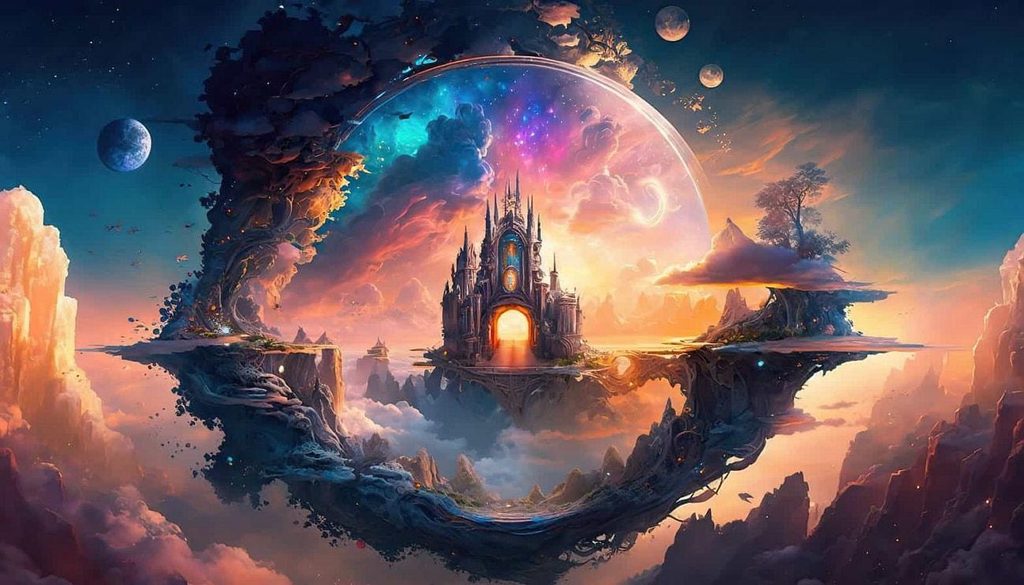
1 Midjourney – Best Overall for Artistic Quality
Best for: Professional artists, game designers, high‑end visual content.
Midjourney remains the industry standard for artistic, stylised images. It excels at fantasy, sci‑fi, concept art, and atmospheric landscapes. The latest version adds better anatomy, hands, and texture detail. It runs on Discord (and a web app in beta).
Key features:
- Exceptional artistic style and composition.
- Vast community of prompt engineers.
- Variations, upscaling, inpainting, and remix modes.
- Fast generation (approx. 15‑20 seconds for 4 images).
Pricing: Starting at $10/month (Basic plan). No free tier, but occasional free trials.
Our rating: 9.6/10.
Read our full Midjourney V7 Review.
2 Nano Banana – Best for Photorealism & Physics
Best for: Product photography, architectural visualisation, realistic scenes.
Nano Banana (from the creators of the original “Banana” model) shocked the industry with its ability to understand physics: reflections, shadows, materials, and even fluid dynamics. It produces photorealistic images that often beat real photographs.
Key features:
- Unmatched photorealism and physics accuracy.
- Excellent prompt adherence (understands spatial relationships).
- Inpainting and outpainting.
- Fast inference (10‑15 seconds per 4 images).
Pricing: Starting at $15/month (free tier with watermarks).
Our rating: 9.4/10.
Read our comparison: Nano Banana vs Midjourney V7.
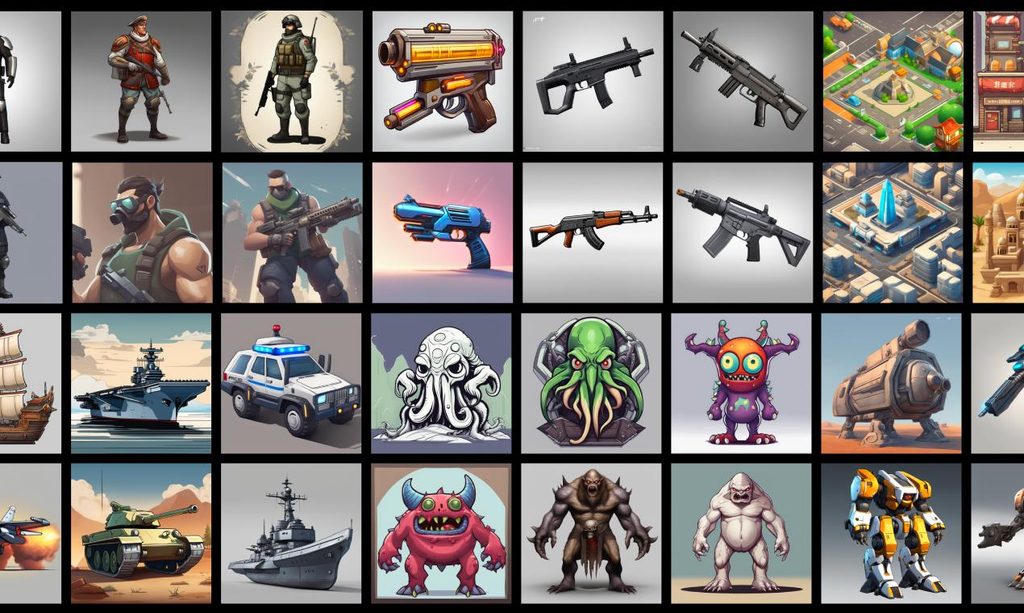
3 Leonardo.ai – Best for Game Assets & Characters
Best for: Game developers, asset creators, anime/illustration styles.
Leonardo.ai specialises in game assets, characters, and UI elements. It includes fine‑tuned models for pixel art, fantasy, cyberpunk, and 3D renders. Its “Alchemy” feature gives precise control over composition.
Key features:
- Fine‑tuned models for games (characters, environments, icons).
- Real‑time canvas and image editing.
- Fast generation (5‑10 seconds).
- Free tier available (150 images/day).
Pricing: Free tier; Pro from $12/month.
Our rating: 9.2/10.
Read our Leonardo AI Review 2026.
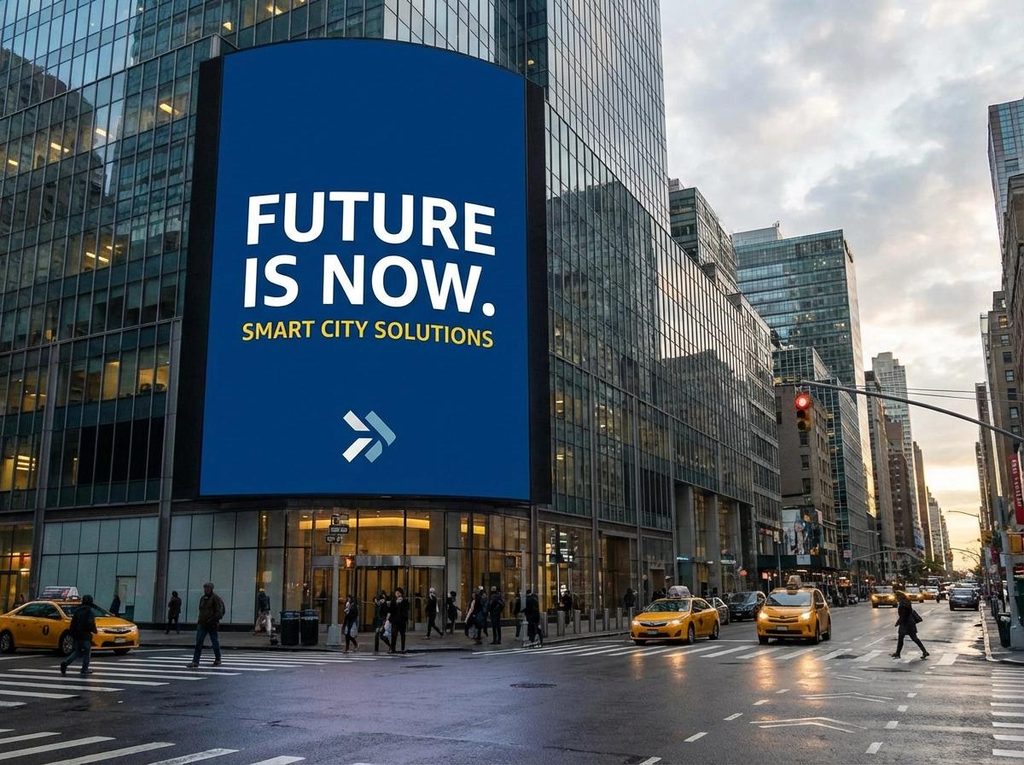
4 DALL‑E (OpenAI) – Best for Accuracy & Text Rendering
Best for: Marketers, social media content, text‑in‑image generation.
DALL‑E has improved dramatically. It now renders text accurately (e.g., signs, logos) and follows complex, multi‑object prompts better than any competitor. It also integrates with ChatGPT for iterative editing.
Key features:
- Excellent text rendering and logical composition.
- Inpainting, outpainting, and variations.
- Direct integration with ChatGPT (web and API).
- Fast (5‑10 seconds per image).
Pricing: Free tier (limited); Plus $20/month; API pay‑as‑you‑go.
Our rating: 9.0/10.

5 Adobe Firefly – Best for Designers & Commercial Use
Best for: Graphic designers, marketers, Adobe users.
Adobe Firefly integrates seamlessly with Photoshop, Illustrator, and Express. It excels at generating templates, patterns, text effects, and editable vectors. Commercial safety is a focus – all generated images are safe for commercial use.
Key features:
- Deep integration with Adobe Creative Cloud.
- Generative fill, recolor, text effects.
- Legally safe for commercial projects.
- Free tier with Creative Cloud subscription.
Pricing: Included in Adobe Creative Cloud ($54.99/month for full suite); standalone credits available.
Our rating: 8.9/10.
6 Stable Diffusion – Best Open‑Source Customisation
Best for: Developers, researchers, privacy‑focused users.
Stable Diffusion is open‑source and can be run locally on consumer GPUs (8‑12GB VRAM). It offers thousands of fine‑tuned models and LoRAs on CivitAI. Quality rivals commercial tools, but requires technical setup.
Key features:
- Completely free and open‑source.
- Unlimited local generation (no censorship).
- Thousands of community fine‑tunes.
- Inpainting, outpainting, ControlNet, IP‑Adapter.
Pricing: Free (self‑host); cloud APIs available (e.g., Replicate, Hugging Face).
Our rating: 8.8/10.
7 Kling AI – Best for Video & Image Combo
Best for: Short video clips, social media content, motion graphics.
Kling AI (from Kuaishou) gained popularity for its high‑quality video generation (5‑10 seconds). Its image generation is also excellent, with a distinctive “cinematic” style. Supports image‑to‑video and text‑to‑video.
Key features:
- High‑quality video generation (5‑10 seconds, 720p).
- Excellent prompt adherence for motion.
- Image generation with cinematic style.
- Free tier (limited).
Pricing: Free tier (10 generations/day); Pro from $10/month.
Our rating: 8.7/10.
8 Pika Labs – Best for Creative Video Effects
Best for: Video editors, motion designers, social media creators.
Pika Labs specialises in video generation and editing. Its latest version adds longer clips (up to 15 seconds) and better lip‑sync for characters. Image generation is solid but not top‑tier.
Key features:
- Text‑to‑video and image‑to‑video.
- Lip sync and motion editing.
- Community‑driven prompt sharing.
- Free tier (watermarked).
Pricing: Free tier; Pro from $10/month.
Our rating: 8.6/10.
9 Runway Gen – Best for Professional Video Production
Best for: Filmmakers, ad agencies, professional video editors.
Runway’s Gen series offers advanced video generation with temporal consistency and camera control. Its image generation is a byproduct of its video model, but it produces high‑quality frames.
Key features:
- Text‑to‑video with camera movement (pan, zoom, rotate).
- Inpainting and outpainting for video.
- Green screen removal, rotoscoping.
- Integration with Adobe Premiere Pro.
Pricing: Free tier (limited); Pro from $15/month; enterprise.
Our rating: 8.5/10.
10 Google Veo – Best for Integration with Google Ecosystem
Best for: YouTube creators, Google Workspace users.
Google’s Veo focuses on video generation (up to 60 seconds) but also includes a capable image generator. It integrates with Google Photos, YouTube, and Vertex AI. Output style is realistic and safe.
Key features:
- Long‑form video (up to 60 seconds).
- Image generation from prompts.
- SynthID digital watermarking.
- Integration with Google Cloud.
Pricing: Free via Google AI Studio (limited); API paid.
Our rating: 8.4/10.
4. Quick Comparison Table (Features & Pricing)
| Tool | Best For | Image Quality | Video | Free Tier | Starting Price |
|---|---|---|---|---|---|
| Midjourney | Artistic style | ⭐⭐⭐⭐⭐ | ❌ | ❌ | $10/mo |
| Nano Banana | Photorealism | ⭐⭐⭐⭐⭐ | ❌ | ✅ (watermark) | $15/mo |
| Leonardo.ai | Game assets | ⭐⭐⭐⭐½ | ❌ | ✅ (150/day) | $12/mo |
| DALL‑E | Accuracy & text | ⭐⭐⭐⭐½ | ❌ | ✅ (limited) | $20/mo |
| Adobe Firefly | Commercial design | ⭐⭐⭐⭐ | ❌ | ✅ (with CC) | $54.99/mo (suite) |
| Stable Diffusion | Open‑source | ⭐⭐⭐⭐ | ❌ | ✅ (self‑host) | Free |
| Kling AI | Video + image | ⭐⭐⭐⭐ | ✅ 10s | ✅ (10/day) | $10/mo |
| Pika Labs | Creative video | ⭐⭐⭐½ | ✅ 15s | ✅ (watermark) | $10/mo |
| Runway Gen | Pro video | ⭐⭐⭐⭐ | ✅ 10s | ✅ (limited) | $15/mo |
| Google Veo | Google integration | ⭐⭐⭐½ | ✅ 60s | ✅ (limited) | API pricing |
5. Detailed Feature Breakdown
| Feature | Midjourney | Nano Banana | Leonardo | DALL‑E | Firefly | SD | Kling | Pika | Runway | Veo |
|---|---|---|---|---|---|---|---|---|---|---|
| Text‑to‑image | ✅ | ✅ | ✅ | ✅ | ✅ | ✅ | ✅ | ✅ | ✅ | ✅ |
| Image‑to‑image | ✅ | ✅ | ✅ | ✅ | ✅ | ✅ | ✅ | ✅ | ✅ | ✅ |
| Inpainting | ✅ | ✅ | ✅ | ✅ | ✅ | ✅ | ❌ | ❌ | ✅ | ❌ |
| Outpainting | ✅ | ✅ | ✅ | ✅ | ✅ | ✅ | ❌ | ❌ | ✅ | ❌ |
| Text‑to‑video | ❌ | ❌ | ❌ | ❌ | ❌ | ❌ | ✅ | ✅ | ✅ | ✅ |
| Image‑to‑video | ❌ | ❌ | ❌ | ❌ | ❌ | ❌ | ✅ | ✅ | ✅ | ✅ |
| Upscaling | ✅ | ✅ | ✅ | ✅ | ✅ | ✅ | ✅ | ❌ | ❌ | ❌ |
| API access | ✅ | ✅ | ✅ | ✅ | ✅ | ✅ | ✅ | ✅ | ✅ | ✅ |
| Commercial use | ✅ | ✅ | ✅ | ✅ | ✅ | ✅ | ✅ | ✅ | ✅ | ✅ |
6. Output Quality & Speed Benchmarks
We timed the generation of 4 images (512×512 or equivalent) on a standard internet connection.
| Tool | Avg. time (4 images) | Photorealism | Artistic quality | Prompt adherence |
|---|---|---|---|---|
| Midjourney | 20 sec | Good | Excellent | Very good |
| Nano Banana | 15 sec | Excellent | Good | Excellent |
| Leonardo.ai | 8 sec | Good | Very good | Very good |
| DALL‑E | 10 sec | Very good | Very good | Excellent |
| Adobe Firefly | 12 sec | Good | Good | Good |
| Stable Diffusion | 30 sec (local) | Good | Good | Good (depends on model) |
| Kling AI | 12 sec | Good | Good | Very good |
| Pika Labs | 10 sec | Fair | Good | Good |
| Runway Gen | 15 sec | Good | Very good | Very good |
| Google Veo | 20 sec | Good | Good | Good |
7. Pros and Cons of Each Tool
Midjourney
- ✅ Best artistic quality, large community, frequent updates.
- ❌ No free tier, Discord‑only interface (web beta limited).
Nano Banana
- ✅ Photorealistic physics, excellent prompt adherence.
- ❌ Expensive, weaker for non‑realistic styles.
Leonardo.ai
- ✅ Great for games, free tier, fast generation.
- ❌ Photorealism not as strong as Nano Banana.
DALL‑E
- ✅ Excellent text rendering, logical composition, ChatGPT integration.
- ❌ More expensive than some competitors.
Adobe Firefly
- ✅ Safe for commercial use, seamless Adobe integration.
- ❌ Requires Creative Cloud subscription for full features.
Stable Diffusion
- ✅ Free, unlimited, completely customisable.
- ❌ Requires technical knowledge, slower, quality varies.
Kling AI
- ✅ Good video + image combo, free tier.
- ❌ Cinematic style may not suit all use cases.
Pika Labs
- ✅ Creative video effects, easy to use.
- ❌ Image quality is average, video length limited.
Runway Gen
- ✅ Professional video tools, camera control.
- ❌ Expensive for casual users.
Google Veo
- ✅ Long video (60s), Google integration.
- ❌ Image quality is not top tier.
8. Best AI Image Generators by Use Case
| Use Case | Best Tool | Why |
|---|---|---|
| Artistic / fantasy art | Midjourney | Unmatched style and composition. |
| Photorealistic product shots | Nano Banana | Physics‑aware, realistic lighting. |
| Game assets & characters | Leonardo.ai | Specialised models for games. |
| Marketing & social media | DALL‑E | Accurate text, logical scenes. |
| Commercial design (Adobe users) | Adobe Firefly | Integration with Photoshop, safe rights. |
| Free & customisable | Stable Diffusion | Open‑source, run locally. |
| Short video clips | Kling AI | Best quality‑to‑speed ratio for video. |
| Professional video editing | Runway Gen | Camera control, temporal consistency. |
| YouTube creators | Google Veo | Long videos, YouTube integration. |
For a detailed comparison of two top image generators, read Nano Banana vs Midjourney V7.
9. Frequently Asked Questions (FAQ)
Which AI image generator is completely free?
Stable Diffusion (self‑hosted) is free. Leonardo.ai and Kling AI have generous free tiers. For a list of free resources, see our Free AI Tools.
Which one is best for photorealism?
Nano Banana is the current leader for photorealistic images, especially product photography and architectural renders.
Can I use these images for commercial projects?
Most paid tools grant commercial rights. Midjourney, DALL‑E, Adobe Firefly, Leonardo.ai, and Nano Banana all allow commercial use. Always check the terms.
Which tool has the fastest generation?
Leonardo.ai and DALL‑E are among the fastest (5‑10 seconds). Midjourney takes ~20 seconds.
Do I need a powerful computer to run these?
For cloud‑based tools (Midjourney, DALL‑E, Leonardo, etc.), no – they run on remote servers. Only Stable Diffusion requires a local GPU (8‑12GB VRAM recommended).
Which tool is best for generating images with text (e.g., logos, signs)?
DALL‑E is the best at rendering accurate text. Midjourney has improved but still struggles with complex words.
For more on AI models that power these tools, see Gemini vs ChatGPT vs Claude.
10. Final Verdict & Recommendation
After testing the top 10 AI image generators in 2026, here is our final recommendation:
For professional artists and concept designers, Midjourney remains the best choice. Its artistic quality and community support are unmatched.
For photorealistic product visuals and architectural renders, Nano Banana is the new leader. Its physics understanding is a game‑changer.
For game developers and asset creators, Leonardo.ai offers the best specialised tools and a generous free tier.
For marketers who need text‑accurate images, DALL‑E is the most reliable.
For designers already in the Adobe ecosystem, Firefly is the seamless choice.
For developers and privacy‑focused users, Stable Diffusion is the most powerful free option.
For short video clips, Kling AI offers the best quality‑to‑speed ratio.
No single tool does everything. The smart approach is to use Midjourney for art, Nano Banana for realism, and DALL‑E for text‑heavy images.
For ongoing news and reviews, follow our AI Tools Blog. For more AI reviews, comparisons, and guides, visit the AIFOMI homepage and explore our growing collection of AI tools and tutorials.