OpenAI Codex 2026: Complete Guide to Features, Pricing & Use Cases
Published: June 2026 | Reading time: 18 minutes
Note: The information in this OpenAI Codex 2026 guide is based on publicly available OpenAI announcements, documentation, and industry reports as of June 2026. OpenAI has announced several Codex‑powered capabilities, but exact model tiers, context windows, and pricing structures may evolve over time. Please refer to the official OpenAI platform for the most current details.
OpenAI Codex 2026 has evolved far beyond its original incarnation as a code generator. In 2026, Codex is a family of AI models and tools designed to automate knowledge work, software development, data analysis, and even website building. From the original Codex model that powered GitHub Copilot to the new Codex for knowledge work and the Codex‑powered Codex Sites website builder, OpenAI Codex 2026 is reshaping how developers and non‑developers work.
In this OpenAI Codex 2026 comprehensive guide, we cover what Codex is, its key features, estimated pricing, real‑world applications, and how it compares to alternatives like Anthropic’s Claude and Google’s Gemini. Whether you’re a developer, a business owner, or a content creator, you’ll understand why OpenAI Codex 2026 is one of the most important AI tools of the year.
If you are new to AI tools, start with our AI tools directory and explore our free AI tools list. For a broader comparison of AI coding assistants, see our best AI coding tools in 2026 guide and the detailed AI coding tools comparison 2026.
📑 Table of Contents
- What Is OpenAI Codex? Overview
- The Codex Model Family (2026)
- OpenAI Codex 2026 Features Overview
- OpenAI Codex 2026 Pricing and Plans
- Real‑World Use Cases
- Codex vs. Competitors (Claude, Gemini, Copilot)
- How to Access and Use Codex
- Pros and Cons
- Frequently Asked Questions (FAQ)
- Final Verdict & Rating
1. What Is OpenAI Codex? Overview
OpenAI Codex 2026 refers to the latest generation of OpenAI’s AI models fine‑tuned for code generation, automation, and knowledge work. Originally launched in 2021, Codex now powers GitHub Copilot, the Codex API, Codex for knowledge work, and the website builder Codex Sites.
According to OpenAI’s Codex announcement, Codex is designed for “every role, tool, and workflow” – from software engineering to finance, marketing, and operations.
For a deeper understanding of AI agents that power such automation, read our AI agents guide and explore the top AI agents in 2026.
2. The Codex Model Family (2026)
Based on OpenAI’s official communications, OpenAI Codex 2026 includes several variants tailored to different use cases. These include a fast model for everyday coding, a more powerful model for complex engineering tasks, and a specialised version for knowledge work automation. Exact specifications, context windows, and pricing are subject to change; refer to OpenAI’s official documentation for the latest details.
All Codex models support over 20 programming languages (Python, JavaScript, TypeScript, Go, Rust, Java, C++, etc.) and integrate with popular IDEs via extensions.
For a detailed comparison of Codex with general‑purpose AI models, see Gemini vs ChatGPT vs Claude 2026.
3. OpenAI Codex 2026 Features Overview
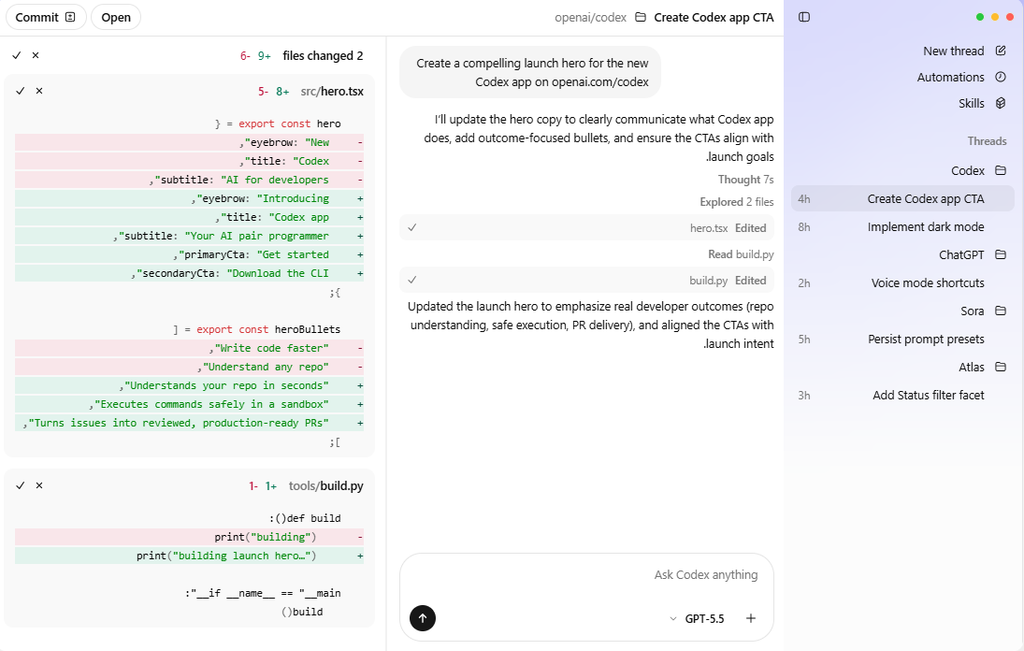
| Feature | Description |
|---|---|
| Natural language to code | Describe what you want in English; Codex generates the code. |
| Code completion & autocomplete | Predict and complete lines, functions, or entire blocks. |
| Code explanation | Explain unfamiliar code in plain English. |
| Unit test generation | Automatically create tests for functions and classes. |
| Documentation generation | Write docstrings, READMEs, and inline comments. |
| Refactoring | Suggest or apply code improvements. |
| Bug detection & fixing | Identify logical errors and security vulnerabilities. |
| Multi‑file editing | Understand and modify across multiple files (advanced model). |
| Data analysis | Write and execute Python code for data manipulation (knowledge work version). |
| Workflow automation | Create scripts for repetitive business tasks. |
For more on AI‑powered coding assistance, see our AI coding tools comparison 2026.
4. OpenAI Codex 2026 Pricing and Plans
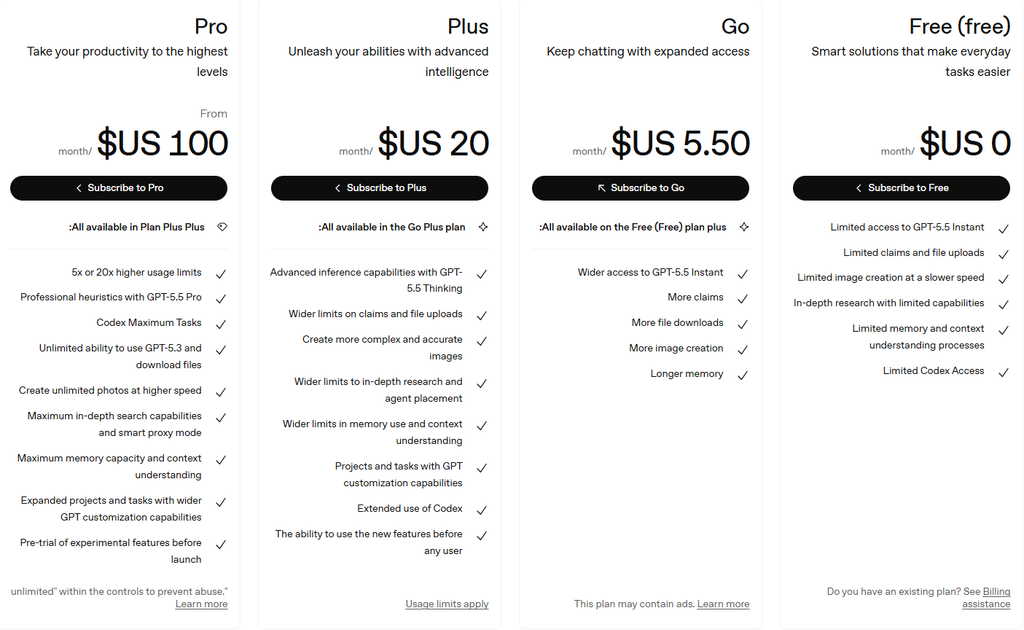
Pricing for OpenAI Codex 2026 is based on usage (tokens) or via subscription through partner products. The following are approximate rates based on public announcements as of June 2026. Check the OpenAI platform page for the most current pricing.
| Model Type | Approximate API Pricing (per 1M tokens) |
|---|---|
| Standard code model | ~$2.00–$6.00 |
| Advanced code model | ~$5.00–$20.00 |
| Knowledge work model | ~$3.00–$12.00 |
Subscription Access
- Codex in GitHub Copilot – Included in Copilot subscription ($10/month or $100/year).
- Codex via OpenAI API – Pay‑as‑you‑go, no monthly commitment.
- Codex Sites – Starts at $19/month for AI‑generated websites (includes Codex usage).
For budget‑conscious users, see our free AI tools list and the best free AI tools for students.
5. Real‑World Use Cases
For Developers
- Rapid prototyping – Generate boilerplate code, CRUD APIs, database schemas.
- Debugging – Paste an error message; Codex suggests fixes.
- Code reviews – Ask Codex to review your pull request for potential issues.
For Knowledge Workers (non‑developers)
- Data cleaning – Upload a messy CSV; Codex writes Python to clean it.
- Report generation – Describe the analysis you need; Codex produces charts and summaries.
- Email automation – Create scripts to sort, reply, or forward emails based on rules.
For Businesses
- Internal tool building – Generate simple web apps for inventory, CRM, or ticketing.
- Document processing – Extract information from PDFs and spreadsheets.
- Workflow automation – Connect APIs and automate data transfer between systems.
According to OpenAI’s Codex knowledge work report, early adopters reduced manual data processing time by up to 80%.
For small business automation, see our best AI agents for small business 2026 guide and learn how to use n8n AI agents to automate workflows.
6. Codex vs. Competitors (Claude, Gemini, Copilot)
| Feature | OpenAI Codex 2026 | GitHub Copilot | Anthropic Claude | Google Gemini |
|---|---|---|---|---|
| Primary focus | Code generation & automation | Autocomplete | Reasoning & safety | Multimodal research |
| Multi‑file editing | ✅ (advanced models) | ❌ | ✅ (via API) | ✅ (via API) |
| Knowledge work automation | ✅ Dedicated offering | ❌ | ❌ | ❌ |
| Best coding benchmark (SWE‑bench) | ~58.6% (GPT‑5.5 based) | N/A | ~64.3% | ~55% |
| Price (API output per 1M tokens) | ~$6–$20 | $10/mo (subscription) | $25 | $9 (Flash) |
| Integration | VS Code, API, Zapier, Codex Sites | VS Code, JetBrains, Neovim | API, Claude Code | API, Google AI Studio |
Verdict: Codex is the most versatile for both coding and knowledge work. For pure autocomplete speed, GitHub Copilot is still excellent. For deep reasoning and debugging, Claude leads. For low‑cost API, Gemini Flash wins.
For a head‑to‑head comparison of all AI models, see Gemini vs ChatGPT vs Claude 2026.
7. How to Access and Use Codex
Option 1: GitHub Copilot (for individuals)
- Install the Copilot extension in VS Code, JetBrains, or Neovim.
- Codex provides autocomplete and code generation.
Option 2: OpenAI API (for developers)
- Sign up at platform.openai.com.
- Get an API key and use the Codex models available through the OpenAI platform and API documentation.
- Integrate into your own applications, bots, or automation tools.
Option 3: Codex Sites (for website building)
- Visit Codex Sites (external tool built on Codex).
- Describe your website; Codex generates a complete site.
Option 4: No‑code automation platforms (Zapier, n8n)
- Use Codex via API in automation workflows. For advanced automation, see our n8n AI agents guide.
8. Pros and Cons
✅ Pros
- Versatile – Works for coding, data analysis, business automation.
- Fast – Responds quickly for everyday tasks.
- Accurate – Among the top coding models on benchmarks like SWE‑bench.
- Affordable API – Competitive pricing compared to Claude and GPT‑5.5.
- Deep IDE integration – Works seamlessly with VS Code.
- Supports 20+ languages – Python, JS, Go, Rust, Java, etc.
❌ Cons
- Not as good as Claude for complex debugging – Claude still leads on reasoning.
- Knowledge work model is new – Still maturing.
- API requires technical skills – Not for casual users (use Copilot instead).
- No built‑in image generation – Unlike ChatGPT with DALL‑E.
For a detailed review of ChatGPT’s capabilities, read our ChatGPT review and the ChatGPT deep‑dive review 2026.
9. Frequently Asked Questions (FAQ)
Is OpenAI Codex 2026 free?
No. You can use Codex via GitHub Copilot’s free trial, but full access requires a subscription or pay‑per‑token API.
What is the difference between Codex and ChatGPT for coding?
Codex is fine‑tuned specifically for code and structured tasks. ChatGPT is a general assistant that can also code but may be less efficient for large projects.
Can Codex build a complete application?
Yes, experienced developers use Codex to generate significant portions of applications, but human oversight is still required.
Does Codex work offline?
No. Codex requires an internet connection to access OpenAI’s servers.
Is Codex better than Copilot?
Codex is the engine behind Copilot. Copilot offers a more user‑friendly interface and autocomplete; Codex via API gives more control and supports knowledge work tasks.
Which languages does Codex support?
Python, JavaScript, TypeScript, Go, Rust, Java, C++, C#, PHP, Ruby, Swift, Kotlin, and many more.
How do I set up FAQ schema for this page?
To add FAQ schema, use the Rank Math FAQ block. In the WordPress editor, delete the plain text FAQ section above and insert a Rank Math FAQ block. Copy each question and answer into the block. This will automatically generate valid FAQ schema without any code, increasing your chance of rich results in Google.
For more AI model comparisons, see Gemini vs ChatGPT vs Claude 2026.
10. Final Verdict & Rating
OpenAI Codex 2026 is a mature, powerful tool that has expanded from a code generator to a full‑fledged automation platform. For developers, it accelerates coding, debugging, and documentation. For knowledge workers, it automates data analysis and report generation. For businesses, it enables custom internal tools and workflow automation. This OpenAI Codex 2026 guide has covered everything you need to know to get started.
| Category | Score (out of 10) |
|---|---|
| Code Quality | 9.0 |
| Ease of Use | 8.5 |
| Versatility | 9.5 |
| Knowledge Work Features | 8.5 |
| Pricing | 9.0 |
| Overall | 9.0 / 10 |
Final verdict: OpenAI Codex 2026 is an essential tool for developers and a rising star for business automation. If you write code or handle data regularly, Codex will save you hours each week. Start with GitHub Copilot (for individuals) or the Codex API (for custom integration).
For ongoing reviews of AI tools, follow our blog. Return to AIFOMI for hundreds of AI applications.