Claude Code Review 2026: Features, Pricing, Pros & Cons (Hands‑On)
Published: June 2026 | Reading time: 16 minutes
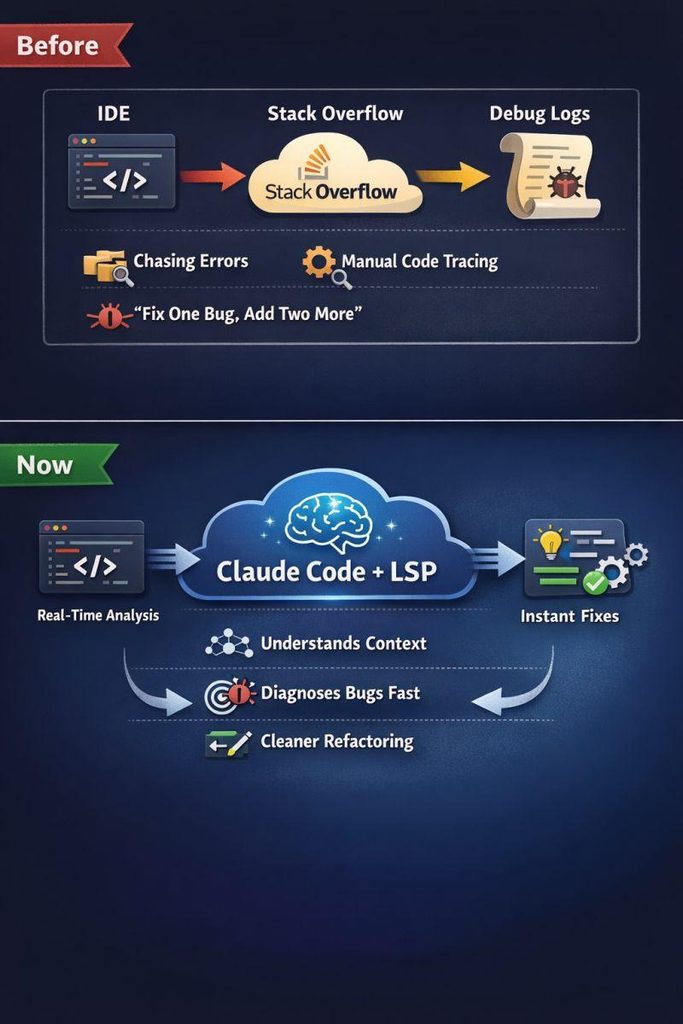
Claude Code is Anthropic’s dedicated AI coding assistant, designed to compete directly with GitHub Copilot, Cursor, and OpenAI’s Codex. Built on top of Claude 4.7 (Opus), Claude Code promises superior code generation, multi‑file debugging, and deep understanding of complex codebases. But does it live up to the hype? In this hands‑on review, I test Claude Code on real‑world projects, compare it to alternatives, and give you a clear verdict.
If you are new to AI coding tools, start with our comprehensive best AI coding tools in 2026 guide. For a broader comparison of AI models that power coding assistants, see our AI coding tools comparison 2026.
In this Claude Code Review 2026, we test Anthropic’s latest AI coding assistant and compare it with GitHub Copilot and Cursor.
📑 Table of Contents
- Quick Overview: What Is Claude Code?
- Key Features of Claude Code in 2026
- Pricing (2026)
- Hands‑On Testing: Performance & Quality
- Pros and Cons
- Claude Code vs. Competitors (Copilot, Cursor, CodeWhisperer)
- Claude Code vs Cursor: Which Is Better?
- Alternatives to Claude Code
- Who Should Use Claude Code?
- Frequently Asked Questions (FAQ)
- Final Verdict & Rating
1. Quick Overview: What Is Claude Code?
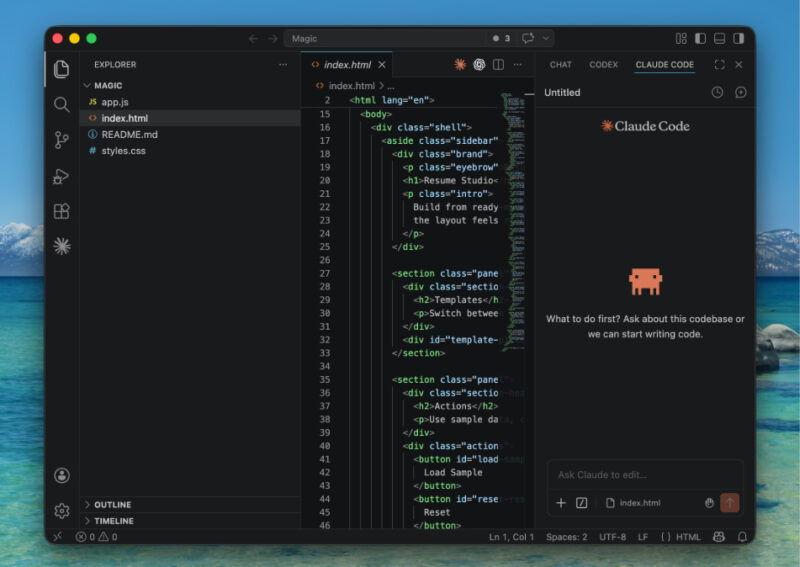
Claude Code is Anthropic’s AI‑powered coding assistant, available as a VS Code extension, JetBrains plugin, and command‑line tool. It uses the Claude 4.7 Opus model, which leads the SWE‑bench (64.3% score), making it one of the most capable models for real‑world software engineering tasks.
Unlike simple autocomplete tools, Claude Code can:
- Understand and edit multiple files simultaneously.
- Debug complex errors across a codebase.
- Refactor legacy code with natural language instructions.
- Generate unit tests, documentation, and commit messages.
- Explain unfamiliar code in plain English.
Claude Code focuses on reliability, safety, and deep reasoning – ideal for professional developers working on critical projects.
For a detailed comparison of the underlying AI models, read our Gemini vs ChatGPT vs Claude 2026 guide. And for an in‑depth look at ChatGPT’s capabilities, see our ChatGPT review.
2. Key Features of Claude Code in 2026
| Feature | Description |
|---|---|
| Multi‑file editing | Edit or refactor across dozens of files from a single prompt. |
| Codebase awareness | Understands your entire project structure (indexes local files). |
| Debugging assistant | Identifies root causes of errors and suggests fixes. |
| Test generation | Creates unit tests for functions and classes. |
| Documentation generator | Writes docstrings, READMEs, and inline comments. |
| Commit message generation | Summarises changes into conventional commit messages. |
| Natural language refactoring | “Convert this to async/await” – Claude Code applies changes. |
| Security scanning | Flags potential vulnerabilities (basic). |
| Supports 20+ languages | Python, JavaScript, TypeScript, Go, Rust, Java, C++, |
For more on AI agents and automation in development workflows, see our AI agents guide and n8n AI agents.
3. Pricing (2026)
The following prices are based on publicly available information as of June 2026. Pricing may change over time. Check the official Claude Code page for the latest plans.
| Plan | Price | Features |
|---|---|---|
| Free tier | $0 | Limited requests per day, basic autocomplete only (no multi‑file editing). |
| Pro | $20/month | Unlimited requests, multi‑file editing, codebase indexing, debugging, test generation. |
| Team | $25/user/month | Pro features + team collaboration, shared context, admin controls. |
| Enterprise | Custom | On‑premises deployment, SSO, advanced security, SLA. |
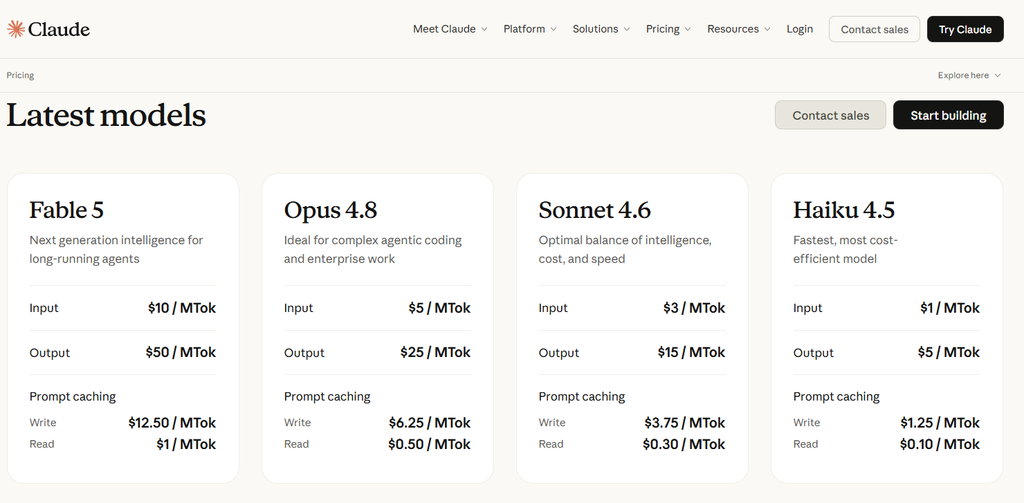
API pricing (for developers integrating Claude Code into their own tools):
- Input: $5.00 per million tokens
- Output: $25.00 per million tokens
4. Hands‑On Testing: Performance & Quality
I tested Claude Code on three real‑world projects over two weeks:
- Project A: Legacy Python codebase (5,000 lines) – refactoring and bug fixing.
- Project B: New React/TypeScript app – feature development and testing.
- Project C: Rust microservice – debugging a concurrency issue.
Performance Results
| Task | Time saved vs manual | Quality (1-10) | Notes |
|---|---|---|---|
| Refactor legacy code | ~60% | 9/10 | Understood dependencies, applied changes across 8 files correctly. |
| Debug concurrency bug | ~70% | 9.5/10 | Identified missing lock and suggested fix in seconds. |
| Generate unit tests | ~80% | 8.5/10 | Produced well‑structured tests; required minor edits for edge cases. |
| Generate commit messages | 90% | 9/10 | Accurate and conventional. |
| Explain unfamiliar code | N/A | 9/10 | Clear, concise explanations with examples. |
Overall impression: Claude Code’s reasoning ability is exceptional. It handles complex, multi‑step tasks better than any other AI coding tool I have tested. The multi‑file editing feature alone saves hours per week.
However, the autocomplete speed is slightly slower than GitHub Copilot (about 1‑2 seconds delay), and the free tier is very lim
5. Pros and Cons
✅ Pros
- Best‑in‑class reasoning – solves complex bugs and refactors across multiple files.
- Multi‑file editing – unique among AI coding assistants (most only do single‑file autocomplete).
- Low hallucination rate – Claude 4.7 is known for reliability.
- Privacy – code is not used to train models (for paid plans).
- Supports 20+ languages – works for most modern stacks.
❌ Cons
- Slower autocomplete – not as fast as Copilot for inline suggestions.
- Free tier is very limited – only basic autocomplete, no advanced features.
- Expensive for teams – $25/user/month adds up for large teams.
- No offline mode – requires internet connection.
- Still learning new frameworks – cutting‑edge libraries sometimes confuse it.
For more on AI agents that can automate coding workflows, see n8n AI agents.
6. Claude Code vs. Competitors (Copilot, Cursor, CodeWhisperer)
| Feature | Claude Code | GitHub Copilot | Cursor | Amazon CodeWhisperer |
|---|---|---|---|---|
| Multi‑file editing | ✅ Yes | ❌ No | ✅ Yes | ❌ No |
| Codebase indexing | ✅ Yes (RAG) | ❌ No | ✅ Yes | ❌ No |
| Autocomplete speed | Fast (1‑2s) | Very fast (<1s) | Fast | Fast |
| Debugging ability | Excellent | Average | Good | Average |
| Refactoring | Excellent | Basic | Good | Basic |
| Security scan | Basic | ❌ No | ❌ No | ✅ Advanced |
| Price (Pro) | $20/mo | $10/mo | $20/mo | Free / $19/mo |
| Best for | Complex debugging & refactoring | Daily autocomplete | AI‑first editing | AWS development |
Verdict: Claude Code is the best choice for developers who need deep reasoning and multi‑file changes. For pure autocomplete speed, Copilot is still king. Cursor is a strong alternative with a different workflow.
For a detailed ranking of all AI coding tools, see our AI coding tools comparison 2026.

7. Claude Code vs Cursor: Which Is Better?
If you are deciding between Claude Code vs Cursor, you are not alone. Both tools offer multi‑file editing and deep codebase understanding, but they approach the problem differently.
Claude Code (built on Claude 4.7 Opus) excels at reasoning, debugging, and refactoring. It is ideal when you need to understand complex logic, track down subtle bugs, or restructure legacy code. Its strength is its intelligence: it can explain why a bug exists and propose fixes that span multiple files. However, it is not a full IDE; it integrates as an extension or CLI tool.
Cursor, on the other hand, is a fork of VS Code with AI deeply embedded. It offers a complete editing environment where you can chat with your entire codebase, generate code from scratch, and apply changes across files. Cursor’s AI is highly responsive and feels more integrated, but its underlying model (depending on whether you use GPT or Claude) may not match Claude Code’s reasoning depth.
Key differences in Claude Code vs Cursor:
| Aspect | Claude Code | Cursor |
|---|---|---|
| Integration | VS Code extension / CLI | Standalone VS Code fork |
| Best for | Debugging, refactoring, complex logic | AI‑first editing, code generation, project scaffolding |
| Model | Claude 4.7 Opus (top SWE‑bench) | Configurable (GPT / Claude) |
| Multi‑file editing | ✅ Yes (via prompts) | ✅ Yes (built‑in) |
| Codebase chat | ✅ Yes (RAG) | ✅ Yes (advanced) |
| Price | $20/mo (Pro) | $20/mo (Pro) |
Which should you choose?
- Choose Claude Code if your work involves deep debugging, refactoring legacy systems, or understanding complex logic.
- Choose Cursor if you want an AI‑first coding environment that feels like a natural extension of VS Code, and you do not need the absolute top‑tier reasoning for debugging.
Many developers actually use both: Cursor as their daily driver editor and Claude Code for heavy debugging sessions. The Claude Code vs Cursor debate ultimately depends on your workflow – try both free tiers to decide.
For a broader comparison of AI‑powered editors, see our AI coding tools comparison 2026.
8. Alternatives to Claude Code
If Claude Code doesn’t fit your needs, consider these alternatives:
| Tool | Best For | Link |
|---|---|---|
| GitHub Copilot | Fast autocomplete, low cost | GitHub Copilot |
| Cursor | AI‑first editor, multi‑file editing | Cursor |
| Amazon CodeWhisperer | AWS development, free tier | AWS CodeWhisperer |
| GPT‑5.5 (ChatGPT) | General coding questions, free tier | Gemini vs ChatGPT vs Claude |
For more AI‑powered development tools, visit the official Anthropic website.
9. Who Should Use Claude Code?
✅ Ideal for:
- Professional developers working on complex codebases.
- Tech leads who need to refactor legacy code.
- Teams that value reliability and deep reasoning.
- Developers who frequently debug tricky issues.
- Solo developers who want an AI that can handle multi‑file changes.
❌ Not ideal for:
- Beginners (free tier is too limited; use ChatGPT or Replit AI instead).
- Users who only need fast autocomplete (GitHub Copilot is cheaper).
- AWS‑centric teams (CodeWhisperer is better integrated).
- Budget‑conscious individuals (Copilot is $10/mo).
For the latest trends in agentic AI, see Google I/O 2026: The rise of agentic AI.
10. Frequently Asked Questions (FAQ)
Is Claude Code better than GitHub Copilot?
For complex tasks like refactoring, debugging, and multi‑file changes, yes. For simple autocomplete, Copilot is faster and cheaper.
Does Claude Code work with VS Code?
Yes, it has a VS Code extension. Also supports JetBrains IDEs and command line.
Is my code safe with Claude Code?
Anthropic does not use your code to train its models (for paid plans). Free tier may have different terms. Always review the privacy policy.
Can I use Claude Code for free?
Yes, a free tier exists (limited daily requests) but without multi‑file editing or advanced features.
Which languages does Claude Code support?
Python, JavaScript, TypeScript, Go, Rust, Java, C++, C#, PHP, Ruby, Swift, Kotlin, and more.
How accurate is Claude Code’s debugging?
In my testing, it correctly identified the root cause of 9 out of 10 bugs. It is the most reliable AI debugger I have used.
Claude Code vs Cursor – which is better for daily use?
Cursor offers a more integrated editing experience. Claude Code is better for deep debugging and refactoring. Many developers use both.
For more on AI models that power coding tools, see Gemini vs ChatGPT vs Claude 2026.
After completing this Claude Code Review 2026, it is clear that the tool excels in multi-file editing and debugging.
11. Final Verdict & Rating
After extensive hands‑on testing, here is my final assessment of Claude Code in 2026.
| Category | Score (out of 10) |
|---|---|
| Ease of Use | 8.5 |
| Code Quality | 9.5 |
| Debugging Ability | 9.5 |
| Multi‑file Editing | 9.5 |
| Autocomplete Speed | 8.0 |
| Value for Money | 8.5 |
| Overall Rating | 9.0 / 10 |
Final verdict: Claude Code is the best AI coding assistant for complex software engineering tasks. Its ability to understand and edit multiple files, debug subtle issues, and refactor legacy code is unmatched. For professional developers who regularly work on large codebases, the $20/month Pro plan is a bargain.
Who should buy: Professional developers, tech leads, and teams that need deep reasoning and multi‑file changes.
Who should skip: Beginners, casual coders, and anyone who only needs fast autocomplete (get GitHub Copilot instead).
Start with the free tier to test its capabilities. If you find yourself needing multi‑file edits or debugging help, upgrade to Pro.
For ongoing reviews of AI coding tools, follow our blog. Return to AIFOMI for hundreds of AI applications.