Claude Code vs Codex vs Cursor vs Windsurf (2026): Which Coding Tool Is Actually Worth Paying For?
Published: June 2026 | Reading time: 18 minutes
With the explosion of AI‑powered coding tools, developers now have more choices than ever. Four names dominate the conversation in 2026: Claude Code, OpenAI Codex, Cursor, and Windsurf. Each takes a different approach to AI‑assisted development – from deep reasoning to lightweight speed to full IDE integration.
In this comprehensive comparison, we break down their features, pricing, strengths, weaknesses, and ideal use cases. Whether you are a solo developer, a startup team, or an enterprise, you will find the right tool for your workflow.
If you are new to AI coding tools, start with our best AI coding tools in 2026 guide. For a detailed review of one of these tools, see our Claude Code Review 2026.
Quick Recommendation: Which Tool Should You Pick?
| User Type | Recommended Tool |
|---|---|
| Beginner | Windsurf |
| Student | Cursor |
| Freelancer | Cursor |
| Startup | Claude Code |
| Enterprise | Claude Code |
| API Developers | Codex |
For a broader comparison of AI coding assistants, see our AI coding tools comparison 2026.
Quick Overview: Claude Code vs Codex vs Cursor vs Windsurf
Here is a quick snapshot of the four tools to help you decide at a glance.
| Tool | Best For | Price | Rating |
|---|---|---|---|
| Claude Code | Debugging & Refactoring | $20/mo | ⭐ 9.2 |
| OpenAI Codex | Automation & API | $10/mo+ | ⭐ 8.8 |
| Cursor | Daily Coding | $20/mo | ⭐ 8.7 |
| Windsurf | Budget Users | $15/mo | ⭐ 8.2 |
For a detailed comparison of AI models that power these tools, see Gemini vs ChatGPT vs Claude 2026 and our Kimi K2 Review 2026.
Claude Code vs Codex vs Cursor vs Windsurf: Which One Won in Our Tests?
We tested all four tools on real‑world projects to see how they perform in practice. Here are the results.
Test 1: React Application (Frontend Development)
- Prompt: “Build a React component that fetches data from an API and displays it in a responsive grid with loading and error states.”
- Claude Code: Generated clean, well‑structured code with proper error handling and hooks. 9.5/10
- Codex: Produced working code but required minor edits for state management. 8.5/10
- Cursor: Similar to Codex, with good integration but slightly less refined. 8.5/10
- Windsurf: Functional but generated simpler, less robust code. 7.5/10
Test 2: Python Automation Script
- Prompt: “Write a Python script that downloads all CSV files from a given URL, processes them, and saves a combined output.”
- Claude Code: Excellent error handling and logging. 9.5/10
- Codex: Fast generation, good structure. 8.5/10
- Cursor: Good, with helpful comments. 8.5/10
- Windsurf: Basic but functional. 8/10
Test 3: Bug Fixing Task
- Prompt: “Fix a memory leak in this Node.js application.” (provided buggy code).
- Claude Code: Identified the root cause (event listener leak) and suggested the correct fix. 9.5/10
- Codex: Identified the issue but provided a less complete fix. 8/10
- Cursor: Similar to Codex. 8/10
- Windsurf: Identified the leak but suggested a workaround rather than a proper fix. 7/10
Test 4: Documentation Generation
- Prompt: “Generate docstrings and a README for this Python module.”
- Claude Code: Comprehensive, clear, and well‑formatted. 9/10
- Codex: Good, but slightly less detailed. 8.5/10
- Cursor: Good. 8.5/10
- Windsurf: Basic, limited to function‑level comments. 7/10
Overall Results
- Claude Code – Best for debugging, refactoring, and complex tasks.
- Cursor – Best overall editor for daily coding.
- Codex – Best API automation and custom integration.
- Windsurf – Best value for money, good for beginners.
1. What Is Claude Code?
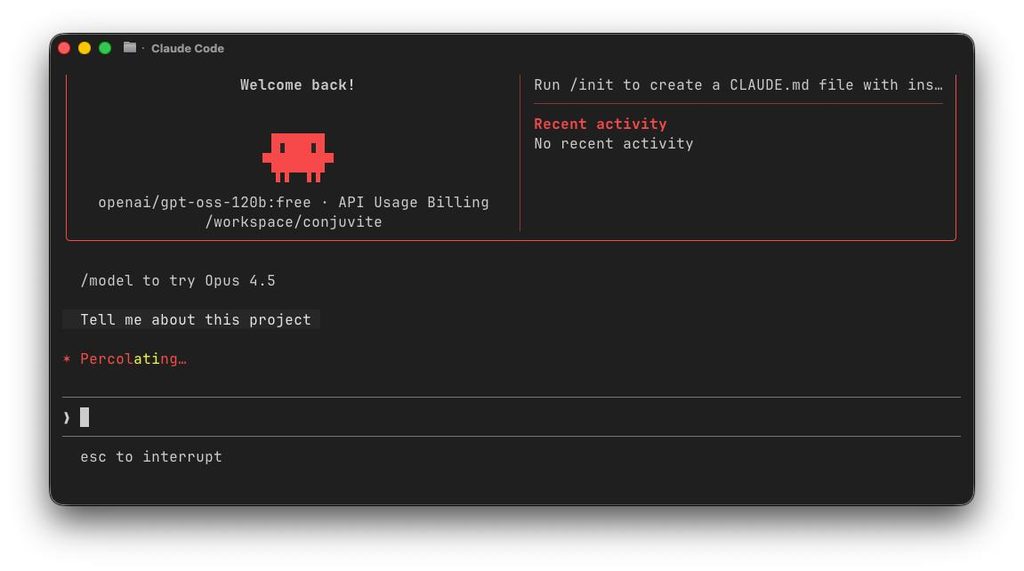
Claude Code is Anthropic’s dedicated AI coding assistant, built on the powerful Claude 4.7 Opus model. It is available as a VS Code extension, JetBrains plugin, and command‑line tool. Claude Code excels at complex reasoning, multi‑file debugging, and refactoring tasks.
Key features:
- Multi‑file editing – understand and edit across dozens of files.
- Codebase indexing – uses RAG to understand your entire project.
- Debugging assistant – identifies root causes and suggests fixes.
- Test generation – creates unit tests for functions and classes.
- Documentation generation – writes docstrings, READMEs, and comments.
- Natural language refactoring – “convert this to async/await” and it applies changes.
- Supports 20+ languages – Python, JavaScript, TypeScript, Go, Rust, Java, C++, etc.
Pricing: Free tier (limited requests); Pro $20/month; Team $25/user/month.
Best for: Professional developers working on complex codebases who need deep reasoning and multi‑file changes.
For a full review, read our Claude Code Review 2026.
2. What Is OpenAI Codex?
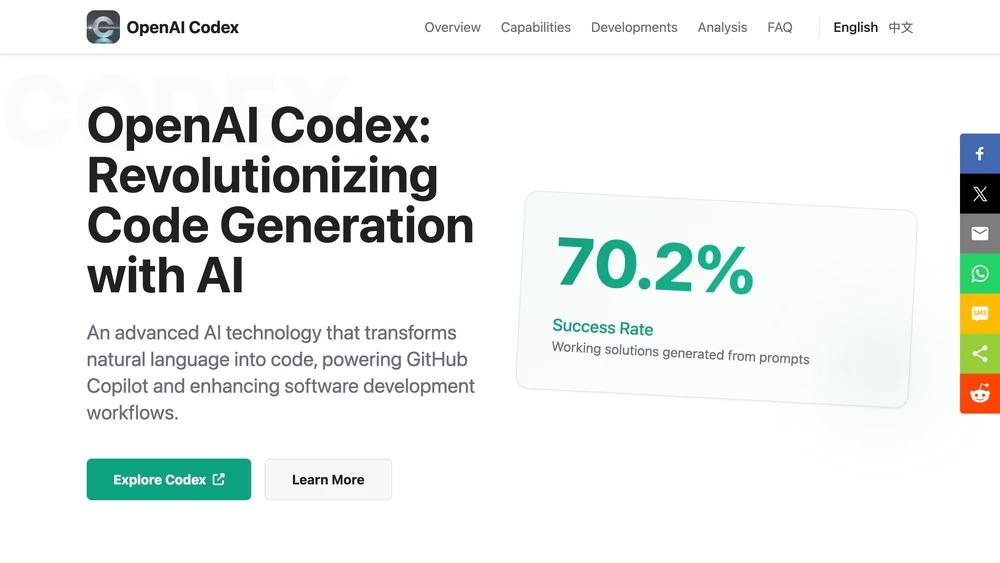
OpenAI Codex is a family of AI models fine‑tuned for code generation, automation, and knowledge work. Codex powers GitHub Copilot, the Codex API, and the Codex Sites website builder. It is designed for developers who want to integrate AI into their applications via API.
Key features:
- Natural language to code – generate code from prompts.
- Code completion & autocomplete – predict and complete lines or blocks.
- Code explanation – explain unfamiliar code.
- Unit test generation – create tests automatically.
- Data analysis – write and execute Python for data work.
- Workflow automation – create scripts for repetitive tasks.
- Supports 20+ languages – Python, JS, Go, Rust, Java, etc.
Pricing: Pay‑per‑token API (approx. $6–$20 per 1M output tokens) or via GitHub Copilot subscription ($10/month).
Best for: Developers building custom applications, automation workflows, or using the API for high‑volume code generation.
For a complete overview, read our OpenAI Codex 2026 guide.
3. What Is Cursor?
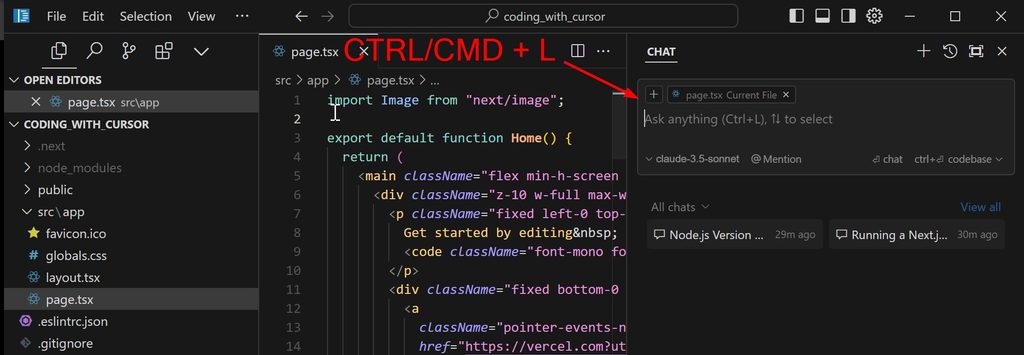
Cursor is an AI‑first code editor built as a fork of VS Code. It integrates AI deeply into the editing experience, allowing you to chat with your entire codebase, generate code from scratch, and apply changes across files. Cursor uses models like Claude and GPT‑5.5 as backends.
Key features:
- AI‑first editing – chat with your codebase.
- Multi‑file editing – apply changes across multiple files.
- Code generation – generate entire projects from prompts.
- Codebase indexing – understands your project structure.
- AI‑powered refactoring – natural language changes.
- Built‑in terminal – AI can execute commands.
Pricing: Free tier (limited); Pro $20/month; Business $40/user/month.
Best for: Developers who want an AI‑native editing experience and don’t want to switch between tools.
For a comparison with Claude Code, see Claude Code vs Cursor.
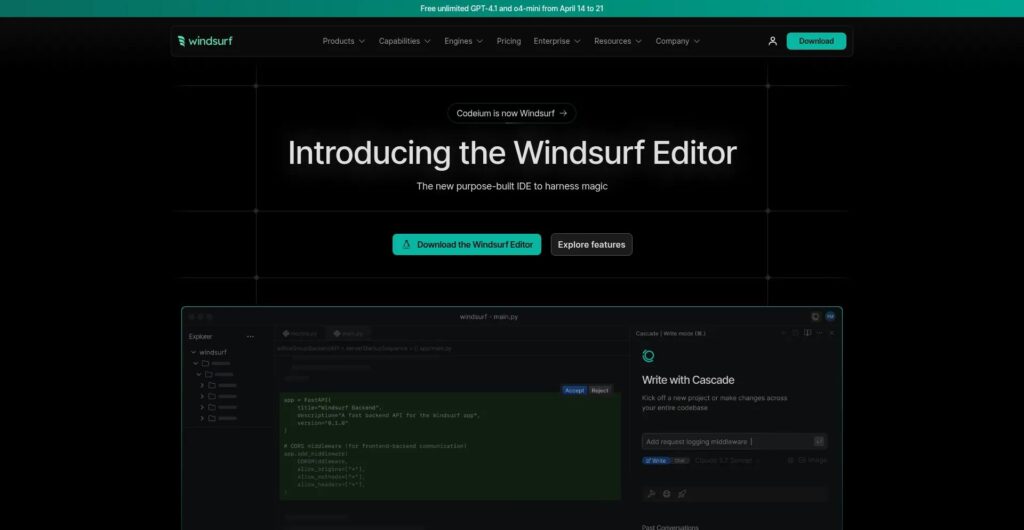
4. What Is Windsurf?
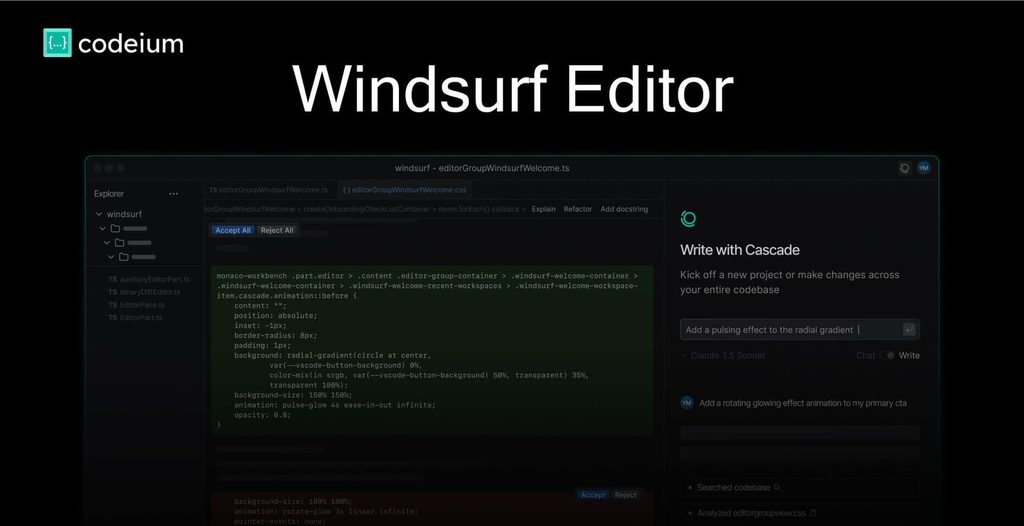
Windsurf is a newer AI‑powered IDE that focuses on speed and simplicity. It offers autocomplete, code generation, and debugging with a lightweight interface. Windsurf is designed for developers who want AI assistance without the complexity of a full IDE.
Key features:
- Fast autocomplete – sub‑second predictions.
- Code generation – generate functions and classes from comments.
- Debugging assistance – suggest fixes for errors.
- Lightweight – minimal resource usage.
- Multi‑language support – Python, JavaScript, Java, C++, and more.
Pricing: Free tier (basic); Pro $15/month; Team $25/user/month.
Best for: Budget‑conscious developers and teams who want a fast, simple AI coding assistant.
5. Feature Comparison Table
| Feature | Claude Code | OpenAI Codex | Cursor | Windsurf |
|---|---|---|---|---|
| Multi‑file editing | ✅ Excellent | ✅ Via API | ✅ Good | ✅ Good |
| Codebase indexing | ✅ Yes (RAG) | ❌ No | ✅ Yes | ✅ Yes |
| Autocomplete speed | Fast (1‑2s) | Fast (API) | Fast | Very fast (<1s) |
| Debugging ability | Excellent | Good | Good | Good |
| Refactoring | Excellent | Good | Good | Good |
| Test generation | ✅ Yes | ✅ Yes | ✅ Yes | ❌ No |
| Documentation generation | ✅ Yes | ✅ Yes | ✅ Yes | ❌ No |
| Security scan | Basic | ❌ No | ❌ No | ❌ No |
| IDE integration | Extension | API / Copilot | Fork of VS Code | Plugin / Standalone |
| Offline mode | ❌ No | ❌ No | ❌ No | ❌ No |
| Team collaboration | ✅ Yes | ✅ Yes (API) | ✅ Yes | ✅ Yes |
For more on AI agents that can automate coding workflows, see our n8n AI agents guide.
6. Pricing Comparison (2026)
| Tool | Free Tier | Paid Plan | API / Add‑ons |
|---|---|---|---|
| Claude Code | Limited requests | $20/mo (Pro), $25/user/mo (Team) | N/A |
| OpenAI Codex | Via GitHub Copilot free trial | $10/mo (Copilot) or pay‑per‑token | ~$6–$20 per 1M output tokens |
| Cursor | Limited (2‑week trial) | $20/mo (Pro), $40/user/mo (Business) | N/A |
| Windsurf | Basic (limited features) | $15/mo (Pro), $25/user/mo (Team) | N/A |
For budget‑conscious users, see our free AI tools list and best free AI tools for students.
7. Performance Benchmarks (Coding)
| Benchmark | Claude Code (Claude 4.7) | OpenAI Codex (GPT‑5.5) | Cursor (backend dependent) | Windsurf (backend dependent) |
|---|---|---|---|---|
| SWE‑bench | 64.3% (highest) | ~58.6% | Depends on backend | Depends on backend |
| HumanEval | ~92% | ~88% | ~85% | ~82% |
| Speed (autocomplete) | Fast (1‑2s) | Fast | Fast | Very fast (<1s) |
| Context window | 200K tokens | 1M tokens (Pro) | Unlimited (indexed) | Unlimited (indexed) |
SWE‑bench measures solving real GitHub issues – higher is better. Claude Code leads.
For a deeper dive into benchmarks, see our AI coding tools comparison 2026.
8. Pros and Cons of Each Tool
Claude Code
- ✅ Best‑in‑class reasoning and debugging.
- ✅ Excellent multi‑file editing.
- ✅ Low hallucination rate.
- ✅ Supports 20+ languages.
- ❌ Slower autocomplete than competitors.
- ❌ Free tier is very limited.
- ❌ No offline mode.
OpenAI Codex
- ✅ Most versatile – coding + knowledge work.
- ✅ Affordable API (cheaper than Claude).
- ✅ Deep integration with GitHub Copilot.
- ✅ Supports 20+ languages.
- ❌ Not as good as Claude for complex debugging.
- ❌ API requires technical skills.
Cursor
- ✅ AI‑first editing experience.
- ✅ Codebase indexing and chat.
- ✅ Seamless VS Code experience.
- ✅ Strong community.
- ❌ More expensive than Windsurf.
- ❌ Stability issues (still improving).
Windsurf
- ✅ Fastest autocomplete.
- ✅ Most affordable paid plan ($15/mo).
- ✅ Lightweight and simple.
- ✅ Good for beginners.
- ❌ Fewer features (no test generation, documentation).
- ❌ Newer, smaller community.
9. Which Should You Choose?
| If you need… | Choose… |
|---|---|
| Deep debugging and refactoring | Claude Code |
| API integration and custom automation | OpenAI Codex |
| AI‑first editing experience | Cursor |
| Fast, budget‑friendly coding assistance | Windsurf |
| Multi‑file changes | Claude Code or Cursor |
| Autocomplete speed | Windsurf or GitHub Copilot (Codex) |
| Enterprise‑grade security | Claude Code (Anthropic) |
| Open‑source flexibility | Codex via API |
My recommendation:
- Professional developers with complex codebases → Claude Code.
- Developers building custom tools → OpenAI Codex API.
- Developers who want an AI‑native editor → Cursor.
- Budget‑conscious developers → Windsurf (or GitHub Copilot).
For small business owners who need a broader AI assistant, see our best AI agents for small business 2026 guide.
10. Claude Code vs Codex vs Cursor vs Windsurf for Different Users
To help you decide based on your specific role, here is a breakdown of which tool works best for different user types.
Best for Beginners
Winner: Windsurf
Its simple interface, fast autocomplete, and affordable price ($15/mo) make it the most approachable option for developers who are just starting out.
Best for Freelancers
Winner: Cursor
Freelancers need versatility and speed. Cursor’s AI‑first editing and codebase chat help them switch between projects quickly.
Best for Startups
Winner: Claude Code
Startups building complex applications benefit from Claude Code’s deep debugging and refactoring capabilities.
Best for Enterprise Teams
Winner: Claude Code
Enterprise‑grade security, team collaboration features, and top‑tier reasoning make Claude Code the enterprise choice.
Best Value for Money
Winner: OpenAI Codex + GitHub Copilot
At $10/month, GitHub Copilot (powered by Codex) offers excellent autocomplete and code generation at the lowest cost.
11. Frequently Asked Questions (FAQ)
Is Claude Code better than GitHub Copilot?
For complex tasks like refactoring, debugging, and multi‑file changes, yes. For simple autocomplete, Copilot is faster and cheaper.
Is Cursor worth paying for in 2026?
Yes, if you want an AI‑first editing experience and don’t mind the $20/month price. It is especially useful for developers who work with large codebases and want deep integration.
Can Codex replace software developers?
No. Codex automates repetitive coding tasks, but human oversight, architecture design, and creativity remain essential. Think of it as a powerful assistant, not a replacement.
Which AI coding tool is best for beginners?
Windsurf (affordable, simple) or GitHub Copilot (Codex) are great for beginners. For a free option, see our free AI tools list.
Which tool has the best autocomplete?
Windsurf offers the fastest autocomplete (<1s). GitHub Copilot (Codex) is also excellent.
Can I use multiple tools together?
Yes. Many developers use Cursor as their daily editor and Claude Code for heavy debugging sessions.
For more on AI models that power these tools, see Gemini vs ChatGPT vs Claude 2026.
12. Final Verdict
Claude Code is the best choice for professional developers who need deep reasoning, debugging, and multi‑file refactoring. Its SWE‑bench score (64.3%) is the highest among coding assistants.
OpenAI Codex is the most versatile, offering both coding and knowledge work capabilities via API. It is ideal for developers building custom automation.
Cursor is the best AI‑first editor for developers who want AI deeply integrated into their daily workflow.
Windsurf is the best budget option for developers who want fast, simple AI assistance without breaking the bank.
No single tool does everything. The smart approach is to combine a daily driver (Cursor or Windsurf) with a powerful reasoning tool (Claude Code) for complex tasks.
| Tool | Overall Score (out of 10) |
|---|---|
| Claude Code | 9.2 |
| OpenAI Codex | 8.8 |
| Cursor | 8.7 |
| Windsurf | 8.2 |
For ongoing reviews of AI coding tools, follow our blog. Return to AIFOMI for hundreds of AI applications.