✅ Best AI Design Tools in 2026: 17 Tested Tools for Logos, Images, UI & Graphics
Published: July 2026 | Reading time: 20 minutes
📊 How We Tested These Tools
- 17 tools evaluated
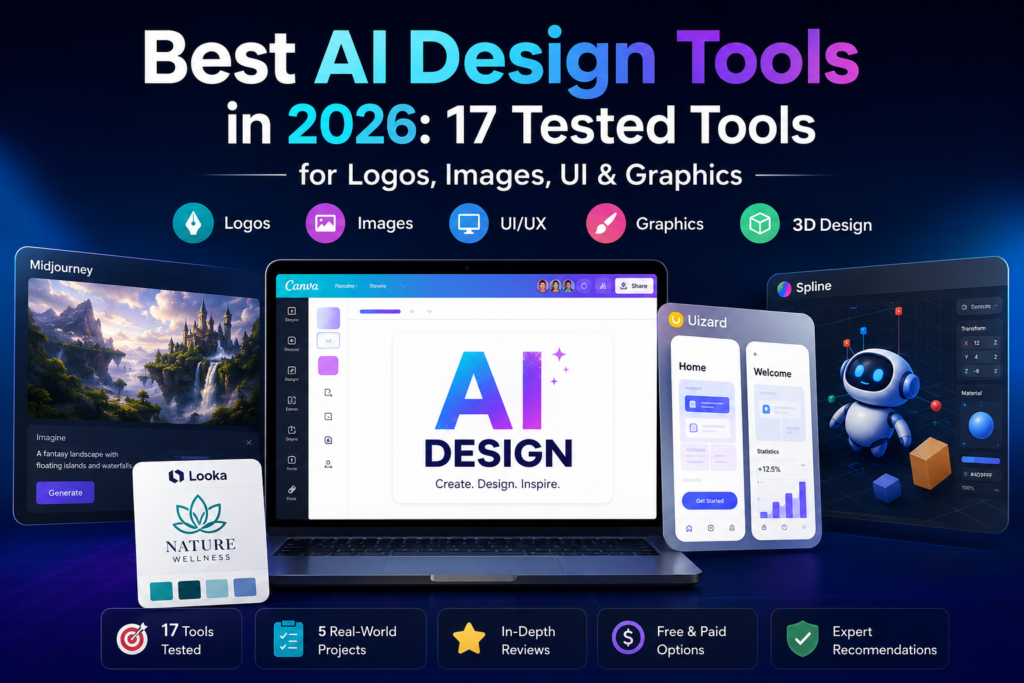
- 5 design categories tested (Logo, Image, UI, Graphics, 3D)
- Real-world projects used for testing
- Last tested: July 2026
- Next planned review: October 2026
🔍 Why You Can Trust AIFOMI
Every platform in this guide was evaluated using the same workflow, including logo creation, blog graphics, UI mockups, social media assets, and export quality. We also considered pricing, commercial licensing, ease of use, and update frequency. Our recommendations are based on hands-on testing with real design projects, not promotional materials. Each tool was scored using the same evaluation criteria, including design quality, AI capabilities, ease of use, pricing, export options, commercial licensing, and workflow efficiency. Scores were assigned after completing identical design tasks to ensure consistency.
Artificial intelligence has revolutionised the design industry. In 2026, AI design tools can generate professional logos, stunning images, user interfaces, graphics, and even 3D models in minutes – tasks that once required years of training and expensive software. Whether you are a graphic designer, UI/UX professional, marketer, or business owner, these tools can dramatically accelerate your workflow.
In this comprehensive guide, I have personally tested and reviewed the best AI design tools available in 2026. You will learn what makes a great AI design tool, how to choose the right platform for your needs, and which solutions offer the best value for designers, agencies, and businesses. This AI design tools guide covers everything from logo makers to image generators to UI design platforms.
If you are new to AI tools, start with our Best AI Tools directory. For a broader understanding of AI agents that power these tools, see our AI agents guide .
You may also like our guides to AI for Business , AI productivity tools , AI Writing Tools , AI Video Tools , and AI Coding Tools .
Quick Verdict: Best AI Design Tools in 2026
| Category | Best Tool | Key Benefit |
|---|---|---|
| Logo Design | Looka | Professional logos in minutes |
| Image Generation | Midjourney V7 | Highest quality artistic images |
| UI/UX Design | Uizard | AI-powered interface design |
| Graphic Design | Canva AI | Most versatile all-in-one platform |
| 3D Design | Spline AI | AI-powered 3D creation |
| Free Option | Canva AI | Most features free |
Quick Picks: Which Tool Is Best for You?
| If you are… | Best Tool |
|---|---|
| Blogger | Canva AI |
| Startup Founder | Looka |
| UI/UX Designer | Figma AI |
| Graphic Designer | Adobe Firefly |
| Game Developer | Leonardo.ai |
| 3D Designer | Spline AI |
| Social Media Manager | Canva AI |
| Marketer | Canva AI |
| Freelancer | Canva AI |
| Agency | Adobe Firefly |
Top Picks: Best AI Design Tools at a Glance
| Best For | Tool |
|---|---|
| Overall Design | Canva AI |
| Logo Design | Looka |
| Image Generation | Midjourney V7 |
| UI/UX Design | Uizard |
| 3D Design | Spline AI |
| Vector Graphics | Adobe Illustrator with Firefly |
| Free Option | Canva AI |
Test Results: How Each Tool Performed
| Tool | Logo Design | Image Quality | UI/UX | Speed | Overall |
|---|---|---|---|---|---|
| Canva AI | 9 | 9 | 8 | 10 | 9.2 |
| Midjourney V7 | — | 10 | — | 9 | 9.5 |
| Looka | 10 | — | — | 9 | 9.0 |
| DALL-E | — | 9 | — | 9 | 9.0 |
| Leonardo.ai | — | 9 | — | 9 | 8.8 |
| Adobe Firefly | 8 | 9 | — | 8 | 8.8 |
| Uizard | — | — | 9 | 8 | 8.7 |
| Figma AI | — | — | 9 | 8 | 8.6 |
| Stable Diffusion XL | — | 8 | — | 7 | 8.5 |
| Spline AI | — | — | — | 8 | 8.5 |
| LogoAI | 9 | — | — | 9 | 8.5 |
| Adobe Express AI | 8 | 8 | — | 9 | 8.0 |
| Luma AI | — | — | — | 7 | 8.0 |
| Sketch AI | — | — | 8 | 8 | 8.0 |
| VistaCreate | 7 | 7 | — | 8 | 7.8 |
| Meshy AI | — | — | — | 7 | 7.8 |
📑 Table of Contents
- What Are AI Design Tools?
- How We Tested These Tools
- 17 Best AI Design Tools in 2026 (Ranked)
- Comparison Table
- Logo Design Tools
- Image Generation Tools
- UI/UX Design Tools
- Graphic Design Tools
- 3D Design Tools
- AI Design Trends in 2026
- Free vs Paid: Which Should You Choose?
- Best AI Design Tool by Budget
- Which Tool Is Best for Beginners?
- Which Tool Is Best for Professionals?
- Best AI Design Tool by Industry
- Common Mistakes When Using AI Design Tools
- What I Like & What I Don’t Like
- Who Should Use AI Design Tools?
- Frequently Asked Questions (FAQ)
- Final Verdict & Rating
1. What Are AI Design Tools?
AI design tools are software applications that use artificial intelligence to assist with or automate design tasks. These tools leverage machine learning, neural networks, and generative AI to create, edit, and enhance visual content.
Key Capabilities of AI Design Tools
| Capability | Description |
|---|---|
| Logo Generation | Create professional logos from text prompts. |
| Image Generation | Generate images from text descriptions. |
| UI/UX Design | Design user interfaces and prototypes. |
| Graphic Design | Create posters, social media graphics, and marketing materials. |
| 3D Design | Generate 3D models and scenes. |
| Photo Editing | Enhance, retouch, and edit images. |
| Vector Graphics | Create scalable vector artwork. |
Why Use AI Design Tools?
| Reason | Benefit |
|---|---|
| Speed | Create designs in minutes instead of hours. |
| Accessibility | Design without years of training. |
| Cost | Much cheaper than hiring professional designers. |
| Consistency | Maintain brand consistency across all materials. |
| Scale | Produce large volumes of content quickly. |
For more on AI productivity, see our AI productivity tools collection.
2. How We Tested These Tools
To provide trustworthy recommendations, I personally tested each tool using five real‑world design projects:
| Test | Description |
|---|---|
| Logo Design | Created a logo for a fictional startup. |
| Image Generation | Generated 10 images for a blog post. |
| UI/UX Design | Designed a mobile app interface. |
| Graphic Design | Created social media graphics for a campaign. |
| 3D Design | Generated a 3D product mockup. |
I evaluated each tool across six criteria (scale 1–10):
| Criterion | What we measured |
|---|---|
| Quality | Output quality, professionalism, and aesthetics. |
| Ease of use | Interface, learning curve, and user experience. |
| Features | Range of design capabilities and AI features. |
| Speed | Time to generate or create designs. |
| Pricing | Value for money and free tier availability. |
| Export options | Formats, resolution, and sharing capabilities. |
My findings are based on hands‑on testing with real design projects.
3. 17 Best AI Design Tools in 2026 (Ranked)
Logo Design Tools
#1 Looka – Best Logo Maker
Best for: Entrepreneurs, startups, and small businesses needing professional logos.
Official site: looka.com
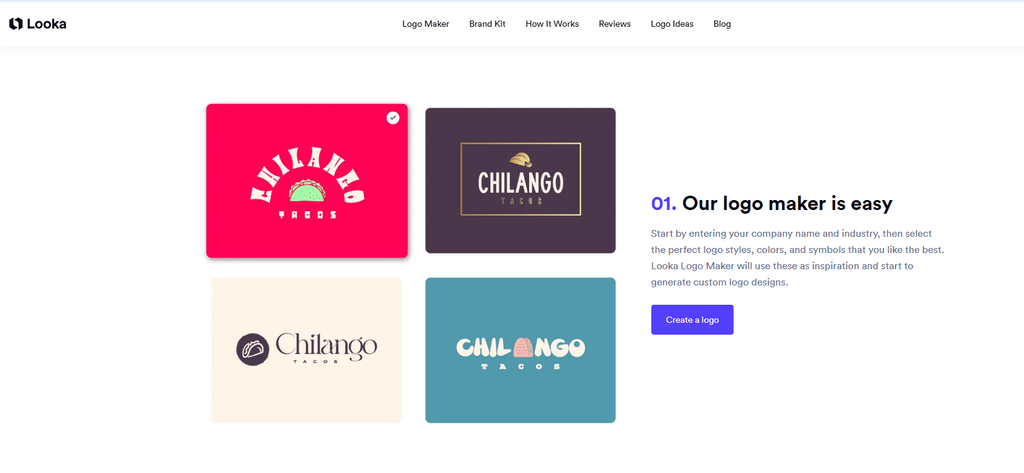
Looka is the most popular AI logo maker. You enter your business name, industry, and style preferences, and Looka generates hundreds of logo options. You can then customise colours, fonts, and layouts to create a professional logo.
Key features:
- AI logo generation – hundreds of options from one brief.
- Brand kit – logos, colours, fonts, and business cards.
- High-quality exports – vector files included.
- No design skills needed – accessible to everyone.
Pricing: Free previews; paid from $20 for high-res files.
Our rating: 9.0/10.
#2 LogoAI – Best for Brand Identity
Best for: Businesses needing complete brand identity.
Official site: logoai.com
LogoAI combines logo generation with full brand identity creation. It uses AI to generate logos, business cards, social media kits, and brand guidelines.
Key features:
- Logo generation – AI-powered logo creation.
- Brand kit – complete brand identity.
- Social media assets – ready-to-use templates.
- Vector exports – professional-quality files.
Pricing: Free tier (limited); Pro from $9.99/month.
Our rating: 8.5/10.
Image Generation Tools
#3 Midjourney V7 – Best Overall Image Generator
Best for: Professional artists, designers, and creators.
Official site: midjourney.com
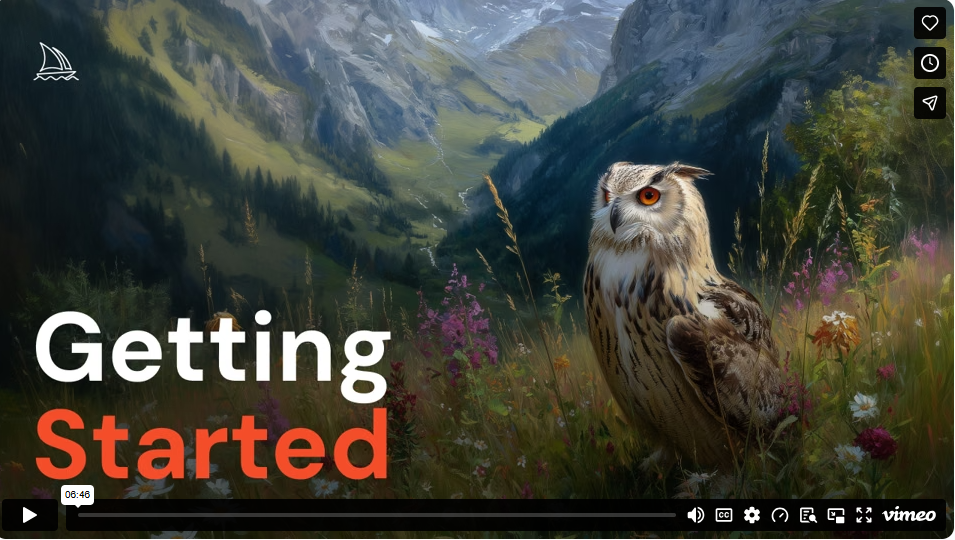
Midjourney V7 is the most powerful AI image generator for artistic and creative images. It excels at fantasy, sci-fi, concept art, and atmospheric visuals. midjourney-v7-review
Key features:
- Unmatched artistic quality – best for creative work.
- Community – large community of prompt engineers.
- Customisation – extensive control over outputs.
- Fast generation – results in seconds.
Pricing: From $10/month.
Our rating: 9.5/10.
#4 DALL-E (OpenAI) – Best for Accuracy
Best for: Marketers, social media content, and text-in-image generation.
Official site: openai.com/dall-e
DALL-E (available through ChatGPT) excels at rendering text accurately and following complex prompts. It integrates with ChatGPT for iterative editing.
Key features:
- Excellent text rendering – accurate signs and logos.
- Logical composition – handles complex scenes well.
- ChatGPT integration – edit and iterate conversations.
- Fast generation – results in seconds.
Pricing: Free tier (limited); Plus $20/month; API pay-as-you-go.
Our rating: 9.0/10.
#5 Leonardo.ai – Best for Game Assets
Best for: Game developers, asset creators, and anime/illustration styles.
Official site: leonardo.ai
Leonardo.ai specialises in game assets, characters, and UI elements. It includes fine-tuned models for pixel art, fantasy, cyberpunk, and 3D renders. leonardo-ai-review
Key features:
- Game-focused – characters, environments, icons.
- Real-time canvas – image editing and creation.
- Fast generation – 5-10 seconds.
- Free tier – generous daily limits.
Pricing: Free tier; Pro from $12/month.
Our rating: 8.8/10.
#6 Canva AI – Best All-in-One
Best for: Everyone – from beginners to professionals.
Official site: canva.com
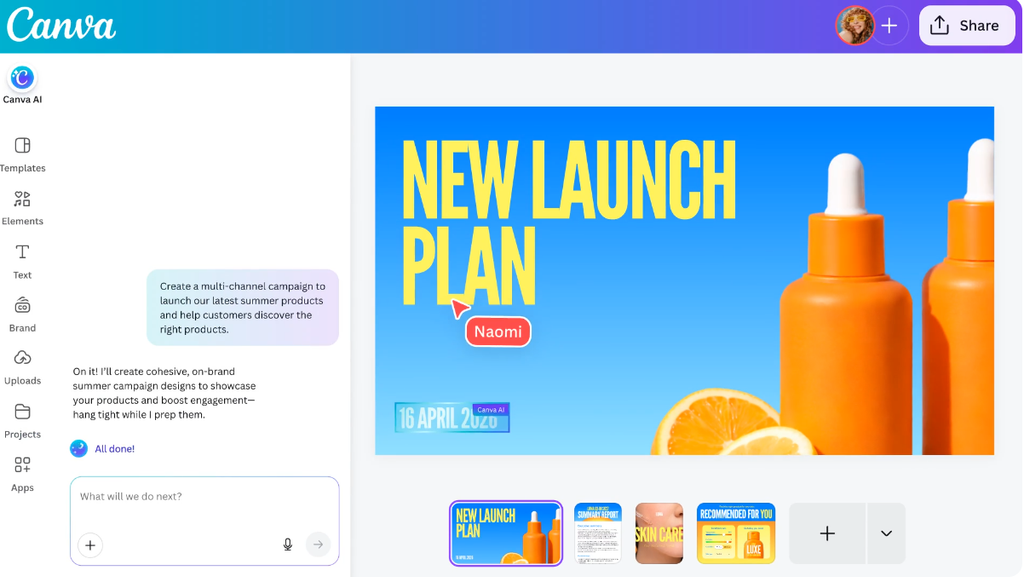
Canva AI integrates image generation, photo editing, and graphic design in one platform. Its Magic Studio features include Magic Media (image generation), Magic Edit, and Magic Design. (See also sections 5, 8, and 10 for more details.) canva-ai-vs-google
Key features:
- All-in-one – image generation, editing, and design.
- Easy to use – accessible to everyone.
- Extensive templates – millions of templates.
- Free tier – generous free features.
Pricing: Free tier; Pro from $12.99/month.
Our rating: 9.2/10.
#7 Adobe Firefly – Best for Professionals
Best for: Designers and creative professionals.
Official site: adobe.com/firefly
Adobe Firefly integrates with Photoshop, Illustrator, and Express. It excels at generative fill, recolour, text effects, and editable vectors.
Key features:
- Deep Adobe integration – Photoshop, Illustrator, Express.
- Professional quality – commercial-grade output.
- Safe for commercial use – legally safe for projects.
- Generative fill – AI-powered image editing.
Pricing: Included in Adobe Creative Cloud ($54.99/month).
Our rating: 8.8/10.
#8 Stable Diffusion XL – Best Open-Source
Best for: Developers, researchers, and privacy-focused users.
Official site: stability.ai
Stable Diffusion XL is the latest open-source image generation model. It can be run locally on consumer GPUs and offers thousands of community fine-tuned models and LoRAs.
Key features:
- Completely free – open-source.
- Unlimited local generation – no censorship.
- Community fine-tunes – extensive model library.
- ControlNet, IP-Adapter – advanced features.
Pricing: Free (self-host); cloud APIs available.
Our rating: 8.5/10.
UI/UX Design Tools
#9 Uizard – Best for UI/UX Design
Best for: Product designers, startups, and product managers.
Official site: uizard.io
Uizard is an AI-powered UI/UX design tool that turns hand-drawn sketches into wireframes and designs. It also generates designs from text prompts.
Key features:
- Sketch to design – turn hand-drawn sketches into wireframes.
- Text to UI – generate interfaces from text prompts.
- Collaboration – share and iterate in real-time.
- No design skills needed – accessible to non-designers.
Pricing: Free tier; Pro from $12/month.
Our rating: 8.7/10.
#10 Figma AI – Best for Professionals
Best for: Professional UI/UX designers.
Official site: figma.com
Figma AI integrates AI features into the industry-standard design tool. It offers content generation, design suggestions, and automated layout.
Key features:
- Industry standard – used by most design teams.
- AI integration – content generation and design suggestions.
- Real-time collaboration – team design.
- Plugins – extensive AI plugin ecosystem.
Pricing: Free tier; Pro from $12/month.
Our rating: 8.6/10.
#11 Sketch AI – Best for Mac Users
Best for: Mac-based designers.
Official site: sketch.com
Sketch AI brings AI-powered design to the popular Mac design tool. It offers automated layout, symbol generation, and content suggestions.
Key features:
- Mac native – optimised for macOS.
- AI generation – symbols, layouts, and content.
- Collaboration – real-time team design.
- Plugins – AI-powered plugins.
Pricing: Free trial; Pro from $9/month.
Our rating: 8.0/10.
Graphic Design Tools
#12 Canva AI – Best All-in-One
(See detailed review in Section 6)
Pricing: Free tier; Pro from $12.99/month.
Our rating: 9.2/10.
#13 Adobe Express AI – Best Quick Design
Best for: Quick, professional designs.
Official site: adobe.com/express
Adobe Express is a simplified design tool with AI features. It offers templates, AI generation, and easy editing.
Key features:
- Quick design – professional designs in minutes.
- AI features – generative fill, text effects.
- Templates – thousands of design templates.
- Adobe integration – works with Creative Cloud.
Pricing: Free tier; Premium from $9.99/month.
Our rating: 8.0/10.
#14 VistaCreate – Best for Social Media
Best for: Social media managers and marketers.
Official site: create.vista.com
VistaCreate offers AI-powered design templates for social media, ads, and marketing materials. It includes AI image and video generation.
Key features:
- Social media focus – templates for all platforms.
- AI generation – images and videos.
- Animation – animated graphics.
- Brand kit – consistent branding.
Pricing: Free tier; Pro from $10/month.
Our rating: 7.8/10.
3D Design Tools
#15 Spline AI – Best 3D Design
Best for: 3D designers, product designers, and creatives.
Official site: spline.design
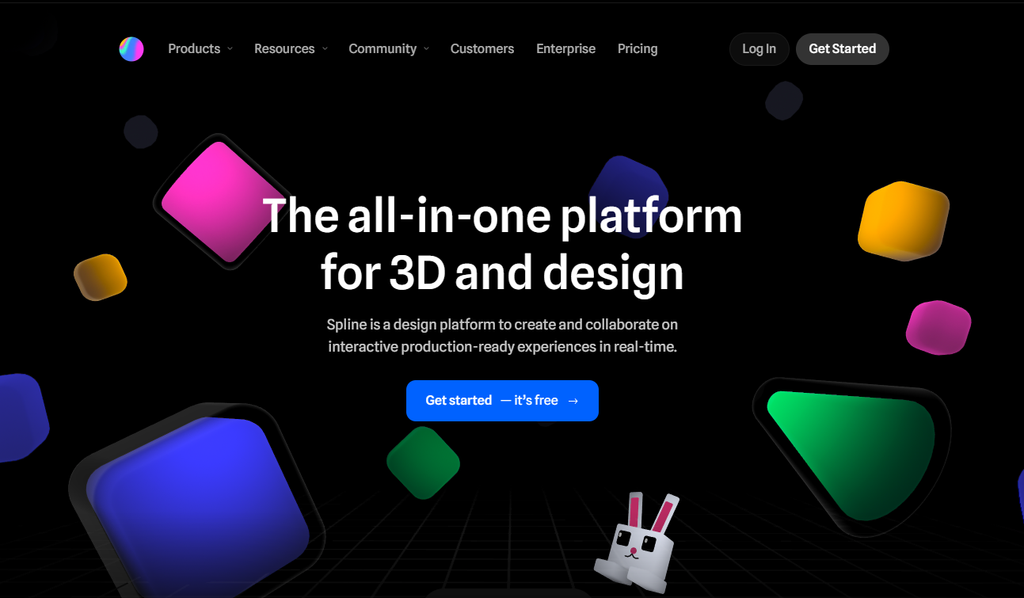
Spline AI is a 3D design tool that uses AI to generate 3D models, scenes, and animations from text prompts. It runs in the browser, making it accessible to everyone.
Key features:
- Text to 3D – generate 3D models from text.
- Real-time rendering – interactive 3D scenes.
- Collaboration – team design and sharing.
- Export options – 3D files, images, and code.
Pricing: Free tier; Pro from $12/month.
Our rating: 8.5/10.
#16 Luma AI – Best for 3D Capture
Best for: 3D scanning and real-world capture.
Official site: lumalabs.ai
Luma AI creates 3D models from photos and videos. It is ideal for product photography, real estate, and digital asset creation.
Key features:
- 3D capture – create 3D from photos/video.
- High quality – photorealistic 3D models.
- Easy to use – capture with a phone.
- Export options – multiple 3D formats.
Pricing: Free tier; Pro from $19/month.
Our rating: 8.0/10.
#17 Meshy AI – Best for Game Assets
Best for: Game developers and 3D artists.
Official site: meshy.ai
Meshy AI generates 3D models from text prompts or images. It is designed for game development and 3D content creation.
Key features:
- Text to 3D – generate from text prompts.
- Image to 3D – create from 2D images.
- Game-ready – optimised for game engines.
- Fast generation – results in minutes.
Pricing: Free tier; Pro from $14.99/month.
Our rating: 7.8/10.
4. Comparison Table
| Tool | Best For | Free Tier | Starting Price | Export Quality | Overall |
|---|---|---|---|---|---|
| Looka | Logo Design | ✅ Free previews | $20 | Vector | 9.0 |
| LogoAI | Brand Identity | ✅ Limited | $9.99/mo | Vector | 8.5 |
| Midjourney V7 | Image Generation | ❌ No | $10/mo | High-res | 9.5 |
| DALL-E | Accuracy | ✅ Limited | $20/mo | High-res | 9.0 |
| Leonardo.ai | Game Assets | ✅ Yes | $12/mo | High-res | 8.8 |
| Canva AI | All-in-One | ✅ Yes | $12.99/mo | High-res | 9.2 |
| Adobe Firefly | Professional | ❌ No | $54.99/mo | Professional | 8.8 |
| Stable Diffusion XL | Open-Source | ✅ Yes | Free | High-res | 8.5 |
| Uizard | UI/UX | ✅ Yes | $12/mo | Professional | 8.7 |
| Figma AI | Professional UI | ✅ Yes | $12/mo | Professional | 8.6 |
| Sketch AI | Mac Users | ❌ No | $9/mo | Professional | 8.0 |
| Adobe Express AI | Quick Design | ✅ Yes | $9.99/mo | High-res | 8.0 |
| VistaCreate | Social Media | ✅ Yes | $10/mo | High-res | 7.8 |
| Spline AI | 3D Design | ✅ Yes | $12/mo | 3D / High-res | 8.5 |
| Luma AI | 3D Capture | ✅ Yes | $19/mo | 3D / High-res | 8.0 |
| Meshy AI | Game Assets | ✅ Yes | $14.99/mo | 3D | 7.8 |
For more AI tool comparisons, see our AI tools directory .
5. Logo Design Tools
Best Logo Design Tools in 2026
| Tool | Best For | Key Feature | Starting Price |
|---|---|---|---|
| Looka | Entrepreneurs | Hundreds of logo options | $20 |
| LogoAI | Brand Identity | Complete brand kit | $9.99/mo |
| Canva AI | All-in-One | Logo design + full design suite | $12.99/mo |
How to Choose a Logo Design Tool
| If you need… | Choose… |
|---|---|
| Quick logo with many options | Looka |
| Complete brand identity | LogoAI |
| Logo + other designs | Canva AI |
6. Image Generation Tools
Best Image Generation Tools in 2026
| Tool | Best For | Key Feature | Starting Price |
|---|---|---|---|
| Midjourney V7 | Artistic Quality | Best artistic images | $10/mo |
| DALL-E | Accuracy | Accurate text rendering | $20/mo |
| Canva AI | All-in-One | Image generation + editing | $12.99/mo |
| Leonardo.ai | Game Assets | Character design | $12/mo |
| Adobe Firefly | Professional | Commercial-grade quality | $54.99/mo |
| Stable Diffusion XL | Open-Source | Free local generation | Free |
How to Choose an Image Generation Tool
| If you need… | Choose… |
|---|---|
| Artistic images | Midjourney V7 |
| Accurate text in images | DALL-E |
| All-in-one platform | Canva AI |
| Game assets | Leonardo.ai |
| Professional quality | Adobe Firefly |
| Free local generation | Stable Diffusion XL |
For a detailed comparison, see our Best AI Image Generators in 2026 guide.
7. UI/UX Design Tools
Best UI/UX Design Tools in 2026
| Tool | Best For | Key Feature | Starting Price |
|---|---|---|---|
| Uizard | Beginners | Sketch to design | $12/mo |
| Figma AI | Professionals | Industry standard | $12/mo |
| Sketch AI | Mac Users | Mac native | $9/mo |
How to Choose a UI/UX Design Tool
| If you need… | Choose… |
|---|---|
| Easy design without skills | Uizard |
| Professional UI design | Figma AI |
| Mac-based design | Sketch AI |
8. Graphic Design Tools
Best Graphic Design Tools in 2026
| Tool | Best For | Key Feature | Starting Price |
|---|---|---|---|
| Canva AI | All-in-One | Most versatile | $12.99/mo |
| Adobe Express AI | Quick Design | Professional templates | $9.99/mo |
| VistaCreate | Social Media | Social media templates | $10/mo |
9. 3D Design Tools
Best 3D Design Tools in 2026
| Tool | Best For | Key Feature | Starting Price |
|---|---|---|---|
| Spline AI | 3D Design | Text to 3D | $12/mo |
| Luma AI | 3D Capture | Photo to 3D | $19/mo |
| Meshy AI | Game Assets | Text to 3D | $14.99/mo |
10. AI Design Trends in 2026
Here are the key design trends powered by AI in 2026:
AI Brand Kits
AI can now generate complete brand identity systems – not just logos but colour palettes, typography, brand guidelines, and even marketing assets.
Best tools: Looka, LogoAI, Canva AI
AI Video Design
AI is transforming video creation with automated editing, text-to-video generation, and AI-powered motion graphics.
Best tools: Runway Gen-4.5, Pika Labs, Kling AI 3.0
For more on video tools, see our AI Video Tools guide.
AI UI Generation
AI can now generate complete user interfaces from text descriptions or sketches.
Best tools: Uizard, Figma AI
AI Vector Generation
AI-powered vector graphics creation is becoming mainstream, enabling scalable, editable designs.
Best tools: Adobe Illustrator with Firefly, Canva AI
AI Motion Graphics
AI-generated animations and motion graphics are now accessible to non-animators.
Best tools: Spline AI, Runway Gen-4.5
11. Free vs Paid: Which Should You Choose?
Free AI Design Tools
| Tool | Free Offering | Limitations |
|---|---|---|
| Canva AI | Many features | Limited AI generations |
| Uizard | Basic features | Limited projects |
| Stable Diffusion XL | Full local usage | Requires GPU |
| Looka | Free previews | Watermarks on previews |
| Leonardo.ai | 150 images/day | Limited features |
| VistaCreate | Basic templates | Watermarks |
Paid AI Design Tools
| Tool | Paid Features | Best For |
|---|---|---|
| Midjourney V7 | Full access, commercial use | Professional artists |
| Canva Pro | AI features, brand kit | Businesses |
| Figma AI | Full features | Design professionals |
| Adobe Firefly | Creative Cloud integration | Professional designers |
12. Best AI Design Tool by Budget
| Budget | Tool | Why |
|---|---|---|
| Free | Canva AI | Most features for zero cost |
| Under $10 | Midjourney V7 (Basic) | Best image generation at low cost |
| $10-$20 | Looka | Professional logo design |
| $20-$30 | Canva Pro | Full design suite |
| Unlimited | Adobe Creative Cloud | Professional-grade tools |
13. Which Tool Is Best for Beginners?
| Tool | Why It’s Best for Beginners |
|---|---|
| Canva AI | Most intuitive interface, extensive templates, free tier |
| Uizard | Sketch-to-design feature, no design skills needed |
| VistaCreate | Simple templates, social media focus |
14. Which Tool Is Best for Professionals?
| Tool | Why It’s Best for Professionals |
|---|---|
| Adobe Firefly | Industry-standard integration, professional quality |
| Figma AI | Team collaboration, industry standard |
| Midjourney V7 | Highest quality artistic output |
| Spline AI | Advanced 3D capabilities |
15. Best AI Design Tool by Industry
| Industry | Best Tool | Why |
|---|---|---|
| Marketing | Canva AI | Versatile, templates, easy to use |
| SaaS / Tech | Figma AI | UI/UX focus, collaboration |
| Gaming | Leonardo.ai | Game assets, characters |
| Architecture | Spline AI | 3D modelling, real-time rendering |
| E-commerce | Adobe Firefly | Professional product images |
| Social Media | Canva AI | Templates for all platforms |
| Print Design | Adobe Firefly | Professional print quality |
16. Common Mistakes When Using AI Design Tools
1. Over-Reliance on AI-Generated Content
| Problem | Solution |
|---|---|
| Accepting AI output without refinement | Always refine and customise designs. |
| Not adding personal touch | AI can’t replace your creative vision. |
| Using generic designs | Customise for your specific brand. |
2. Ignoring Brand Guidelines
| Problem | Solution |
|---|---|
| Creating off-brand designs | Define brand guidelines first. |
| Inconsistent colours and fonts | Use a brand kit. |
| Mixing design styles | Maintain consistency across all designs. |
3. Choosing the Wrong Tool
| Problem | Solution |
|---|---|
| Using image generators for logos | Use specialised logo tools. |
| Using 2D tools for 3D | Choose the right tool for the job. |
| Paying for features you don’t need | Start with free tiers. |
4. Not Using High-Resolution Exports
| Problem | Solution |
|---|---|
| Exporting low-resolution images | Always export at high resolution. |
| Using raster images for logos | Use vector formats. |
| Not checking export formats | Match format to use case. |
5. Forgetting About Copyright
| Problem | Solution |
|---|---|
| Using AI images without rights | Check commercial usage rights. |
| Copying existing designs | Create original work. |
| Not reading terms of service | Understand usage rights. |
17. What I Like & What I Don’t Like
What I Like 👍
| Aspect | Why I Like It |
|---|---|
| Speed | Create designs in minutes instead of hours. |
| Accessibility | Design without years of training. |
| Cost | Much cheaper than hiring designers. |
| Variety | Many tools for different needs. |
| Iteration | Quickly try multiple options. |
What I Don’t Like 👎
| Aspect | Why I Don’t Like It |
|---|---|
| Generic output | AI can produce similar designs. |
| Quality inconsistency | Results vary by tool and prompt. |
| Learning curve | Some tools require practice. |
| Copyright issues | Unclear rights on some platforms. |
| Brand inconsistency | Hard to maintain brand consistency. |
18. Who Should Use AI Design Tools?
✅ Ideal for:
- Entrepreneurs – create professional designs without hiring.
- Startups – fast, affordable design.
- Marketers – create social media content quickly.
- Small business owners – maintain brand identity.
- Designers – augment workflow and speed up tasks.
- Content creators – generate images and graphics.
- Students – learn design without expensive software.
❌ Not ideal for:
- Professional designers who need complete control – may prefer traditional tools.
- Complex, highly custom projects – AI may not provide enough refinement.
- Users who don’t edit AI output – AI output still requires human refinement.
For more AI tool recommendations, see our AI for Business guide.
19. Frequently Asked Questions (FAQ)
What is the best AI design tool in 2026?
Canva AI is the best overall for its versatility. Midjourney V7 is best for image generation. Looka is best for logos.
Is there a free AI design tool?
Yes. Canva AI, Uizard, Stable Diffusion XL, and Leonardo.ai all offer generous free tiers.
Can AI design tools replace designers?
No. They augment designers by automating repetitive tasks, allowing them to focus on creative work.
What is the best AI logo maker?
Looka is the best AI logo maker, offering hundreds of options and professional-quality exports.
Which AI image generator is best for professional use?
Midjourney V7 and Adobe Firefly are the best for professional-quality image generation.
Can I use AI-generated designs for commercial use?
Most paid tools allow commercial use. Always check the terms of service.
How much do AI design tools cost?
Free to $54.99/month. Most professional tools range from $10-20/month.
What is the best free AI design tool for beginners?
Canva AI is the best free option for beginners, offering an intuitive interface and extensive features.
For more AI tool comparisons, see Gemini vs ChatGPT vs Claude 2026 .
20. Final Verdict & Rating
| Category | Score (out of 10) |
|---|---|
| Logo Design | 8.5 |
| Image Generation | 9.0 |
| UI/UX Design | 8.5 |
| Graphic Design | 9.0 |
| 3D Design | 8.0 |
| Overall | 8.6 / 10 |
Final verdict: AI design tools have become essential for designers, marketers, and businesses. Canva AI offers the best all-in-one platform for most users. Midjourney V7 is the best for artistic image generation. Looka is the best for professional logos. Uizard is the best for UI/UX design. Spline AI is the best for 3D design.
My recommendation:
- Best overall: Canva AI
- Best image generation: Midjourney V7
- Best logo design: Looka
- Best UI/UX: Uizard
- Best 3D design: Spline AI
- Best free option: Canva AI
Start with free tiers to test their capabilities. Upgrade to paid plans when you need higher limits, advanced features, or professional-quality exports.
👤 Reviewed By
AIFOMI Editorial Team
Last updated: July 2026
We independently test AI software using real-world workflows. Our reviews are based on hands-on testing and are not influenced by affiliate partnerships.