Canva AI vs. Google Nano Banana Pro: Which One Should You Actually Use in 2026?
Canva and Nano Banana Pro are both AI image generators, but that‘s about where the similarities end. Choosing the wrong one can mean paying for a design suite you don’t need—or, worse, pouring hours into a tool that just isn‘t built for your kind of work.
Quick verdict: If you need to design complete layouts, social posts, or branded documents fast, Canva is the clear winner. If you need high‑resolution, print‑ready, photorealistic images—especially with legible text inside them—Nano Banana Pro is the superior choice. canva.com
Let’s break down exactly where each tool shines and where they fall short.
Canva AI vs Google Nano Banana Pro: Real Examples
Quick Verdict
Choose Canva AI if you want an all-in-one design platform with AI image generation and editing tools. Choose Google Nano Banana Pro if your priority is photorealistic image quality, advanced prompt understanding, and state-of-the-art AI image generation.
Overview: Two Very Different Philosophies
Canva AI (officially Canva Magic Studio) is a design platform first and an AI image generator second. With over 190 million users, it has aggressively integrated AI features like Magic Media, Dream Lab, and AI video generation, all within an interface that prioritises speed and simplicity. Its main selling point? Almost everything you generate comes out as an editable, layered design, not just a flat image.
Google Nano Banana Pro (officially Gemini 3 Pro Image) is the opposite. It’s a purpose‑built, professional‑grade AI image model designed for maximum fidelity. It generates up to 4K native resolution with photorealistic output that leads the field in skin textures, natural lighting, and spatial composition. It also excels at rendering legible text inside images—something most AI models still struggle with.
For a full comparison of all the leading AI image tools, check out our AI Tools Directory.
Quick Comparison Table
| Feature | Canva AI (Magic Studio) | Google Nano Banana Pro |
|---|---|---|
| Best for | Social media posts, presentations, branded docs | High‑res art, product shots, infographics, print |
| Max resolution | 1024×1024 pixels | 4K (3840×2160) + 300+ DPI |
| Text inside images | Basic | Excellent (paragraph‑level, many languages) |
| Editable layers | ✅ Yes (unique feature) | ❌ No (single‑layer image) |
| Output speed | Fast (~seconds) | Slow (2‑5 minutes per image) |
| Free tier | 50 lifetime credits (with signup) | ~6 images, no signup required |
| Paid plan (individual) | ~9.99‑14.99/month | ~9.99‑23.99/month |
| Integration | Full design suite + team collab | Google ecosystem (Gemini, Search) |
| Privacy | Does not train AI on your content | Depends on Google’s broader policies |
Quality and Creativity: Where Each Tool Actually Excels
Canva AI – “Safe and Predictable”
WaveSpeed’s 2026 review called Canva’s AI outputs “noticeably lower quality than dedicated image generators,” noting that “anatomy can be off (especially hands)” and “complex prompts often produce generic results.” It’s “safe and predictable”—another way of saying it lacks the creative depth of models like Seedream 4.5, Flux 2 Pro, or even Midjourney.
For a designer who needs five polished social posts by lunch, that predictability is a feature, not a bug. For someone chasing a striking, original visual, it can be frustrating.
Nano Banana Pro – The Photorealism Leader
In independent benchmarks, Nano Banana Pro (ranked as Gemini 3 Pro Image) consistently outscored competitors like gpt‑image‑1.5 and seedream‑4.5 on the LMSYS Vision Leaderboard. Its biggest strengths: photorealistic skin textures, natural lighting, and extremely accurate text rendering. “It is by far the most advanced image generation tool yet,” one reviewer wrote. “The jump in quality—specifically regarding text rendering and prompt adherence—is palpable”.
The trade‑off? The pro model takes 2–5 minutes to generate an image, compared to under a minute for the faster base models. Nano Banana Pro is built for fidelity, not speed. If that sounds like a good fit for your projects, you might also want to read our Kling AI 3.0 Review for another high‑fidelity option.
Design Workflow & Editing: The Real Differentiator
Canva‘s “editable, layered output” is genuinely unique. When you generate a social media post, it comes with separate text layers, background layers, and elements you can individually adjust. You can swap images, edit headlines, or refine fonts without starting over. This is critical for real‑world design work and not something pure image generators (including Nano Banana Pro) offer at all.
CNET’s 2026 review praised Canva’s “extremely easy to create and edit images” interface, calling it “a no‑frills, easy‑to‑navigate AI image generator perfect for beginners”. However, the trade‑off is creative depth: no fine‑tuned control over style or composition beyond Canva’s template‑first workflow.
Nano Banana Pro, by contrast, supports inpainting, outpainting, and compositions with up to five characters and 14 objects. The model can blend up to 14 input images in a single composition while maintaining consistency for up to five people—opening up sophisticated asset‑mashing and brand‑consistent visual workflows. For more advanced workflows, you might also want to read our Runway Gen‑4.5 Review.
Specialised Content: Nano Banana’s Killer Feature
Nano Banana2 (the everyday version of the Pro model) has 25 scene‑specific generators, each fine‑tuned for its domain: architectural rendering, scientific diagrams, product photography, tattoo design, and more. You can tell it “generate a BioRender‑style mechanism figure” and it knows exactly what you mean. Canva’s AI is one‑size‑fits‑all; it doesn‘t have domain expertise baked in. ai.google
Canva’s AI video generation (powered by Veo 3) is extremely limited: maximum 8‑second clips, only five generations per month on paid plans, English‑only prompts, no image‑to‑video, and no motion control. For serious AI video work, WaveSpeed’s review called it “one of the most restricted video generation offerings available”. If you’re interested in a tool that excels at video, check out our Google Veo 3.1 Review for the standalone model.
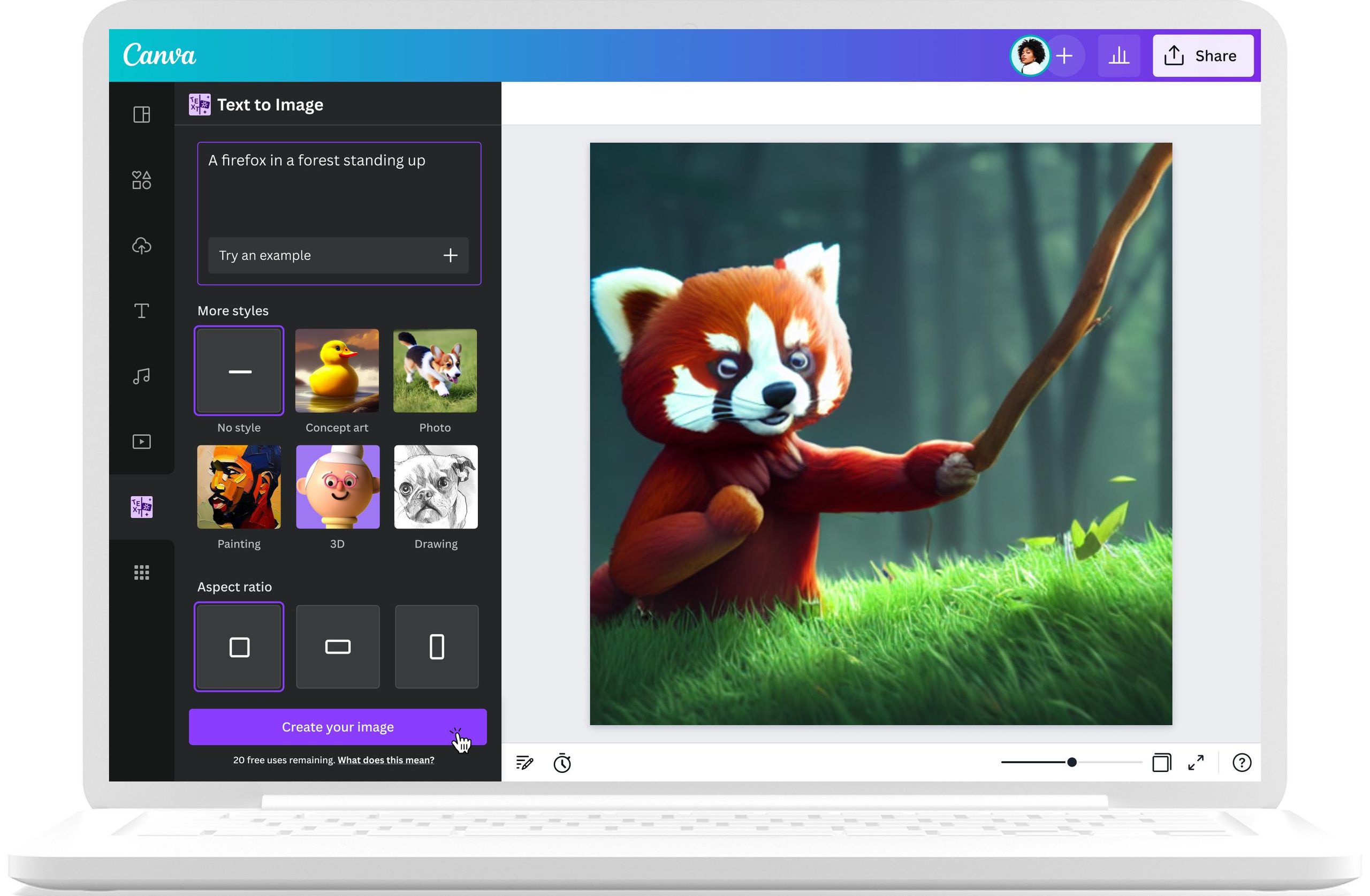
Pricing & Value
Canva: Free tier gives you 50 lifetime credits (no credit card required). Canva Pro is roughly 9.99‑9.99‑14.99 per user per month (billed annually), unlocking 500 Magic Media generations per month and all AI editing tools.
Nano Banana Pro: Free tier offers around six images with no signup required. Paid plans start at ~9.99/monthandgoupto 23.99/month for the Pro plan. For volume users, credit‑based options are available starting at ~$0.01 per 1,000 results.
If you’re on a tight budget, explore our curated list of Free AI Tools for more accessible options.
Privacy & Data Usage
Canva’s privacy policy is notably secure: Canva does not train its AI on your content, and the images you generate are always private, unlike many competitors. Nano Banana Pro’s privacy is tied to Google’s broader policies, which generally allow users to opt out of data collection, but the terms are less explicit.
Final Verdict: Which One Should You Choose?
Choose Canva AI if you need: complete layouts (presentations, social posts, branded docs), team collaboration and brand kits, or you want to design and generate in one place without switching tools. Avoid it if you need high‑resolution print assets, specialised scientific/architectural visuals, or text‑heavy infographics (Nano Banana Pro is much stronger there).
Choose Google Nano Banana Pro if you need: 4K, print‑ready images, photorealistic skin and lighting, legible text inside images (infographics, ads, UI mockups), or specialised generators (architectural, scientific, tattoo). Avoid it if speed is critical (2‑5 minutes per image is slow) or you need an all‑in‑one design suite with templates and layouts.
For most people, the smartest workflow is using both: generate your high‑fidelity visuals with Nano Banana Pro, then drop them into Canva for layout, text, and branding.
Last updated: May 2026