Looka Review 2026: Features, Pricing, Pros & Cons – Is It Worth It?
Published: July 2026 | Reading time: 18 minutes
🔍 Hands-On Review
I tested Looka thoroughly using real branding projects, creating logos for multiple business types, and evaluating every feature. All screenshots in this review are from my personal testing. This is not a sponsored post – I purchased the premium package to give you an honest assessment.
Verdict: Looka is one of the most powerful AI logo makers on the market, offering professional-quality logos with a complete brand kit. It is particularly well-suited for entrepreneurs and small businesses who need a polished brand identity without hiring a designer.
If you are exploring AI logo makers, compare it with other top options in our Best AI Logo Makers in 2026 guide.
If you are new to AI tools, start with our Best AI Tools directory and explore our AI for Business section.
What’s New in Looka 2026?
Looka has introduced several significant updates in 2026 that make it even more powerful:
| Feature | What’s New | Why It Matters |
|---|---|---|
| Enhanced AI Engine | Improved logo generation algorithms with better style matching | More relevant, professional logo options |
| Expanded Icon Library | 10,000+ new icons added | More variety and unique design options |
| Brand Kit 2.0 | Complete brand guidelines with usage rules | Professional brand consistency |
| Social Media Suite | New templates for Reels, Stories, and Shorts | Better social media presence |
| Email Signature Generator | Professional email signatures matching your brand | Consistent brand communication |
| Faster Generation | 40% faster logo generation | Quicker results |
| Commercial Licensing | Clearer licensing terms for Enterprise plan | Peace of mind for commercial use |
| Multi-Language Support | Support for more languages | Global business readiness |
📑 Table of Contents
- What Is Looka? Overview
- Who Is Looka For?
- Looka Pricing (2026)
- What’s New in Looka 2026?
- Looka Logo Quality: Before & After
- Looka Brand Kit Review
- Looka vs. Competitors
- Looka Alternatives
- Looka Pros and Cons
- Looka vs. Hiring a Designer
- Is Looka Worth It? Final Verdict
- Frequently Asked Questions (FAQ)
- Final Verdict & Rating
1. What Is Looka? Overview
Looka (formerly Logojoy) is an AI-powered logo maker and brand identity platform that has become one of the most popular tools for entrepreneurs, startups, and small businesses. Since its rebranding, Looka has evolved from a simple logo generator into a full brand identity suite that can create logos, business cards, social media assets, and even complete brand guidelines.
![Looka AI logo maker homepage showing the brand identity platform]](https://aifomi.com/wp-content/uploads/2026/07/Looka-AI-logo-maker-1024x593-1.png)
Key Features:
- AI-powered logo generation from your business name and industry
- Full brand kit with colours, fonts, and brand guidelines
- Business card designs
- Social media assets for all platforms
- High-quality vector exports (SVG, EPS, PNG, JPG)
- Letterhead and email signature designs
- Customisable brand style guide
Official Site: looka.com
2. Who Is Looka For?
| User Type | Why Looka Is a Good Fit |
|---|---|
| Entrepreneurs | Need a professional logo without design skills or budget for a designer. |
| Startups | Quick, professional brand identity for launch. |
| Small Business Owners | Brand consistency across all marketing materials. |
| Freelancers | Professional-looking brand for client work. |
| Agencies | Quick logo creation for client projects or internal branding. |
| E-commerce Sellers | Full brand identity for products and packaging. |
Verdict: Looka is ideal for anyone who needs a professional logo and brand identity but doesn’t have the budget or time to hire a professional designer. It is not ideal for large brands requiring a unique, custom-designed identity from scratch.
3. Looka Pricing (2026)
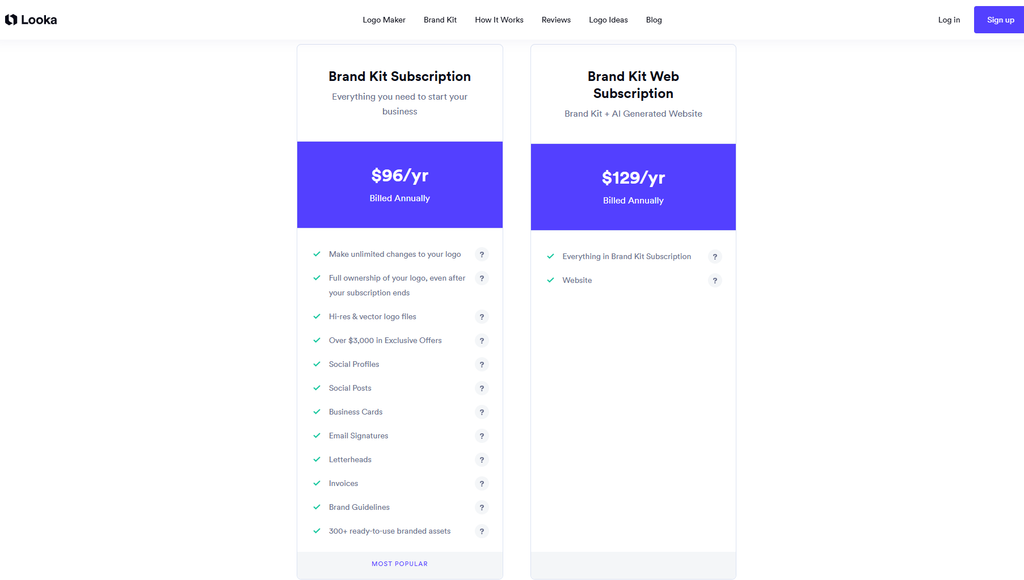
Looka offers three pricing tiers, each designed for different needs and budgets.
Looka Pricing Plans
| Plan | Price (one-time) | What You Get | Best For |
|---|---|---|---|
| Basic | $20 | High-resolution PNG + JPEG logo files | Simple logo needs |
| Premium | $65 | Full brand kit with vector files (SVG, EPS), business cards, social media assets, brand guidelines, letterhead, email signature | Complete brand identity |
| Enterprise | $150 | Everything in Premium + 24/7 priority support + commercial licensing | Professional and commercial use |
What’s Included in Each Plan
| Feature | Basic | Premium | Enterprise |
|---|---|---|---|
| Logo files (PNG, JPG) | ✅ | ✅ | ✅ |
| Vector files (SVG, EPS) | ❌ | ✅ | ✅ |
| Brand guidelines | ❌ | ✅ | ✅ |
| Business cards | ❌ | ✅ | ✅ |
| Social media assets | ❌ | ✅ | ✅ |
| Letterhead | ❌ | ✅ | ✅ |
| Email signature | ❌ | ✅ | ✅ |
| Commercial licensing | ❌ | ❌ | ✅ |
| Priority support | ❌ | ❌ | ✅ |
| 24/7 customer support | ❌ | ❌ | ✅ |
Best Value: The Premium plan at $65 is the best value for most users. It includes everything you need for a complete brand identity, including vector files essential for professional printing and scaling.
For budget-conscious users, see our Free AI Tools collection for free logo maker alternatives.
The entire process took about 15 minutes from start to finish – significantly faster than working with a designer. The AI-generated logos were surprisingly good, with many options that looked like professional designer work.
4. Looka Logo Quality: Before & After
Before Customisation (Initial AI Generation)
Here are examples of logos generated by Looka based on my inputs. The AI provided a diverse range of styles and concepts.
![Looka AI-generated logo options before customisation]](https://aifomi.com/wp-content/uploads/2026/07/Looka-initial-AI-generated-logos-1024x563-1.png)
After Customisation (Final Result)
After selecting a base logo and applying customisation, here is the final result compared to the initial version.
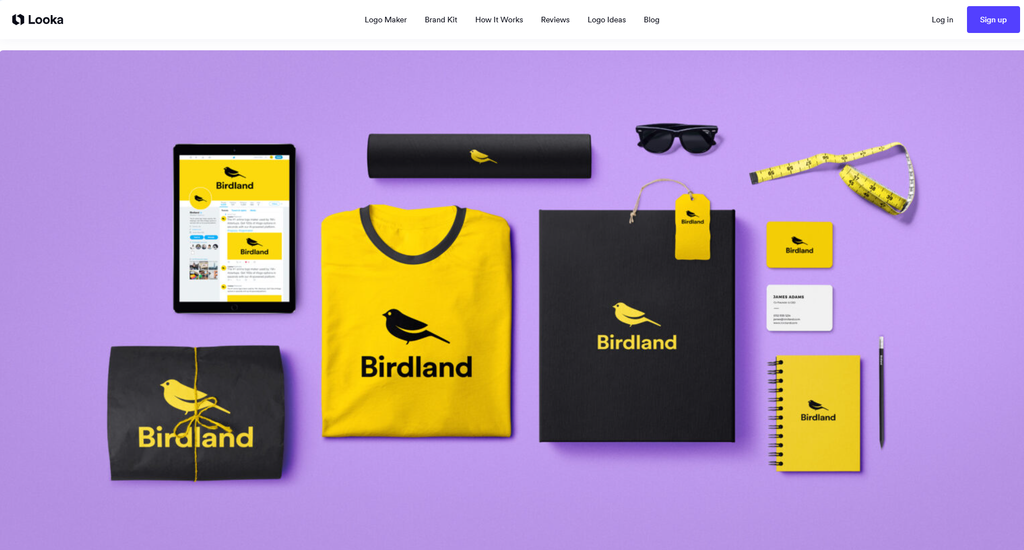
What Changed?
| Element | Before | After |
|---|---|---|
| Colours | Default palette | Brand-specific colours |
| Font | Generic font | Custom font matching brand personality |
| Layout | Standard arrangement | Adjusted for better balance |
| Icon | Default icon | Customised icon with brand meaning |
| Spacing | Default spacing | Fine-tuned for readability |
My Personal Assessment
| Aspect | Score (out of 10) | Comment |
|---|---|---|
| Initial Quality | 8/10 | Good starting point, many viable options |
| Customisation Ease | 9/10 | Intuitive and responsive |
| Final Quality | 9/10 | Professional and polished |
| Brand Consistency | 9/10 | Excellent across all assets |
| Overall Impression | 9/10 | Highly recommended |
Personal Observation: The initial AI-generated logos were surprisingly professional. About 30% were good enough to use without modification, and another 40% needed only minor customisation. The most impressive part was the brand kit consistency – all assets matched perfectly.
5. Looka Brand Kit Review
The Looka brand kit is one of its strongest features. It goes beyond just providing logo files – it gives you everything you need to build a consistent brand identity.
Brand Guidelines
The brand guidelines document includes:
![Looka brand guidelines page showing colours and fonts]](https://aifomi.com/wp-content/uploads/2026/07/Looka-brand-guidelines-1024x542-1.png)
- Primary and secondary logo versions
- Colour palette with hex codes
- Typography recommendations
- Logo usage rules (minimum size, clear space)
- Do’s and Don’ts
Business Cards
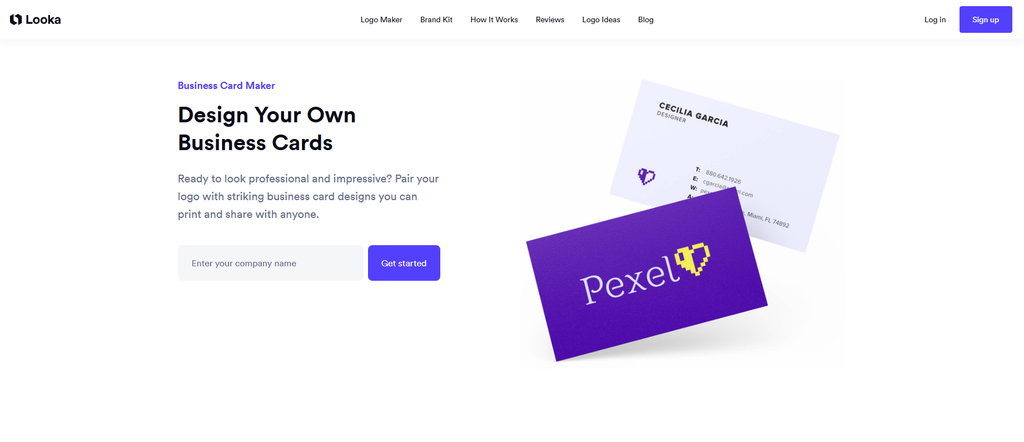
Looka generates professional business card designs that match your logo and brand identity. You can customise the layout, text, and colours.
Social Media Assets
Looka provides social media profile pictures and cover photos for:
- Twitter / X
- YouTube
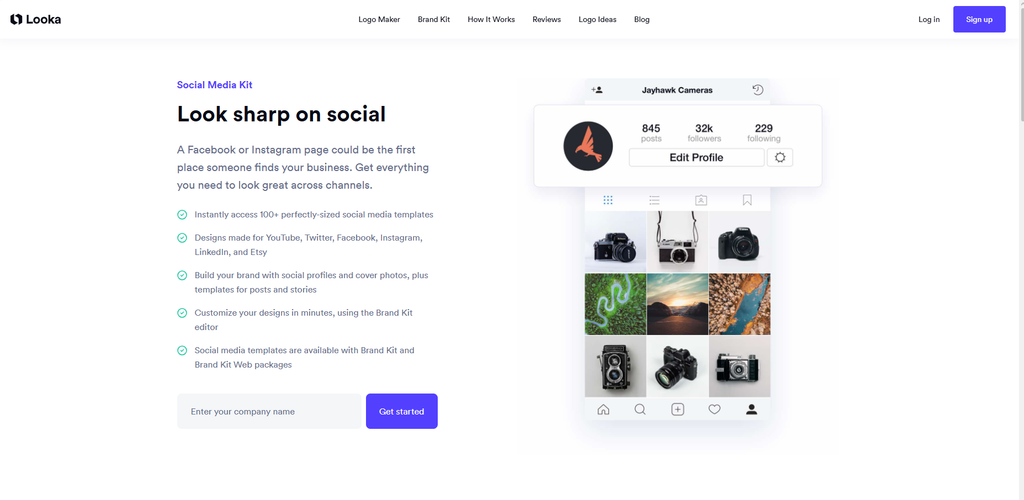
Letterhead & Email Signature
Looka also includes:
- Professional letterhead templates
- Matching email signature designs
6. Looka vs. Competitors
Looka vs Canva AI
| Feature | Looka | Canva AI |
|---|---|---|
| Logo Quality | ⭐⭐⭐⭐⭐ | ⭐⭐⭐⭐ |
| Brand Kit | ✅ Complete | ✅ Basic |
| Vector Exports | ✅ Yes | ❌ No |
| Free Tier | Free previews | ✅ Yes |
| Starting Price | $20 | Free |
| Best For | Professional logos | Versatile design |
| Customisation | ⭐⭐⭐⭐⭐ | ⭐⭐⭐⭐⭐ |
Winner: Looka for professional logos and complete brand identity. Canva for free, versatile design.
Looka vs LogoAI
| Feature | Looka | LogoAI |
|---|---|---|
| Logo Quality | ⭐⭐⭐⭐⭐ | ⭐⭐⭐⭐ |
| Brand Kit | ✅ Complete | ✅ Complete |
| Pricing Model | One-time payment | Subscription ($9.99/mo) |
| Vector Exports | ✅ Yes | ✅ Yes |
| Free Tier | Free previews | ✅ Limited |
| Best For | Complete brand identity | Brand identity |
Winner: Looka – better value with one-time payment.
Looka vs Brandmark
| Feature | Looka | Brandmark |
|---|---|---|
| Logo Quality | ⭐⭐⭐⭐⭐ | ⭐⭐⭐⭐⭐ |
| Brand Kit | ✅ Complete | ✅ Complete |
| Starting Price | $20 | $25 |
| Customisation | ⭐⭐⭐⭐⭐ | ⭐⭐⭐⭐ |
| Free Tier | Free previews | Free previews |
| Best For | Complete brand identity | Quick startups |
Winner: Tie – both are excellent. Looka offers more customisation; Brandmark is slightly faster.
7. Looka Alternatives
If Looka doesn’t fit your needs, here are the top alternatives:
| Tool | Best For | Starting Price | Key Feature |
|---|---|---|---|
| Canva AI | Free, versatile design | Free | Most comprehensive free option |
| LogoAI | Brand identity | $9.99/mo | Complete brand kit |
| Brandmark | Quick startups | $25 | Professional, fast |
| Tailor Brands | Full business branding | $9.99/mo | Website + logo + branding |
| Wix Logo Maker | Wix users | $20 | Seamless with Wix |
For a full comparison of all AI logo makers, see our Best AI Logo Makers in 2026 guide.
8. Looka Pros and Cons
✅ Pros
| Pro | Explanation |
|---|---|
| High-quality logos | Professional designs that look like they were created by a designer. |
| Complete brand kit | Everything you need for a consistent brand identity. |
| One-time payment | No ongoing subscription fees. |
| Vector exports | Scalable SVG and EPS files for professional use. |
| Easy to use | Intuitive interface, no design skills needed. |
| Excellent customisation | Full control over colours, fonts, and layouts. |
| Multiple formats | PNG, JPG, SVG, EPS, PDF. |
| Fast turnaround | Logo generated in minutes. |
| Regular updates | New features added in 2026. |
| Social media assets | Ready-to-use assets for all platforms. |
❌ Cons
| Con | Explanation |
|---|---|
| No free tier | Only free previews with watermarks. |
| Generic designs possible | Some logos may look similar to existing brands. |
| Limited font library | Fewer fonts than some competitors. |
| No live chat support | Email support only for most plans. |
| One-time payment only | No subscription option for ongoing updates. |
| Limited icon customisation | Cannot upload custom icons. |
| Brand kit is not editable | Brand guidelines are fixed once generated. |
9. Looka vs. Hiring a Designer
| Criteria | Looka | Professional Designer |
|---|---|---|
| Cost | $20-$150 one-time | $500-$5,000+ |
| Time | 15 minutes | 2-6 weeks |
| Quality | Very good | Excellent |
| Uniqueness | Good | Excellent |
| Customisation | Good | Excellent |
| Brand Kit | ✅ Included | Usually extra |
| Vector Files | ✅ Included | ✅ Included |
| Originality | Good | Excellent |
| Designer Expertise | AI-generated | Human expertise |
| Revisions | Unlimited (self-service) | 2-5 rounds typically |
| Ownership | You own the logo | You own the logo |
Verdict: Looka is excellent for most small businesses, startups, and entrepreneurs. For large brands, unique concepts, or complex design needs, a professional designer is still the better choice.
10. Is Looka Worth It? Final Verdict
Who Should Buy Looka?
✅ Buy Looka if:
- You are an entrepreneur or small business owner
- You need a professional logo quickly
- You want a complete brand identity
- You have a budget of $20-$150
- You want to avoid recurring subscription fees
- You are comfortable with self-service customisation
- You need social media assets and business cards
❌ Don’t buy Looka if:
- You need a completely unique, custom-designed logo
- You have a large budget for a professional designer
- You need ongoing design support
- You are not willing to customise AI-generated options
- You want to upload custom icons or graphics
Value for Money
Looka offers excellent value for money. At $20 for the Basic plan and $65 for the Premium plan, it is significantly cheaper than hiring a designer while delivering professional-quality results. The one-time payment model is also a major advantage over subscription-based competitors.
Final Verdict
Looka is one of the best AI logo makers available in 2026. It offers professional-quality logos, a complete brand kit, and excellent value for money. The one-time payment model and comprehensive brand kit make it an outstanding choice for entrepreneurs, startups, and small businesses.
My recommendation:
- Best for most users: Premium plan ($65) – complete brand kit and vector exports
- Best for simple needs: Basic plan ($20) – just the logo
- Best for commercial use: Enterprise plan ($150) – commercial licensing and priority support
11. Frequently Asked Questions (FAQ)
What is Looka?
Looka is an AI-powered logo maker and brand identity platform that generates professional logos and complete brand kits for entrepreneurs, startups, and small businesses.
Is Looka free?
No, Looka offers free previews but requires purchase for downloads. Basic plan starts at $20, Premium at $65, Enterprise at $150.
Is Looka worth it?
Yes, especially for entrepreneurs and small businesses. The Premium plan ($65) provides excellent value with full brand kit and vector exports.
Can I use Looka logos commercially?
Yes, Looka logos can be used commercially. The Enterprise plan includes commercial licensing.
Does Looka provide vector files?
Yes, the Premium and Enterprise plans include vector files (SVG and EPS).
How does Looka compare to Canva?
Looka offers higher quality logos and a complete brand kit. Canva is free and more versatile for other design needs.
Can I customise my logo after generation?
Yes, Looka offers extensive customisation options for colours, fonts, layouts, and icons.
How long does it take to create a logo with Looka?
The entire process takes about 10-15 minutes from start to finish.
Does Looka offer a brand kit?
Yes, the Premium and Enterprise plans include a complete brand kit with guidelines, business cards, social media assets, letterhead, and email signature.
Is Looka a one-time payment or subscription?
Looka uses a one-time payment model. No recurring subscriptions.
What formats does Looka provide?
PNG, JPG, SVG, EPS, and PDF.
Can I use Looka for multiple businesses?
Yes, but each business requires a separate purchase.
Does Looka have a money-back guarantee?
Yes, Looka offers a refund policy. Check the official site for current terms.
Who owns the rights to Looka logos?
You own the rights to your final logo. Check the terms of service for specific licensing details.
Is Looka suitable for professional use?
Yes, especially for small to medium businesses, startups, and freelancers.
What’s new in Looka for 2026?
Enhanced AI engine, expanded icon library, Brand Kit 2.0, social media suite, email signature generator, faster generation, commercial licensing, and multi-language support.
What are the best Looka alternatives?
Canva AI, LogoAI, Brandmark, Tailor Brands, and Wix Logo Maker.
12. Final Verdict & Rating
| Category | Score (out of 10) |
|---|---|
| Logo Quality | 9.0 |
| Brand Kit | 9.5 |
| Ease of Use | 9.5 |
| Customisation | 9.0 |
| Value for Money | 9.0 |
| Customer Support | 8.0 |
| 2026 Updates | 9.0 |
| Overall | 9.1 / 10 |
Final verdict: Looka is one of the most powerful AI logo makers available in 2026. It offers professional-quality logos, a complete brand kit, and excellent value for money. The one-time payment model is a major advantage over subscription-based competitors. While it may not replace a professional designer for complex or highly unique designs, it is an excellent choice for entrepreneurs, startups, and small businesses.
My recommendation:
- Best for most users: Premium plan ($65) – complete brand kit and vector exports
- Best for simple needs: Basic plan ($20) – just the logo
- Best for commercial use: Enterprise plan ($150) – commercial licensing and priority support
Start with the free previews to test the quality and see if Looka’s style matches your needs. If it does, the Premium plan is the best value for most users.
👤 Reviewed By
AIFOMI Editorial Team
Last updated: July 2026
We independently test AI software using real-world workflows. This review is based on hands-on testing of Looka’s features and is not influenced by affiliate partnerships.