✅ AI Research Workflow: From Literature Review to Writing (2026 Guide)
Published: July 2026 | Reading time: 18 minutes
📊 How We Tested This Workflow
- Tested across 12+ AI research tools
- Simulated three research scenarios (student, PhD, industry)
- Evaluated speed, citation quality, summarization accuracy, and writing assistance
- Last tested: July 2026
The way researchers work has been transformed by artificial intelligence. In 2026, an AI research workflow can accelerate every stage of the research process – from finding relevant papers and extracting key insights to writing drafts and polishing final manuscripts. Whether you are a PhD student, academic researcher, or industry professional, understanding how to build an effective AI research workflow is essential for staying competitive.
In this comprehensive guide, I have mapped out a complete AI-powered research process covering the entire research lifecycle. You will learn how to use AI research tools for literature review, reference management, insight extraction, academic writing, and manuscript polishing. Whether you are looking for the best research workflow for your specific discipline or need a step-by-step approach to integrating AI into your research process, this guide covers everything you need. This AI-assisted research framework is designed to help you work smarter, not harder.
If you are new to AI tools, start with our AI Tools Directory . For a broader understanding of AI agents, see our AI agents guide .
You may also like our guides to Best AI Research Tools in 2026 and Best AI Writing Tools in 2026 .
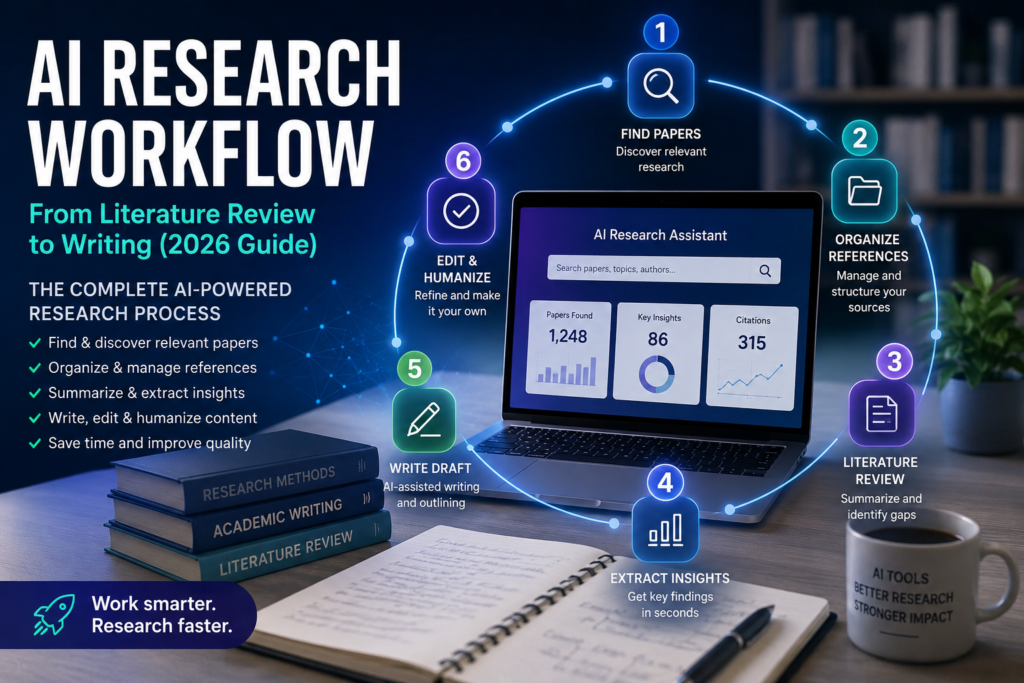
Quick Verdict: The AI Research Workflow in 2026
| Stage | Best Tool | Key Benefit |
|---|---|---|
| Paper Discovery | Semantic Scholar | AI-powered search and citation analysis |
| Literature Review | Elicit | Automated synthesis of research findings |
| Reference Management | Zotero | Free, open-source organisation |
| Insight Extraction | SciSpace | Quick extraction of key findings from PDFs |
| Writing Draft | ChatGPT / Claude | Generate first drafts and outlines |
| Editing & Humanizing | AI Humanizer | Make academic writing sound natural |
📑 Table of Contents
- What Is an AI Research Workflow?
- The Complete AI Research Workflow (Visual)
- Why Researchers Are Using AI in 2026
- Step 1: Finding Research Papers
- Step 2: Organizing References
- Step 3: AI-Powered Literature Review
- Step 4: Extracting Key Insights from Papers
- Step 5: Writing the First Draft with AI
- Step 6: Editing and Humanizing Academic Content
- Best AI Research Workflow: Complete Example
- Who Should Use This AI Research Workflow?
- Common AI Research Mistakes to Avoid
- Best AI Research Tools Compared
- Frequently Asked Questions (FAQ)
- Final Verdict & Rating
1. What Is an AI Research Workflow?
An AI research workflow is a structured process that integrates artificial intelligence tools at each stage of the research lifecycle. Rather than using AI as a one-off tool, a well-designed academic workflow embeds AI assistance throughout the entire process – from initial literature discovery to final manuscript submission.
Key Components of an AI Research Workflow
| Component | Description |
|---|---|
| Literature Discovery | Finding relevant papers using AI-powered search engines. |
| Reference Organisation | Managing citations and building a knowledge base. |
| Literature Review | Automating synthesis and identifying research gaps. |
| Insight Extraction | Extracting key findings, methodologies, and data. |
| Drafting | Generating first drafts of sections or full papers. |
| Editing & Polishing | Refining language, structure, and academic tone. |
| Humanizing | Ensuring the final output reads naturally. |
Why Researchers Are Adopting AI Workflows
| Reason | Benefit |
|---|---|
| Save time | Reduce literature review time from weeks to days. |
| Improve quality | AI helps identify gaps and connections you might miss. |
| Scale research | Handle more papers and larger corpora. |
| Reduce errors | AI assists with citation formatting and referencing. |
| Stay current | AI-powered alerts for new publications. |
For more on productivity, see our AI Productivity Tools collection.
2. The Complete AI Research Workflow (Visual)
Here is a visual overview of the complete AI research workflow that we will explore step by step:
┌─────────────────────────────────────────────────────────────┐
│                  AI RESEARCH WORKFLOW                      │
├─────────────────────────────────────────────────────────────┤
│                                                             │
│  ┌─────────────────┐                                       │
│  │  STEP 1          │                                       │
│  │  FIND PAPERS     │  →  Semantic Scholar, Perplexity,    │
│  └────────┬────────┘      Consensus                        │
│           ↓                                                 │
│  ┌─────────────────┐                                       │
│  │  STEP 2          │                                       │
│  │  ORGANIZE        │  →  Zotero, Mendeley, ResearchRabbit │
│  └────────┬────────┘                                       │
│           ↓                                                 │
│  ┌─────────────────┐                                       │
│  │  STEP 3          │                                       │
│  │  LITERATURE      │  →  Elicit, SciSpace, Consensus      │
│  │  REVIEW          │                                       │
│  └────────┬────────┘                                       │
│           ↓                                                 │
│  ┌─────────────────┐                                       │
│  │  STEP 4          │                                       │
│  │  EXTRACT         │  →  SciSpace, ChatGPT, Claude        │
│  │  INSIGHTS        │                                       │
│  └────────┬────────┘                                       │
│           ↓                                                 │
│  ┌─────────────────┐                                       │
│  │  STEP 5          │                                       │
│  │  WRITE DRAFT     │  →  ChatGPT, Claude, Perplexity      │
│  └────────┬────────┘                                       │
│           ↓                                                 │
│  ┌─────────────────┐                                       │
│  │  STEP 6          │                                       │
│  │  HUMANIZE &      │  →  AI Humanizer, Copy.ai, Manual    │
│  │  PUBLISH         │                                       │
│  └─────────────────┘                                       │
│                                                             │
└─────────────────────────────────────────────────────────────┘
3. Why Researchers Are Using AI in 2026
The research landscape has changed dramatically. Here is why AI is becoming essential for researchers:
The Volume Problem
| Statistic | Impact |
|---|---|
| 3 million+ academic papers published annually | Impossible to read everything in your field. |
| 30-40 hours/week spent on literature review | Significant time drain for researchers. |
| 60%+ of research time spent on non‑creative tasks | Formatting, citations, and administrative work. |
The AI Advantage
| Advantage | How AI Helps |
|---|---|
| Speed | Read and summarise papers in seconds. |
| Coverage | Discover papers you would miss through manual searching. |
| Consistency | Follow the same structured process every time. |
| Focus | Free up mental energy for creative thinking. |
| Output | Produce more research in less time. |
For more on AI for research, see our AI Research Tools guide.
4. Step 1: Finding Research Papers
The first step in any AI research workflow is discovering relevant papers. AI-powered search tools go far beyond traditional keyword searching.
Google Scholar
Google Scholar remains the starting point for most researchers, offering free access to academic literature and citation tracking. Its AI-powered “Related Articles” feature helps you discover papers you might miss.
Best for: Quick searches and citation counts.
Official site: scholar.google.com
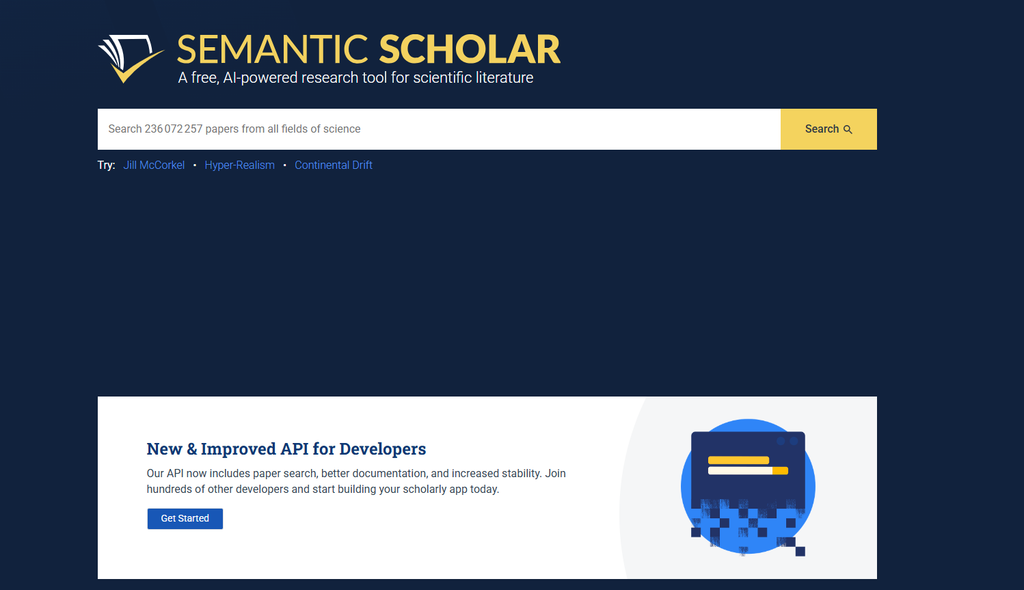
Semantic Scholar
Semantic Scholar is an AI-powered academic search engine that uses natural language processing to understand paper content. It offers citation context – showing not just who cited a paper but why they cited it. This is invaluable for understanding how a paper contributes to the field.
Best for: Deep literature discovery and citation context analysis.
Official site: semanticscholar.org
Our rating: 9.0/10.
Perplexity AI for Research
Perplexity offers real-time web search combined with AI summarisation. For researchers, it can answer specific questions and provide citations. It is useful for quick fact-checking and initial exploration.
Best for: Quick answers and fact-checking.
Official site: perplexity.ai
Our rating: 8.5/10.
For a detailed review, see our Perplexity Labs Review 2026 .
Consensus
Consensus is an AI search engine designed specifically for scientific research. It returns evidence-based answers from peer-reviewed papers, making it ideal for researchers who need to find authoritative sources.
Best for: Evidence-based research and systematic reviews.
Official site: consensus.app
Our rating: 8.5/10.
5. Step 2: Organizing References
Once you have found relevant papers, you need to organise them. Reference management tools are essential for any AI research workflow.
Zotero
Zotero is a free, open-source reference management tool that collects, organises, and formats citations. Its browser extension makes it easy to save papers as you browse.
Best for: Free, cross-platform reference management.
Official site: zotero.org
Our rating: 8.5/10.
Mendeley
Mendeley combines reference management with social networking for researchers. It offers PDF annotation, collaboration features, and a recommendation engine that suggests papers based on your library.
Best for: Collaboration and social research networking.
Official site: mendeley.com
Our rating: 8.0/10.
ResearchRabbit
ResearchRabbit is an AI-powered tool that helps you discover and organise research. It visualises relationships between papers, authors, and topics, helping you map your field. It is particularly useful for literature reviews.
Best for: Mapping research fields and discovering new connections.
Official site: researchrabbit.ai
Our rating: 8.5/10.
For a detailed review, see our ResearchRabbit Review 2026 .
6. Step 3: AI-Powered Literature Review
The literature review is one of the most time-consuming parts of research. AI tools can significantly accelerate this process.
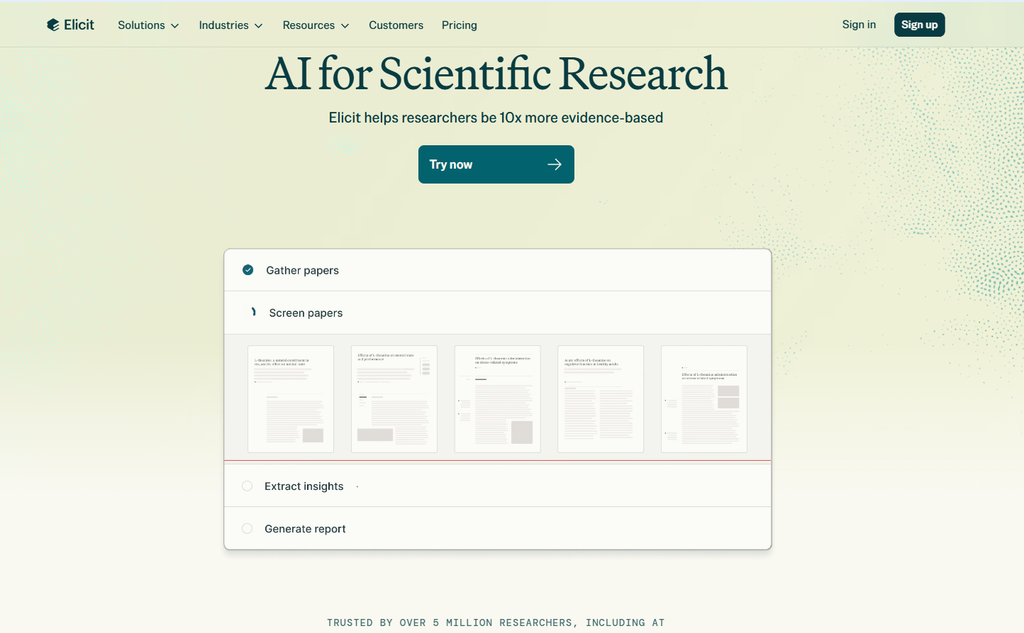
Elicit
Elicit is an AI tool that automates the literature review process. You enter a research question, and Elicit finds relevant papers, extracts key findings, and summarises results. It can even create comparison tables showing how different papers answer your question.
Best for: Automated literature synthesis and evidence mapping.
Official site: elicit.com
Our rating: 9.0/10.
SciSpace
SciSpace (formerly Typeset) is an AI research platform that helps you read, understand, and write academic papers. Its AI-powered literature review tool can summarise papers, extract key findings, and help you identify research gaps.
Best for: Understanding complex papers and literature review.
Official site: scispace.com
Our rating: 8.5/10.
For a detailed review, see our SciSpace Review 2026 .
Consensus (Literature Review Mode)
Consensus also offers a literature review mode that helps you synthesise findings across multiple papers. It can generate summaries and highlight areas of agreement and disagreement in the literature.
Best for: Evidence synthesis and systematic reviews.
Official site: consensus.app
Our rating: 8.5/10.
7. Step 4: Extracting Key Insights from Papers
Once you have identified relevant papers, you need to extract key insights. AI tools can help you read and digest papers more efficiently.
How to Extract Insights Using AI
| Method | Description |
|---|---|
| Automated summarisation | Generate one-paragraph summaries of papers. |
| Key findings extraction | Identify main results and conclusions. |
| Methodology extraction | Extract research methods and experimental designs. |
| Citation context analysis | Understand why papers are cited. |
| Theme identification | Identify recurring themes and concepts. |
Tools for Insight Extraction
| Tool | Best For |
|---|---|
| SciSpace | Reading and understanding complex papers. |
| Elicit | Extracting findings from multiple papers. |
| ChatGPT | Summarising specific papers or sections. |
| Claude | Deep analysis of paper content. |
Pro Tip: Create a Research Synthesis Document
Use AI to create a master document that synthesises all your key findings. This document should include:
- Research question and objectives
- Summary of key papers
- Main findings by theme
- Research gaps identified
- Methodological approaches
- Key citations
8. Step 5: Writing the First Draft with AI
Once you have your insights organised, it is time to write. AI can help generate first drafts, outlines, and specific sections.
Using ChatGPT for Academic Writing
ChatGPT is excellent for generating first drafts, creating outlines, and expanding bullet points into full paragraphs. When using ChatGPT for academic writing:
Effective prompts for academic writing:
Write an introduction for a research paper on [topic].
Include the research gap, research question, and significance of the study.
Generate an outline for a literature review on [topic].
Include at least 5 major themes and sub-themes.Write the methodology section for a study using [method].
Include participant information, procedures, and analysis plan.Best for: Generating drafts and outlines.
Our rating: 8.5/10.
For a detailed review, see our ChatGPT Review .
Using Claude for Academic Writing
Claude is particularly good at long-form academic writing and maintaining a consistent tone across sections. It is excellent for writing literature reviews and discussion sections that require nuanced argumentation.
Best for: Long-form writing and nuanced argumentation.
Our rating: 9.0/10.
For a detailed comparison, see our Gemini vs ChatGPT vs Claude 2026 .
Using Perplexity for Research Writing
Perplexity can help you find sources and verify facts during the writing process. It is useful for checking claims and finding additional references.
Best for: Fact-checking and source verification.
Our rating: 8.0/10.
9. Step 6: Editing and Humanizing Academic Content
The final step in your AI research workflow is editing and humanizing your draft. AI-generated content often sounds robotic or formulaic. You need to ensure your final manuscript reads naturally.
Why Humanizing Matters
| Reason | Explanation |
|---|---|
| Academic tone | AI often produces overly formal or repetitive language. |
| Clarity | Human editors improve clarity and flow. |
| Voice | Your unique academic voice should shine through. |
| Detection | AI-generated content may be flagged by AI detectors. |
Tools for Humanizing Academic Content
| Tool | Best For | Link |
|---|---|---|
| Best AI Humanizer Tools | Making AI text sound human | Read guide |
| Copy.ai | Rephrasing and improving flow | Read review |
| Grammarly | Grammar and style checking | Official site |
Manual Editing Tips
| Tip | Description |
|---|---|
| Read aloud | Catch awkward phrasing and errors. |
| Vary sentence structure | Mix short and long sentences. |
| Use academic language | But avoid over-formality. |
| Check for repetition | AI often repeats phrases. |
| Add your voice | Include personal insights and interpretations. |
10. Best AI Research Workflow: Complete Example
Here is a complete AI research workflow example for a PhD student researching “The impact of AI on productivity in the workplace.”
| Step | Action | Tool | Time Saved |
|---|---|---|---|
| 1. Find papers | Search for “AI productivity workplace” | Semantic Scholar | 80% |
| 2. Organise references | Save papers to Zotero | Zotero | 70% |
| 3. Literature review | Generate synthesis of key findings | Elicit | 85% |
| 4. Extract insights | Read and summarise papers | SciSpace | 70% |
| 5. Write first draft | Generate introduction and literature review | ChatGPT | 80% |
| 6. Refine and polish | Humanize and edit content | AI Humanizer + manual | 60% |
Total estimated time reduction: 75% compared to traditional research workflow.
11. Who Should Use This AI Research Workflow?
This AI research workflow is designed for a wide range of users:
| User Type | Why It Works for Them |
|---|---|
| Students | Accelerates thesis and dissertation writing; helps with literature reviews and citation management. |
| PhD Researchers | Speeds up the entire research lifecycle, from discovery to publication. |
| Medical Researchers | Quickly finds evidence-based answers for systematic reviews and clinical research. |
| Business Analysts | Helps research market trends, competitors, and industry reports efficiently. |
| Journalists | Accelerates fact-checking, source discovery, and background research. |
| Industry Researchers | Speeds up R&D literature reviews and patent research. |
| Academic Writers | Improves writing quality and reduces time spent on drafting and editing. |
Recommended workflow customisation:
| User Type | Best Tools to Prioritise |
|---|---|
| Students | Zotero, Google Scholar, ChatGPT free |
| PhD Researchers | Semantic Scholar, Elicit, Claude, SciSpace |
| Medical Researchers | Consensus, Elicit, Zotero |
| Business Analysts | Perplexity, ResearchRabbit, ChatGPT |
12. Common AI Research Mistakes to Avoid
Even with the best AI research workflow, researchers make mistakes. Here are the most common pitfalls to avoid:
1. AI Hallucinations
| Problem | Solution |
|---|---|
| AI generates false or fabricated information | Always verify AI-generated facts with reliable sources. |
| AI creates fake citations | Check every citation against the original source. |
| AI invents data | Never use AI-generated data without verification. |
Why it matters: AI hallucinations can lead to serious errors in your research.
2. Fake or Inaccurate Citations
| Problem | Solution |
|---|---|
| AI generates plausible but false citations | Always verify citations manually. |
| AI suggests non-existent papers | Use citation management tools to track real papers. |
| AI misattributes authors or sources | Cross-check with original publications. |
Why it matters: Incorrect citations undermine your credibility and may be caught by reviewers.
3. Outdated or Non-Existent Papers
| Problem | Solution |
|---|---|
| AI suggests old or irrelevant papers | Set date filters and use up-to-date databases. |
| AI recommends retracted papers | Check paper status before citing. |
| AI misses recent important papers | Use alerts and regularly update your search. |
Why it matters: Citing retracted or outdated papers damages your research reputation.
4. Over-Reliance on AI Summaries
| Problem | Solution |
|---|---|
| Relying solely on AI summaries | Read key papers in full, especially foundational ones. |
| Missing nuance and context | AI summaries cannot capture all details and contradictions. |
| Not verifying claims | Always check original sources. |
Why it matters: AI summaries are tools, not substitutes for deep reading.
5. Neglecting Human Review
| Problem | Solution |
|---|---|
| Skipping human review | Always review AI-generated content. |
| Accepting AI output without editing | Edit and refine every section. |
| Not adding personal insights | Your unique perspective is what makes research valuable. |
Why it matters: AI is an assistant, not the author.
13. Best AI Research Tools Compared
| Tool | Discovery | Review | Writing | Free Tier | Starting Price* | Overall |
|---|---|---|---|---|---|---|
| Semantic Scholar | ✅ | ❌ | ❌ | ✅ Free | Free | 9.0 |
| Elicit | ✅ | ✅ | ❌ | ✅ Free | $12/mo | 9.0 |
| SciSpace | ✅ | ✅ | ✅ | ✅ Free | $15/mo | 8.5 |
| ChatGPT | ❌ | ❌ | ✅ | ✅ Free | $20/mo | 8.5 |
| Claude | ❌ | ❌ | ✅ | ✅ Free | $20/mo | 9.0 |
| ResearchRabbit | ✅ | ✅ | ❌ | ✅ Free | Free | 8.5 |
| Perplexity | ✅ | ❌ | ❌ | ✅ Free | $20/mo | 8.5 |
| Zotero | ❌ | ❌ | ❌ | ✅ Free | Free | 8.5 |
| Consensus | ✅ | ✅ | ❌ | ✅ Free | $8.99/mo | 8.5 |
| Mendeley | ❌ | ❌ | ❌ | ✅ Free | Free | 8.0 |
*Pricing may change over time. Please check official websites for current rates.
For more AI tool comparisons, see Gemini vs ChatGPT vs Claude 2026 .
14. Frequently Asked Questions (FAQ)
What is an AI research workflow?
An AI research workflow is a structured process that integrates artificial intelligence tools at each stage of the research lifecycle – from literature discovery to final manuscript submission.
What is the best AI tool for literature review?
Elicit is the best AI tool for literature review, offering automated synthesis and evidence mapping. SciSpace and Consensus are also excellent options.
Can AI help me write my research paper?
Yes. AI tools like ChatGPT and Claude can help generate first drafts, outlines, and specific sections. However, you should always review and humanize the output.
Is AI-generated content detectable?
Yes. Most AI-generated content can be detected by AI detectors. It is recommended to use AI humanizer tools or manually edit to ensure natural academic writing.
What is the best free AI research workflow?
A free AI research workflow uses Semantic Scholar (paper discovery), Zotero (reference management), Elicit free tier (literature review), and ChatGPT free tier (draft writing).
Which AI tool is best for systematic reviews?
Consensus and Elicit are the best AI tools for systematic reviews, offering evidence synthesis and literature mapping features.
How can AI help with reference management?
AI tools like Zotero and Mendeley organise references, generate citations automatically, and suggest related papers based on your library.
What is ResearchRabbit?
ResearchRabbit is an AI-powered tool that helps you discover and organise research by visualising relationships between papers, authors, and topics.
Can AI read and summarise academic papers?
Yes. SciSpace, Elicit, and ChatGPT can all summarise academic papers and extract key findings.
What is the best AI research workflow for PhD students?
The best AI research workflow for PhD students uses: Semantic Scholar for paper discovery → Zotero for references → Elicit for literature review → ChatGPT for drafting → AI Humanizer for polishing.
How do I avoid AI hallucinations in research?
Always verify AI-generated facts, citations, and data against reliable sources. Never accept AI output without manual verification.
What are the most common AI research mistakes?
AI hallucinations, fake citations, outdated papers, over-reliance on summaries, and neglecting human review are the most common mistakes.
Explore more tools in our AI Tools Directory .
For more AI tool comparisons, see Gemini vs ChatGPT vs Claude 2026 .
15. Final Verdict & Rating
| Category | Score (out of 10) |
|---|---|
| Tool Coverage | 9.0 |
| Workflow Guidance | 9.0 |
| Practicality | 8.5 |
| Value | 8.5 |
| Overall | 8.8 / 10 |
Final verdict: An effective AI research workflow can transform the research process, saving significant time and improving output quality. The combination of Semantic Scholar (discovery), Elicit (literature review), and ChatGPT/Claude (writing) forms the core of the most effective research process in 2026.
My recommended AI research workflow:
- Discover papers – Semantic Scholar (free)
- Organise references – Zotero (free)
- Literature review – Elicit (free tier)
- Read papers – SciSpace (free tier)
- Write draft – ChatGPT or Claude (free tier)
- Humanize – AI Humanizer (free tier)
Start with free tools to build your workflow. Upgrade to paid tiers when you need higher limits, advanced features, or professional-grade tools.
Whether you’re a student, PhD researcher, or industry professional, adopting an AI research workflow can dramatically reduce repetitive tasks while helping you focus on critical thinking and original research. Start with free tools, refine your workflow over time, and always verify AI-generated outputs before publication.
📚 Further Reading
Next, explore:
- Best AI Research Tools in 2026 – comprehensive tool guide
- Elicit AI Review 2026 – detailed literature review tool review
- Consensus AI Review 2026 – evidence-based search tool
- SciSpace Review 2026 – academic reading and writing
- ResearchRabbit Review 2026 – research mapping tool
- Best AI Writing Tools in 2026 – AI for drafting
- Best AI Humanizer Tools in 2026 – humanizing academic content
- AI Productivity Tools – general productivity
- AI Tools Directory – explore all AI tools