7 Best AI Audio Tools in 2026 (Tested): Voice, Music & Speech Generation
Published: June 2026 | Reading time: 15 minutes
Artificial intelligence has revolutionised audio production. In 2026, AI audio tools can generate realistic voiceovers, compose original music, separate vocals from instrumentals, remove background noise, transcribe speech with high accuracy, and even clone voices – all in seconds. Whether you are a podcaster, video creator, musician, or marketer, AI audio tools can save you hundreds of hours and thousands of dollars.
In this complete guide, I will show you the best AI audio tools in 2026, their key features, pricing, pros and cons, and how to choose the right one for your workflow. We have tested each tool for ease of use, audio quality, features, pricing, and customer support.
If you are new to AI tools in general, start with our AI Agents Guide. For a broader overview of all AI tools, visit our Top 10 AI Agents 2026 list.
Why Best AI Audio Tools in 2026 Matter for Creators
📊 Quick Comparison: Top AI Audio Tools
| Tool | Best For | Starting Price |
|---|---|---|
| ElevenLabs | Voice Generation | $5/mo |
| Adobe Podcast | Audio Cleanup | Free |
| AIVA | Music Creation | $19/mo |
| Descript | Podcast Editing | $15/mo |
| Murf | Video Voiceovers | $29/mo |
| LALAL.AI | Vocal Separation | $15 one‑time |
| Otter.ai | Transcription | $16.99/mo |
All prices are approximate and subject to change. Visit official websites for current rates.
📑 Table of Contents
- What Are AI Audio Tools?
- Top 7 AI Audio Tools in 2026 (Detailed Reviews)
- Comparison Table: Features, Pricing, Best For
- How to Choose the Right AI Audio Tool
- Real‑World Use Cases
- How We Tested These AI Audio Tools
- AI Audio Tools vs. Traditional Software
- Common Mistakes to Avoid
- Frequently Asked Questions (FAQ)
- Final Verdict & Recommendation
1. What Are AI Audio Tools?
AI audio tools use machine learning models to generate, process, analyse, or enhance audio content. They can perform tasks that traditionally required expensive studio equipment, professional engineers, or hours of manual editing.
Common capabilities include:
- AI voice generator – Natural‑sounding text‑to‑speech.
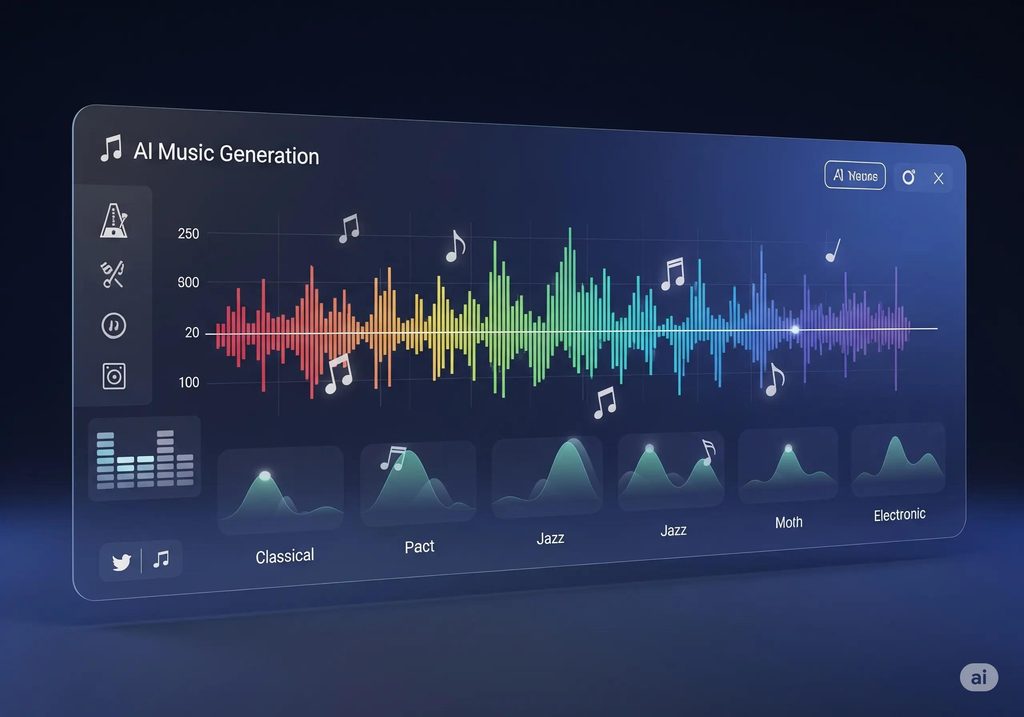
- AI music generator – Creating original melodies, beats, or full songs.
- AI speech generator – Realistic speech for avatars and assistants.
- Best text to speech AI – Converting articles, scripts, or books into audio.
- AI voice cloning tools – Replicating a specific person’s voice.
- AI audio software – Noise reduction, vocal separation, transcription.
For a comparison of AI content tools across media types, see our Best AI Tools directory.
2. Top 7 AI Audio Tools in 2026 (Detailed Reviews)
Tool 1: ElevenLabs – Best AI Voice Generator
Official site: elevenlabs.io
ElevenLabs is the industry leader for natural‑sounding text‑to‑speech. In 2026, its models support 29 languages and offer emotional range (whispering, excitement, sadness). You can clone a voice using just one minute of audio.
Key strengths:
- Extremely realistic voices (often indistinguishable from humans).
- Voice library with hundreds of premade voices.
- API for real‑time generation.
Pricing: Free tier (10,000 characters/month). Paid from $5/month.
Best for: Voiceovers for videos, audiobooks, IVR systems, and game characters.
Tool 2: Adobe Podcast AI – Best for Audio Cleanup
Official site: podcast.adobe.com
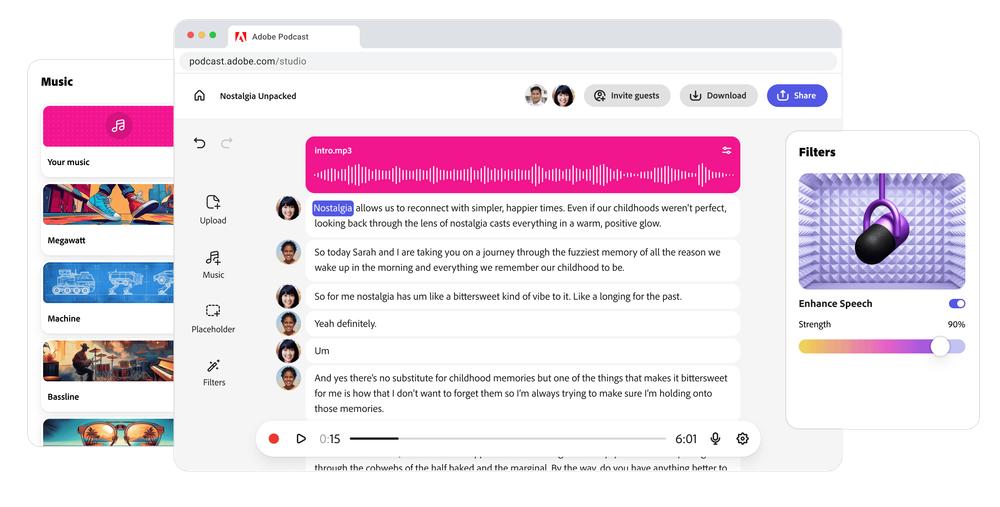
Adobe Podcast AI (formerly Project Shasta) is a web‑based tool that cleans up poor audio recordings. Its “Enhance Speech” feature removes background noise, echo, and reverb with one click. It also offers automatic levelling and microphone calibration.
Key strengths:
- One‑click improvement for remote interview recordings.
- Integrates with Adobe Audition and Premiere Pro.
- Free to use (with Adobe account).
Pricing: Free (limited). Premium features via Creative Cloud subscription.
Best for: Podcasters, remote interviewers, and video editors fixing bad audio.
Tool 3: AIVA – Best AI Music Generator
Official site: aiva.ai
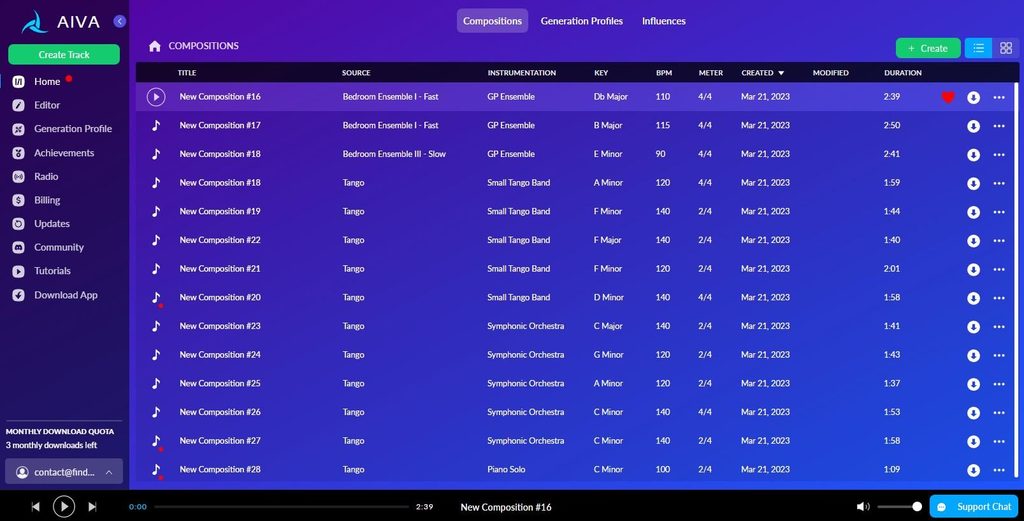
AIVA (Artificial Intelligence Virtual Artist) composes original music in over 250 styles, from classical to electronic to cinematic. You can generate full tracks, edit note‑by‑note, and export as MIDI or WAV. It is widely used by game developers, YouTubers, and filmmakers.
Key strengths:
- Royalty‑free music (you own the rights).
- Style customisation and track editing.
- Supports time‑signature and key changes.
Pricing: Free tier (limited downloads). Paid from $19/month.
Best for: Background music for videos, games, and commercials.
Tool 4: Descript – Best for Podcast Editing & Transcription
Official site: descript.com
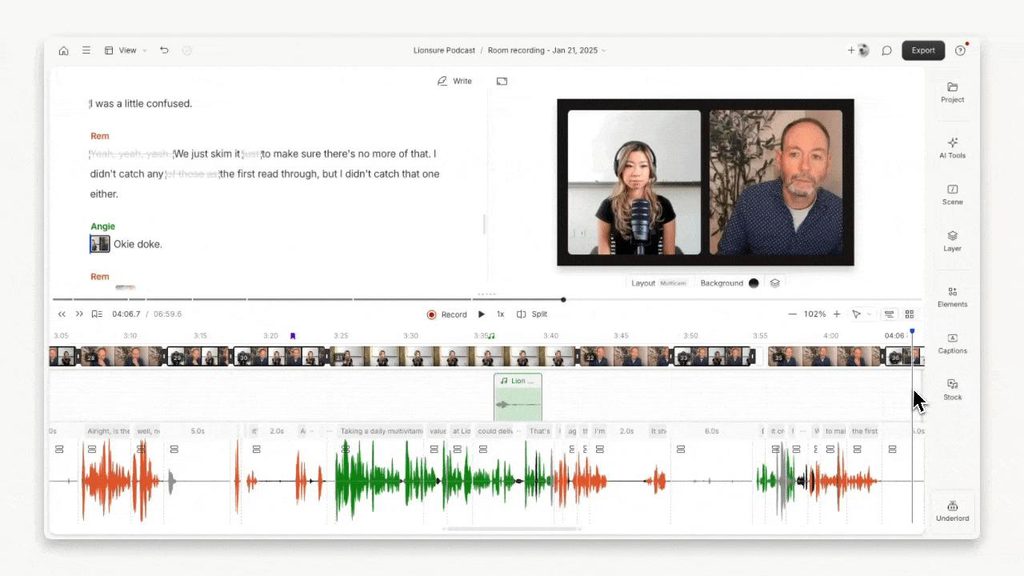
Descript is a video/podcast editor that lets you edit audio by editing text. It transcribes your recording, and you can delete words from the transcript to remove them from the audio. It also includes overdub (voice cloning), AI filler word removal, and studio sound enhancement.
Key strengths:
- “Edit audio like a doc” – revolutionary workflow.
- Multi‑track editing and screen recording.
- Collaboration features for teams.
Pricing: Free tier (1 hour transcription). Paid from $15/month.
Best for: Podcasters, YouTubers, and anyone who hates traditional waveform editing.
Tool 5: Murf – Best AI Speech Generator for Videos
Official site: murf.ai
Murf specialises in voiceovers for marketing and training videos. It offers over 120 voices in 20 languages, with fine control over pitch, speed, and emphasis. You can sync voice to video timeline directly in the browser.
Key strengths:
- Intuitive video timeline integration.
- Commercial usage rights included.
- Teams can share voice libraries.
Pricing: Free tier (10 minutes). Paid from $29/month.
Best for: Explainer videos, e‑learning, and advertising agencies.
Tool 6: LALAL.AI – Best for Vocal Separation
Official site: lalal.ai
LALAL.AI extracts vocals, drums, bass, piano, or other instruments from any song. Unlike older tools, it produces clean separations with minimal artefacts. It supports lossless formats (FLAC, WAV) and batch processing.
Key strengths:
- High‑quality stems (no metallic distortion).
- Web‑based, no installation.
- Supports up to 10 stems per song (full band separation).
Pricing: Free tier (1 minute). Paid from $15 for 90 minutes.
Best for: Musicians, remixers, and karaoke creators.
Tool 7: Otter.ai – Best for Meeting Transcription
Official site: otter.ai
Otter.ai automatically transcribes meetings, interviews, lectures, and voice notes in real time. It identifies speakers, highlights keywords, and integrates with Zoom, Google Meet, and Microsoft Teams. In 2026, Otter also generates automated summaries and action items.
Key strengths:
- Live transcription with speaker labels.
- Searchable, shareable transcripts.
- Mobile app for recording on the go.
Pricing: Free tier (300 minutes/month). Paid from $16.99/month.
Best for: Business meetings, journalists, students, and researchers.
3. Comparison Table: Features, Pricing, Best For
(Refer to the quick table at the top of the article for an at‑a‑glance comparison.)
For free alternatives, see our Free AI Tools page.
4. How to Choose the Right AI Audio Tool
| If you need… | Choose… |
|---|---|
| Natural voiceovers from text | ElevenLabs or Murf |
| Remove background noise & echo | Adobe Podcast AI |
| Original music for videos | AIVA |
| Edit podcasts by deleting words | Descript |
| Separate vocals from a song | LALAL.AI |
| Transcribe meetings automatically | Otter.ai |
For more automation ideas, read our n8n AI Agents guide – you can connect many of these tools to your existing apps.
5. Real‑World Use Cases
Case 1: YouTuber creates voiceovers
- Tools: ElevenLabs + Descript.
- Workflow: Write script → Generate voiceover with ElevenLabs → Import into Descript to sync with video and remove mistakes.
- Result: No microphone needed; full voiceover in 15 minutes.
Case 2: Musician remixes a song
- Tools: LALAL.AI + AIVA.
- Workflow: Upload song to LALAL.AI → Extract vocal and drum stems → Add new instrumental using AIVA → Mix in DAW.
- Result: Professional remix without original multitracks.
Case 3: Small business records training videos
- Tools: Murf + Otter.ai.
- Workflow: Use Otter to transcribe live training → Edit transcript → Generate clean voiceover with Murf → Sync to slides.
- Result: Consistent, studio‑quality training content.
6. How We Tested These AI Audio Tools
To ensure our recommendations are trustworthy and practical, we tested each tool using the same methodology across five criteria.
| Criterion | What We Looked For |
|---|---|
| Ease of Use | Is the interface intuitive? Can a beginner generate quality output in under 10 minutes? |
| Audio Quality | How natural do voiceovers sound? How clean are vocal separations? How accurate is transcription? |
| Features | Does it offer advanced controls (pitch, speed, style, batch processing)? Are integrations available? |
| Pricing | Is there a free tier? Is the paid plan fair for the features offered? |
| Customer Support | Are documentation, tutorials, and responsive support available? |
We personally tested each tool on real projects (podcast editing, YouTube voiceover, music remix, meeting transcription) over two weeks. Our scores are based on that direct experience.
For a deeper look at how we evaluate all AI tools, see our AI Agents Guide.
7. AI Audio Tools vs. Traditional Audio Software
| Feature | AI Audio Tools | Traditional DAWs (Audition, Pro Tools) |
|---|---|---|
| Learning curve | Low (often one‑click) | High (weeks of training) |
| Speed | Seconds to minutes | Hours |
| Quality | Good to excellent (improving) | Excellent (with skill) |
| Cost | Low monthly subscriptions | High upfront or subscriptions |
| Flexibility | Limited to AI capabilities | Full control |
Verdict: Use AI tools for speed, automation, and accessibility. Use traditional software for fine‑tuning, mixing, and professional mastering.
8. Common Mistakes to Avoid
- Using text‑to‑speech for emotional content – Even ElevenLabs can sound flat for very dramatic scripts. Add human touch where needed.
- Ignoring licensing – Some AI music tools claim ownership of generated tracks. Read terms carefully.
- Not backing up originals – AI processing is destructive. Always keep raw recordings.
- Over‑relying on automated transcription – Always proofread Otter.ai or other transcripts (accuracy is ~95% in noisy environments).
For more tips, read our Top 10 AI Agents 2026 list.
9. Frequently Asked Questions (FAQ)
Are AI‑generated voices copyright‑free?
Most platforms (ElevenLabs, Murf) grant commercial usage rights. However, cloning a specific person’s voice without permission may violate laws.
Can AI music be used for commercial projects?
Yes, AIVA and similar tools offer royalty‑free licenses. Always check the specific tool’s terms.
Which tool is best for real‑time transcription during meetings?
Otter.ai is the market leader. It integrates directly with Zoom and Teams.
How accurate is AI noise reduction?
Adobe Podcast AI can remove constant noise (fan, background traffic) very well, but sudden loud noises (dog bark) may still pass through.
Do I need a powerful computer?
No. Most tools run in the cloud, so a basic laptop and internet connection suffice.
Can AI replace human voice actors or musicians?
For simple, repetitive tasks – yes. For creative, nuanced performances – not yet. AI is best used to augment, not replace.
10. Final Verdict & Recommendation
For voiceovers: ElevenLabs is the best overall. Murf is a close second with better video integration.
For music generation: AIVA is the most mature and versatile.
For podcast editing: Descript changes the game – try the free tier.
For audio repair: Adobe Podcast AI is magic for cleaning up remote interviews.
For vocal separation: LALAL.AI outperforms all competitors.
For transcription: Otter.ai for meetings; Descript for podcasts.
Start with free tiers of ElevenLabs, Descript, and Otter.ai. Upgrade as your needs grow.
For ongoing updates and more AI tool reviews, follow the Top 10 AI Agents 2026 list and our AI Tools Blog.