Best AI Agents for Small Business in 2026: Complete Guide
Published: June 2026 | Reading time: 14 minutes
The best AI agents for small business in 2026 can help companies automate customer support, content creation, lead generation, and workflow management while reducing costs and saving valuable time. Unlike simple chatbots, these autonomous systems can plan, execute multi‑step tasks, use external tools, and work 24/7 – handling everything from customer inquiries to inventory management.
In this complete guide, I will show you the top AI agents for small business, how to choose the right one, and real‑world examples of automation that will free up hours of your week.
If you are new to AI agents, start with our foundational AI Agents Guide. For a broader overview of all AI tools, visit our Top 10 AI Agents 2026 comparison.

📑 Table of Contents (Clickable via Easy Table of Contents plugin)
- What Are AI Agents? A Quick Refresher
- Why Small Businesses Need AI Agents in 2026
- Top 6 AI Agents for Small Business
- Comparison Table: Features, Pricing, Best Use Cases
- How to Implement AI Agents in Your Small Business (Step‑by‑Step)
- Real‑World Examples
- AI Agents vs. Traditional Automation Tools
- Common Mistakes to Avoid
- Frequently Asked Questions
- Final Verdict & Recommendation
What Are the Best AI Agents for Small Business?
Below is a quick reference table of the leading AI agents for small business in 2026, their primary use cases, and starting prices.
| AI Agent | Best For | Starting Price |
|---|---|---|
| ChatGPT | General Business Tasks | $20/month |
| Gemini 3.5 Flash | Research & Automation | $20/month |
| Claude | Customer Support | $20/month |
| n8n | Workflow Automation | Free (self‑host) |
| AutoGPT | Autonomous Tasks | Free (plus API costs) |
| Copilot | Microsoft Users | $30/month |
All prices are approximate and subject to change. Check official websites for current rates.
1. What Are AI Agents? A Quick Refresher
An AI agent is an autonomous software system that can perceive information, reason about goals, make decisions, and execute actions without constant human instructions. Traditional chatbots wait for you to ask a question. AI agents, on the other hand, can receive a high‑level goal – such as “process all new customer emails and reply to common questions” – and then plan, execute, and adapt as needed.
For a deeper dive, read our complete AI Agents Guide.
2. Why Small Businesses Need AI Agents in 2026
Small businesses face three universal challenges: limited time, limited budget, and limited staff. AI agents directly address all three.
| Challenge | How AI Agents Help |
|---|---|
| Time | Automate repetitive tasks (email responses, data entry, scheduling). |
| Budget | Reduce the need for full‑time hires; subscription costs are low. |
| Staff | Augment existing employees – agents handle the boring stuff so humans focus on high‑value work. |
Concrete benefits in 2026:
- 24/7 customer support without hiring night shifts.
- Automated lead qualification and follow‑up emails.
- Real‑time inventory monitoring and reordering.
- Content generation for social media, blogs, and newsletters.
- Meeting scheduling across time zones without back‑and‑forth emails.
For budget‑friendly options, see our Free AI Tools page.

3. Top 6 AI Agents for Small Business
Agent 1: ChatGPT (GPT‑5.5)
Best for: General‑purpose assistance, creative tasks, and built‑in tools.
Official site: OpenAI ChatGPT
ChatGPT remains the most popular AI assistant. With GPT‑5.5, it now has a 1‑million‑token context window, built‑in DALL‑E image generation, a code interpreter, and web browsing. For a small business owner, ChatGPT can draft emails, create social media posts, analyse spreadsheets, and even generate simple code.
Key strengths:
- All‑in‑one platform (no need for separate tools).
- Very easy to use – zero technical setup.
- Free tier available (with ads) and affordable Plus plan.
For a detailed comparison between the two leading general AIs, check our Gemini vs ChatGPT vs Claude 2026 article.

Agent 2: Google Gemini 3.5 Flash
Best for: Affordable, high‑volume automation and research.
Official site: Google Gemini
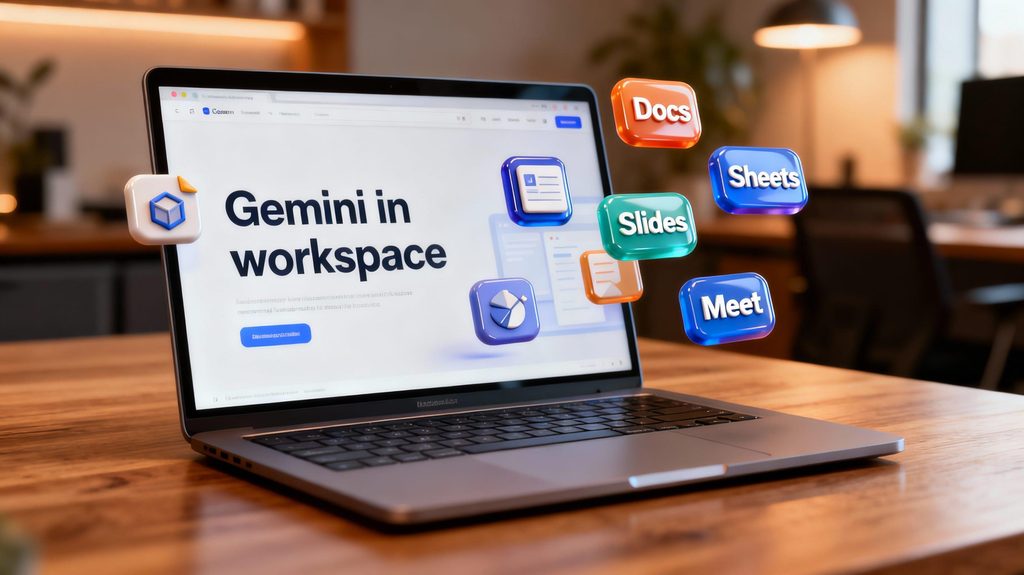
Gemini 3.5 Flash is Google’s low‑cost, high‑speed AI agent. It offers a 1‑million‑token context window (process entire books or long reports) and costs significantly less than competitors via API. It is ideal for small businesses that need to analyse customer feedback, summarise documents, or generate content at scale.
Key strengths:
- Very cheap (API pricing is a fraction of GPT‑5.5).
- 4x faster than competing models.
- Native integration with Google Workspace (Gmail, Docs, Sheets).
To see how Gemini compares to other models, read our Gemini vs ChatGPT vs Claude 2026 comparison.
Agent 3: Claude Opus 4.7
Best for: Professional writing, customer support, and safety‑critical tasks.
Official site: Anthropic Claude
Claude is renowned for its natural, reliable prose and strong reasoning. It is excellent for generating high‑quality support responses, drafting legal or financial documents, and handling complex customer inquiries. Small businesses in regulated industries (legal, finance, healthcare) may prefer Claude for its safety focus.
Key strengths:
- Very low hallucination rate.
- Excellent at following complex instructions.
- Strong coding and analytical abilities.
Agent 4: n8n AI Agents (Open‑Source Automation)
Best for: Custom workflows that connect your apps and AI.
Official site: n8n.io
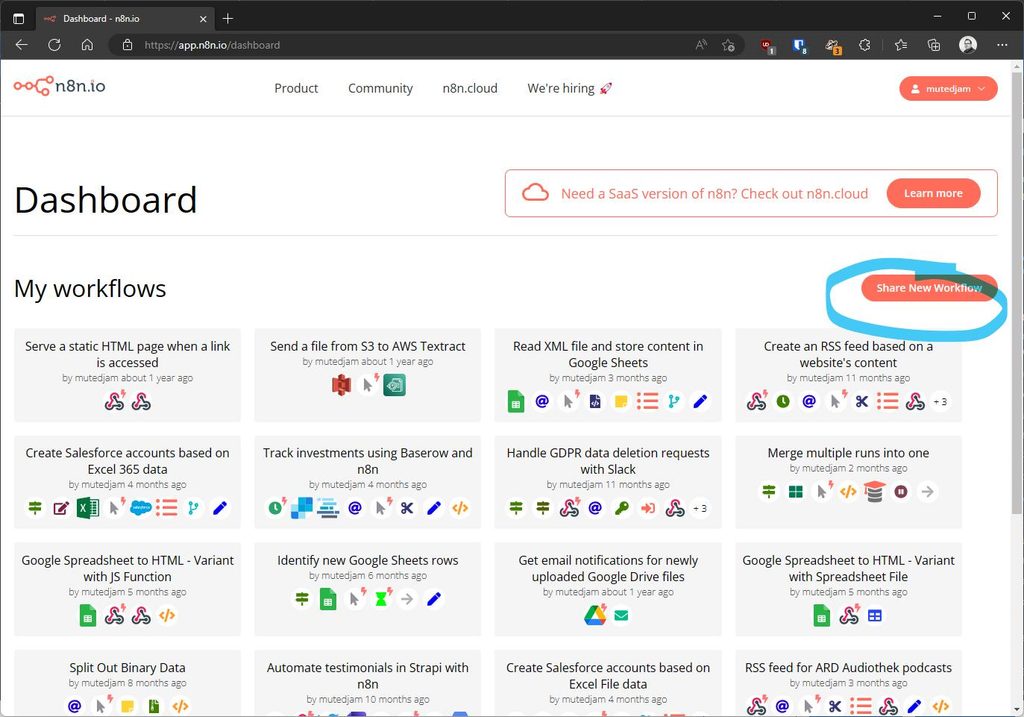
n8n is an open‑source automation platform that lets you build visual workflows. With its AI agent nodes, you can create sequences like: “When a new email arrives, use Gemini to summarise it, then post the summary to Slack and save to Google Sheets.” Because n8n is self‑hostable, you keep full control of your data – a big advantage for privacy‑conscious businesses.
Key strengths:
- Free to self‑host (pay only for your server).
- Over 400 integrations (Salesforce, Shopify, Gmail, etc.).
- Supports local LLMs (Llama, Mistral) for complete privacy.
See our dedicated n8n AI Agents guide for a step‑by‑step tutorial.
Agent 5: AutoGPT
Best for: Fully autonomous, multi‑step tasks with no human intervention.
AutoGPT is an open‑source agent that takes a high‑level goal and breaks it down into sub‑tasks, executes them, and iterates until the goal is complete. For example, “Research competitors for my coffee shop and create a marketing plan.” AutoGPT will browse the web, analyse data, and produce a report.
Key strengths:
- Completely free (needs your own API key).
- Highly autonomous – you can set it and forget it.
- Great for experimentation and learning.
Weakness: Requires some technical skill to set up.
Agent 6: Microsoft Copilot
Best for: Small businesses already using Microsoft 365 (Word, Excel, Outlook, Teams).
Official site: Microsoft Copilot
Microsoft Copilot is deeply integrated into Office apps. It can draft emails in Outlook, analyse data in Excel (with natural language queries), summarise Teams meetings, and create PowerPoint slides from Word documents. For a small business running on Microsoft, Copilot feels like an invisible super‑assistant.
Key strengths:
- Seamless integration – works where you already work.
- No need to switch between apps.
- Enterprise‑grade security.
Weakness: More expensive than consumer AI tools.
4. Comparison Table: Features, Pricing, Best Use Cases
(Refer to the table in the “What Are the Best AI Agents for Small Business?” section above.)
For an up‑to‑date list of free tools, visit our Free AI Tools page.
5. How to Implement AI Agents in Your Small Business (Step‑by‑Step)
- Identify one repetitive task that consumes at least 2 hours per week (e.g., responding to common customer emails, scheduling social media posts, generating product descriptions).
- Choose the simplest AI agent for that task. Start with ChatGPT Plus (easy to use) or Gemini via Google AI Studio.
- Write a clear instruction (system prompt). Example: “You are a customer support agent for a small coffee shop. Answer questions about opening hours, menu items, and loyalty cards. Always be friendly and concise.”
- Test with 5–10 real examples – refine the prompt until results are consistently good.
- Integrate the AI into your workflow. Use Zapier, n8n, or built‑in API calls to connect the AI agent to your email, CRM, or social media scheduler. For a custom no‑code setup, see our n8n AI Agents guide.
- Monitor results weekly. Measure time saved and quality of outputs. Adjust prompts or switch agents as needed.
6. Real‑World Examples
Example 1: Automated Customer Support (Local Retail Store)
- Agent: ChatGPT (GPT‑5.5) + Zapier.
- Workflow: Email arrives → AI reads and categorises → if FAQ, AI replies automatically → if complex, forward to human.
- Result: 70% of emails handled without human intervention; response time drops from 4 hours to 2 minutes.
Example 2: Social Media Content (E‑commerce)
- Agent: Gemini 3.5 Flash + Buffer.
- Workflow: AI generates 10 Instagram captions based on product descriptions → human approves → Buffer posts.
- Result: Social media manager saves 5 hours per week.
Example 3: Lead Qualification (B2B Service)
- Agent: n8n + Claude.
- Workflow: New form submission → AI enriches lead data (company size, industry) → scores lead → sends high‑priority leads to Slack.
- Result: Sales team focuses only on warm leads; conversion rate increases 25%.
Example 4: Meeting Scheduling (Consultant)
- Agent: AutoGPT (via custom script).
- Workflow: Client emails availability → AI checks Google Calendar, proposes times, sends invites.
- Result: No more back‑and‑forth emails; 3 hours saved per week.
7. AI Agents vs. Traditional Automation Tools (Zapier, Make)
| Feature | AI Agents | Traditional Automation (Zapier/Make) |
|---|---|---|
| Decision making | Dynamic – AI decides what to do | Fixed – you define every branch |
| Natural language input | Yes – “Schedule a meeting with John” | No – requires structured data |
| Adaptability | Learns and improves over time | Static until you change the workflow |
| Setup complexity | Low to medium (prompt engineering) | Low (visual builder) |
| Cost | Pay per token or subscription | Pay per task / zap run |
Verdict: Use traditional automation for rule‑based tasks (e.g., “When new row in Sheets, send email”). Use AI agents for tasks that require understanding, creativity, or dynamic decision‑making.
For an open‑source alternative that bridges both worlds, explore n8n AI Agents.
8. Common Mistakes to Avoid
- Starting too big. Don’t try to automate your entire business in one week. Pick one small task first.
- Not validating outputs. Always review AI‑generated content, especially customer‑facing communications.
- Ignoring data privacy. Avoid sending sensitive customer data to public AI APIs. Use self‑hosted agents (n8n + local LLM) for confidential information.
- Over‑customising before testing. Write a simple prompt first, test, then add complexity.
- Forgetting about updates. AI models improve rapidly. Re‑test your workflows every few months.
For more tips, read our AI Agents Guide.
9. Frequently Asked Questions
Q1: Are AI agents expensive for a small business?
A: No. Many have free tiers (ChatGPT, Gemini via AI Studio) or low monthly plans ($20–$30). API costs can be as low as a few dollars per month for light usage.
Q2: Do I need technical skills to use AI agents?
A: For ChatGPT or Gemini (consumer plans), no. For custom workflows like n8n, basic technical knowledge helps, but many templates exist.
Q3: Can AI agents replace my employees?
A: No. They automate repetitive tasks, allowing your employees to focus on higher‑value work. Think of them as super‑powered assistants, not replacements.
Q4: Which AI agent is best for customer support?
A: ChatGPT (ease of use) or Claude (safety and reliability). For complete automation, combine with n8n.
Q5: How do I ensure my data is private?
A: Use self‑hosted agents (n8n with local LLM) or enterprise plans that guarantee data not used for training. Avoid sending sensitive info to free tiers.
Q6: What’s the best AI agent for a solo entrepreneur?
A: Start with ChatGPT Plus ($20/month). It covers 80% of needs: writing, research, coding, image generation.

10. Final Verdict & Recommendation
For most small businesses in 2026, the best starting point is ChatGPT (GPT‑5.5). It is affordable, versatile, and requires zero technical setup. Once you have mastered ChatGPT, add Gemini 3.5 Flash for high‑volume, low‑cost content or research. For advanced automation across multiple apps, install n8n (self‑hosted) and connect your AI agent to your CRM, email, and spreadsheets.
If you use Microsoft 365 daily, Microsoft Copilot is a no‑brainer.
If privacy is your top concern, go with self‑hosted n8n + a local LLM.
No matter which agent you choose, start small, test thoroughly, and scale gradually. AI agents are not magic – but when used correctly, they can save you dozens of hours each month and give you a real competitive edge.
For ongoing updates and more tool reviews, follow the Top 10 AI Agents 2026 list and check our Free AI Tools page. And don’t forget to read the detailed Gemini vs ChatGPT vs Claude 2026 comparison before making your final decision.
Related Guides
- AI Agents Guide – Foundational concepts and terminology.
- Top 10 AI Agents 2026 – Comprehensive comparison of the leading agents.
- n8n AI Agents – Step‑by‑step tutorial for open‑source workflow automation.
- Gemini vs ChatGPT vs Claude 2026 – Detailed head‑to‑head comparison.
- Surfer SEO Review – AI tool for content optimization.
- Copy.ai Review – AI writing assistant for marketing copy.