Pika Labs: The Complete 2026 Review – Features, Pricing, Performance & How It Compares
In the crowded landscape of AI video generation, Pika Labs has carved out a unique position. While tools like Kling 3.0 and Google Veo focus on cinematic realism and complex physics, Pika Labs has become the go‑to platform for social media creators, marketers, and beginners who need fast, fun, and viral‑ready short videos.
Launched in 2023, Pika Labs grew rapidly thanks to its intuitive web interface, generous free tier, and a steady stream of creative effects that make videos stand out on TikTok, Instagram Reels, and YouTube Shorts. In 2026, with the discontinuation of OpenAI’s standalone Sora app, Pika has emerged as one of the most accessible and reliable text‑to‑video and image‑to‑video tools for everyday creators.
In this comprehensive review, we’ll explore everything you need to know about Pika Labs in 2026: its core features, pricing plans, real‑world performance, and how it stacks up against competitors like Kling AI 3.0 and Runway. We’ll also look at practical use cases and help you decide if Pika is the right tool for your content creation workflow.
If you’re new to AI video generation, our AI Tools Directory is a great place to explore dozens of platforms. And for those on a tight budget, check out our curated list of free AI tools to get started without spending a dime.
Why Pika Labs Review 2026 Matters For AI Creators
What Is Pika Labs?
Pika Labs is a web‑based AI video generation platform that turns text prompts, images, and even short video clips into animated content. Unlike complex professional tools that require extensive learning curves, Pika is designed for speed and simplicity. You can generate a 3‑second looping clip or a 30‑second story in minutes, often with just a few clicks.
The platform offers both a free tier (with watermark and resolution limits) and paid subscriptions that unlock higher quality, longer videos, and priority processing. Pika has become particularly popular among social media managers, influencers, and small business owners who need to produce engaging short‑form videos daily without hiring a video editor.
For a deeper look at another powerful AI video tool, check out our Kling AI 3.0 Review.
Key Features of Pika Labs in 2026
1. PikaTwists – One‑Click Motion Effects
One of Pika’s signature features is PikaTwists — a library of pre‑built motion effects that you can apply to any image or generated video with a single click. Need a character to wink, a logo to spin, or a background to zoom? Choose the effect, and Pika applies it in seconds. This eliminates the need for complex prompting or keyframe animation, making it ideal for rapid social media content.
2. Pikaframes – Cinematic Transitions
Pikaframes allows you to create smooth, cinematic transitions between multiple images or scenes. You can upload 2‑10 frames, and Pika will interpolate the movement, generating a seamless video of up to 10 seconds. This is perfect for storytelling, product showcases, or creating animated slideshows with a professional feel.
3. PikaSwaps – AI Inpainting for Video
PikaSwaps is an AI‑powered video inpainting tool. You can select an object or area in an existing video, describe what you want to replace it with, and Pika will modify the video accordingly. For example, change a coffee cup into a plant, or replace a plain background with a tropical beach. This feature is available on paid plans and opens up creative editing possibilities without leaving the browser.
4. Lip Sync – Talking Characters
Upload a character image and an audio file, and Pika will animate the character’s lips to match the speech. This is particularly useful for creating explainer videos, talking avatars, or humorous clips. The free tier offers a limited number of lip‑sync generations per month.
5. Text‑to‑Video and Image‑to‑Video
At its core, Pika converts text prompts and static images into short video clips. You can describe a scene in natural language (“a panda skateboarding through a neon city”), and Pika will generate a 3‑5 second clip. Image‑to‑video allows you to add motion to your own photos or AI‑generated images.
6. Aspect Ratio and Duration Control
Pika supports multiple aspect ratios (16:9, 9:16, 1:1) and durations from 3 to 30 seconds (depending on your plan). The free tier caps video length at 5 seconds and resolution at 480p, while paid plans unlock up to 30 seconds and 1080p.
7. Community Feed and Prompt Inspiration
Pika features a public gallery where you can browse thousands of videos created by other users. You can see the exact prompts used, remix them, or get inspiration for your own projects. This is especially helpful for beginners who are still learning how to craft effective prompts.
For a comparison of another popular AI video tool, read our in‑depth Sora by OpenAI: The Ultimate 2026 Guide.
Pricing Plans (May 2026)
Pika Labs operates on a freemium model with three paid tiers. All prices are monthly (billed annually for a discount).
| Plan | Price (Monthly) | Monthly Credits | Max Resolution | Max Duration | Watermark | Best For |
|---|---|---|---|---|---|---|
| Free | $0 | 80 | 480p | 5 seconds | Yes | Casual testing, beginners |
| Standard | $8 | ~1,000 | 1080p | 15 seconds | No | Social media creators |
| Pro | $30 | ~3,000 | 1080p | 30 seconds | No | Frequent content creators |
| Premium | $50 | ~5,000 | 1080p | 30 seconds + priority | No | Power users and small teams |
How credits work: Each generation consumes a certain number of credits based on length, resolution, and features (e.g., lip sync costs extra). On the free plan, 80 credits might give you around 10‑15 short videos per month. Paid plans offer significantly more value.
Free tier limitations: The free plan includes a visible watermark, 480p resolution, and a cap of 5 seconds per video. It’s perfect for testing but not for professional or commercial use.
For a wide selection of cost‑effective AI tools, explore our Free AI Tools page.
Performance: How Good Are Pika Videos?
Quality and Realism
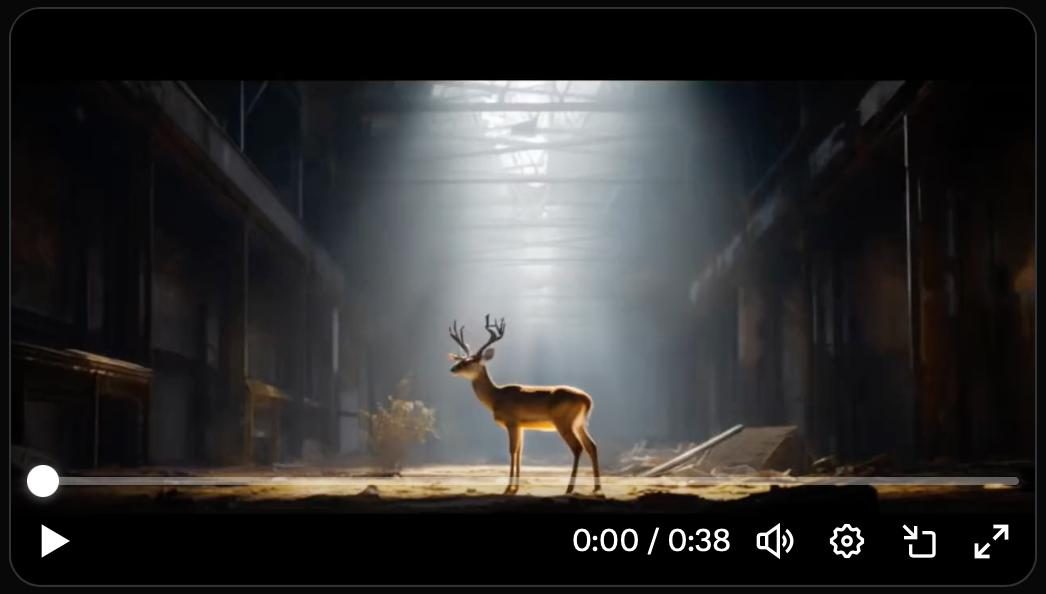
Pika does not aim for the hyper‑realistic cinematic quality of Google Veo or Kling 3.0. Instead, it prioritises style, creativity, and speed. The output often has a distinctive “animated” or “illustrative” feel, which works well for social media, memes, and brand mascots. Photorealism is not its strength, but that’s by design.
Speed
One of Pika’s biggest advantages is generation speed. On paid plans, a 5‑second clip typically renders in 20‑40 seconds. The free tier may have queues and slower processing during peak times.
Prompt Adherence
Pika performs well on simple, action‑oriented prompts (“a cat doing a backflip”). Complex multi‑subject prompts can sometimes lead to distortion or unexpected results. The PikaTwists and Pikaframes features help overcome these limitations by giving you more direct control.
Lip Sync Accuracy
The lip‑sync feature is surprisingly accurate for a web‑based tool. It works best with front‑facing character images and clear audio. Accents and multiple speakers may reduce quality.
Consistency Across Shots
Pikaframes does an excellent job maintaining visual consistency across 2‑5 frames. However, for long‑form storytelling with many scene changes, you may need to manually stitch clips together.
In real‑world head‑to‑head tests with Runway and Kling, Pika was the fastest and easiest to use, but it scored lower on complex motion physics and realism. It’s the ideal tool for viral, stylised content rather than cinematic narratives.
For a detailed comparison of advanced physics‑based video tools, see our Kling AI 3.0 Review.
Use Cases: Who Is Pika Labs For?
1. Social Media Managers
Generate daily TikTok, Instagram Reel, and YouTube Short content in minutes. Use PikaTwists to add trending motion effects without editing software.
2. Small Business Owners
Create product demos, explainer videos, and promotional clips without hiring a video editor. The watermark‑free paid plans are affordable for small budgets.
3. Educators and Trainers
Animate diagrams, create short visual explanations, or generate engaging opening hooks for online courses.
4. Content Creators and Influencers
Use Pika’s lip‑sync to make characters “talk,” or turn your photos into short animated stories. The community feed is great for finding inspiration.
5. Beginner AI Enthusiasts
If you’re new to AI video generation, Pika’s free tier is the perfect starting point. No need to understand complex parameters — just type, click, and watch.
6. Meme Creators
PikaTwists and the fast generation speed make Pika a favourite for meme creators who need to respond quickly to trends.
Pika Labs vs. Competitors (2026)
| Aspect | Pika Labs (Pro) | Kling AI 3.0 Pro | Runway Gen‑4 | Google Veo 3.1 |
|---|---|---|---|---|
| Best for | Short, viral social videos | Cinematic, physics‑heavy | Professional editing | Photorealism |
| Max duration | 30 seconds | 15 seconds | 45 seconds | 8 seconds (extendable) |
| Max resolution | 1080p | 4K (O3 endpoint) | 4K | 4K |
| Native audio | ✅ (lip sync) | ✅ (multi‑language) | ✅ | ✅ |
| Character consistency | Limited | ✅ “Elements” system | ✅ | ✅ |
| Pikaframes / multi‑shot | ✅ (up to 10 frames) | ✅ | ✅ | Limited |
| Ease of use | ★★★★★ | ★★★☆☆ | ★★☆☆☆ | ★★★☆☆ |
| Free tier | ✅ (watermarked, 80 credits) | ❌ (paid only) | ✅ (125 one‑time credits) | Limited |
| Starting price | $8/month | $9.90/month | $12/month | $8/month |
The bottom line: Pika is the easiest and most affordable option for high‑volume, short‑form social content. If you need cinematic realism or complex physics, Kling 3.0 or Runway are better fits. For a comprehensive overview of all these tools, visit our AI Tools Directory.
Limitations and Honest Criticisms
- Lower resolution and realism – Free tier is 480p, and even paid plans max out at 1080p. No 4K option.
- Watermark on free plan – Not suitable for professional or commercial use without upgrading.
- Short maximum duration – 30 seconds is fine for social media, but too short for longer narratives.
- Inconsistent with complex prompts – Multi‑character scenes or very specific actions may fail.
- No advanced editing tools – You cannot trim, cut, or layer clips inside Pika. For that, you’ll need external software.
- Lip sync requires clean audio – Background noise or poor pronunciation reduces accuracy.
How to Get Started with Pika Labs
- Sign up for a free account at
pika.art. - Explore the community feed to see what’s possible and discover prompts.
- Generate your first video using a simple text prompt or by uploading an image.
- Apply a PikaTwist to add motion effects instantly.
- Upgrade to a paid plan if you need higher resolution, longer videos, or watermark removal.
For more free tools to complement your video creation workflow, check out our Free AI Tools collection.
The Future of Pika Labs
In 2026, Pika Labs continues to iterate rapidly. Recent updates include improved lip‑sync accuracy, more PikaTwist effects, and a new “storyboard” mode that allows you to plan multiple shots before generation. The company has also hinted at higher resolution options and longer maximum durations for power users.
As AI video generation becomes more commoditised, Pika’s niche — fast, fun, social‑first video — will likely remain strong. It’s not trying to beat Kling or Runway at their own game; it’s building a simpler, friendlier experience for the millions of creators who just want to make engaging clips without a production degree.
Final Verdict: Is Pika Labs Worth It?
Yes – especially if you create short‑form social content. Pika Labs delivers exactly what it promises: fast, easy, and creative AI video generation with a gentle learning curve and a generous free tier. It’s not the tool for cinematic masterpieces or physics‑heavy animations, but for TikTok, Reels, and YouTube Shorts, it’s one of the best options available in 2026.
- Choose Pika Labs if you:
- Need to produce high‑volume short videos for social media.
- Want an intuitive, beginner‑friendly interface.
- Are on a tight budget (the free tier is very usable).
- Value speed and creativity over photorealism.
- Consider alternatives if you:
- Require 4K resolution or ultra‑realistic physics.
- Need long‑form narrative videos (over 30 seconds).
- Want advanced editing tools (cutting, layering, keyframes).
For a deeper comparison of the leading AI video platforms, explore our AI Tools Directory or read our comprehensive Sora by OpenAI guide and Kling AI 3.0 review.
Frequently Asked Questions (FAQ)
Q: Is Pika Labs free?
A: Yes, there is a free tier with 80 monthly credits, 480p resolution, and a visible watermark. Paid plans start at $8/month.
Q: How long are Pika videos?
A: Free tier: up to 5 seconds. Paid plans: up to 30 seconds.
Q: Can I use Pika videos for commercial projects?
A: Yes, as long as you are on a paid plan (watermark‑free). The free tier is for personal, non‑commercial use.
Q: Does Pika generate audio?
A: Not ambient audio, but it has a lip‑sync feature that matches character mouth movements to uploaded speech.
Q: How does Pika compare to Kling AI 3.0?
A: Pika is faster, easier, and cheaper, but Kling offers higher resolution, better physics, and longer videos. See our Kling AI 3.0 Review for details.
Q: Is there a mobile app?
A: Pika Labs is primarily web‑based, but the mobile website works well on smartphones.
Last updated: May 2026