Kling AI 3.0: The Complete 2026 Review – Features, Pricing & Performance
Introduction
The AI video generation landscape has shifted dramatically in 2026. What was once a patchwork of separate tools for text‑to‑video, image‑to‑video, motion transfer, and audio synchronisation has begun to coalesce into unified, production‑ready systems. And at the forefront of this shift is Kling AI 3.0 from Kuaishou.
Launched on February 5, 2026, after an initial internal beta, Kling 3.0 is not a mere incremental update. It represents a complete architectural overhaul — a unified multimodal engine that processes text, images, audio, and video in a single pipeline. The result is a tool that many independent reviewers now rank as the most capable general‑purpose video model available, on par with or even slightly ahead of Google’s Veo 3.1 for many real‑world tasks.
In this comprehensive review, we’ll explore everything you need to know about Kling 3.0: its core features, pricing models, performance benchmarks, and how it stacks up against the competition. We’ll also look at practical use cases for creators, marketers, and filmmakers.
If you’re new to AI video generation, our AI Tools Directory is a great place to discover a wide range of platforms, while our free AI tools page lists no‑cost alternatives to get you started.
What Is Kling AI 3.0?
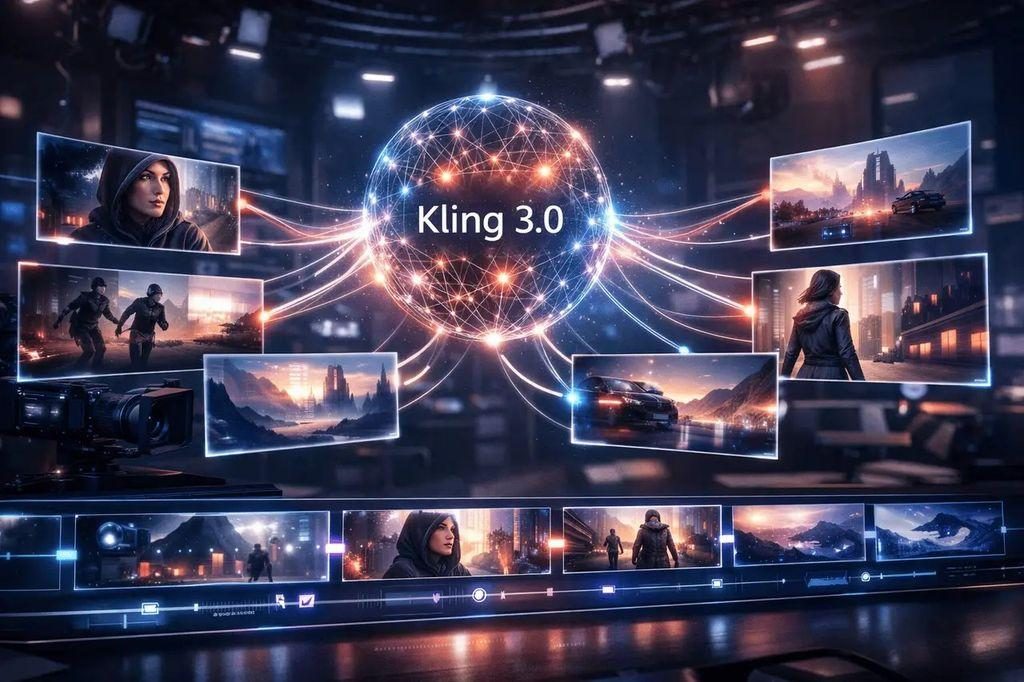
Kling AI 3.0 is the latest video generation model family from Kuaishou Technology, the company behind the popular short‑video platform Kuaishou. Unlike previous versions that handled different tasks with separate subsystems, Kling 3.0 is built on a unified multimodal architecture. This means it can take text, images, audio, and video input in any combination and generate coherent, high‑quality output — all within a single, streamlined workflow.
The model series comprises four core products:
- Kling Video 3.0 – the standard text‑to‑video and image‑to‑video model.
- Kling Video 3.0 Omni – the full‑featured version with advanced reference‑based generation and multi‑shot storyboarding.
- Kling Image 3.0 – for standard image generation.
- Kling Image 3.0 Omni – for ultra‑high‑resolution 4K image output.
Since its launch in June 2024, Kling AI has served over 60 million creators worldwide, produced more than 600 million videos, and partnered with over 30,000 enterprise clients. Kling 3.0 represents a major evolution from “basic video generation” to “professional creative orchestration”. best-free-ai-seo
Key Features of Kling AI 3.0
1. Native 4K Output and Up to 15‑Second Videos
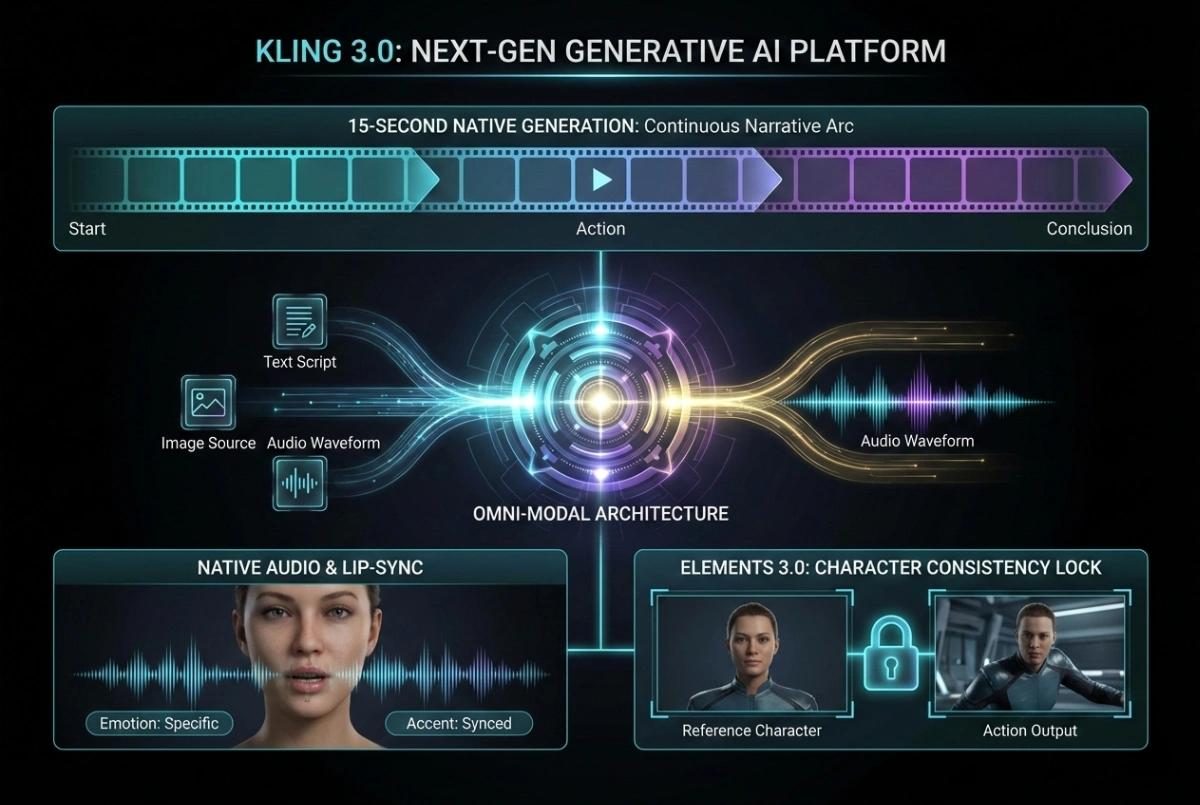
Kling 3.0 supports native 4K (3840×2160) video output — suitable for broadcast television and cinema production without visible upscaling artefacts. The maximum duration has been extended from 10 seconds to 15 seconds, giving you room for complete scenes with setup, action, and resolution in a single generation. You can choose any duration between 3 and 15 seconds, down to one‑second increments.
2. Unified Multimodal Architecture
Unlike older models that required separate pipelines for text‑to‑video, image‑to‑video, and video‑to‑video editing, Kling 3.0 integrates all these tasks into a single native architecture. This “All‑in‑One” design allows the model to follow complex narrative logic, deliver precise shot control, and maintain strong prompt adherence. Independent reviewers have rated Kling 3.0 at 8.1/10 for visual fidelity, placing it among the highest‑scoring AI video models available today.
3. Multi‑Shot Storytelling and Camera Control
This is one of the most significant upgrades. Kling 3.0 understands multi‑scene, multi‑shot instructions. You can describe a sequence of shots — including duration, shot size, perspective, narrative content, and camera movements — and the model will automatically construct a coherent video with smooth, film‑like transitions. The intelligent multi‑shot feature frees creators from manually stitching scenes together and is particularly valuable for narrative content, advertising campaigns, and short films.
4. Native Synchronised Audio Across Languages
Kling 3.0 generates audio simultaneously with the video in a single inference pass. This is not lip‑syncing bolted on after the fact — dialogue, narration, ambient sound, and sound effects are all synthesised alongside the visual output. The audio supports English, Chinese, Japanese, Korean, and Spanish, including regional dialects and accents. It can even handle complex multi‑character dialogue scenes in which each character speaks a different language, with precise user control over content, delivery, and speaking order. For a broader look at AI video tools that excel in audio generation, see our in‑depth review of Sora by OpenAI.
5. Character and Object Consistency (“Elements”)
One of the hardest problems in AI video generation is maintaining consistent characters across different shots. Kling 3.0 solves this with its “Elements” system. You can upload reference images of a character, object, or product — or even a short reference video (3–8 seconds) — to “lock in” their appearance. The model then preserves their features throughout the entire clip, despite camera movement or action changes. This is a game‑changer for brand advertising, product showcases, and episodic content. Professional users have reported that the system handles logos and text on clothing with remarkable accuracy, with the text remaining sharp and readable throughout the video.
6. Motion Control and Physics‑Aware Movement
Kling 3.0 introduces a dedicated Motion Control endpoint that allows precise animation control with motion paths and keyframes. For image‑based references, you can generate up to 10 seconds of motion‑controlled video; for video references, up to 30 seconds. The model’s physics engine simulates inertia, weight, and collision detection — characters exhibit authentic weight transfer, vehicles lean during turns, and fabric moves with realistic drape and tension.
7. Video Editing (Kling 3 Edit)
Beyond generation, Kling 3.0 includes a robust video‑to‑video editing mode that allows for style transfer and refinement of existing footage. You can start with a standard realistic video and then push it in different artistic directions — watercolour, collage, or other styles — while preserving the underlying motion and composition. This makes Kling 3.0 a comprehensive AI filmmaking platform rather than just a generator. google-veo-3-1-vs-openai-sora-2
Pricing and Plans (May 2026)
Kling AI 3.0 is available through multiple channels: direct subscriptions, pay‑as‑you‑go API, and third‑party platforms. Understanding the pricing structure helps you choose the most cost‑effective option for your use case.
Direct Subscription Plans
| Plan | Monthly Price | Annual Price | Monthly Credits | Best For |
|---|---|---|---|---|
| Free | $0 | — | 35 (one‑time) | Testing the platform |
| Basic | $9.90 | $108 | 660 | Light users |
| Pro | $44 | $444 | 3,000 | Regular creators |
| Pro+ | $92 | $1,104 | 8,000 | Power users |
| Ultra | $180 | $2,160 | 26,000 | Professional studios |
On the free tier, new users receive 35 one‑time credits to explore the platform. Paid subscriptions start at $9.90 per month.
API Pricing (Pay‑as‑you‑go)
For developers and high‑volume users, Kling offers per‑second billing through its API:
- Kling 3.0 Text‑to‑Video
- Kling O3 Text‑to‑Video (more cost‑efficient)
- Kling O1 Image‑to‑Video
- Motion Control
Free Tier and Credits
Some platforms integrate Kling 3.0 with a $5 credit grant every 30 days for free users (i.e., those who have not yet made a payment). This is a low‑risk way to test the API before committing to a paid plan. For a broader range of cost‑effective tools, explore our Free AI Tools collection. gemini-vs-chatgpt
Performance: How Does Kling 3.0 Compare?
Real‑World Benchmarks
Independent filmmaker Nuno Silva conducted a rigorous test of the leading AI video models using identical prompts and progressively more complex scenes. Here are his key findings for Kling 3.0:
| Test | Description | Kling 3.0 Performance |
|---|---|---|
| Round 1 – Basic Camera Dolly | Smooth camera dolly in, 5 seconds, 1080p | ★★★★★ – flawless execution, smooth movement, no artefacts |
| Round 2 – Human Physics | Woman standing, crossing legs, drinking coffee, standing up, closing laptop | ★★★ – foot clipping through leg; incomplete sequence |
| Round 3 – Natural Elements (Wind) | Strong wind through tree leaves | ★★★ – looked like something hit the tree rather than wind passing through |
| Round 4 – Start & End Frame Interpolation | Complex camera orbit while character reads | ★★★★ – strong performance, Veo 3.1 edged ahead slightly |
Kling 3.0 dominated the basic camera movement test with flawless execution, outperforming Google Veo 3.1 (which hallucinated a different interior) and Sora Pro (which showed visible glitches). For wind simulation, however, Google Veo 3.1 and Minimax 2.3 produced significantly more natural results.
Human Perception and Motion Quality
Chase Jarvis, after spending 48 hours stress‑testing Kling 3.0, concluded: “This is arguably the most capable general‑purpose video model available right now. On par with Veo 3.1, and possibly better in some ways.” He particularly praised the “Elements” feature for character consistency, noting that a logo on a hoodie remained perfectly sharp across multiple distinct shots — a detail many competitors struggle with.
In a side‑by‑side cinematography comparison, Kling 3.0 won 3 out of 5 camera movement tests (pan, tracking shot, handheld) against Veo 3.1, with the latter struggling on visual fidelity and temporal consistency.
Motion Quality: Kling’s Standout Strength
In real‑world tests comparing Runway, Pika, and Kling, Kling consistently excelled at physics‑heavy motion. Liquid pours, fabric movement (silk scarves in wind), and environmental interactions (hair, water surfaces) were handled with unusual fidelity. One tester noted: “The first time I generated a physics‑heavy clip in Kling — a wine glass being filled with deep red wine — I stopped and redid the test because I assumed I’d accidentally used existing footage. I hadn’t.”
Native Audio Comparison
A direct comparison of the three leading models with native audio (Veo 3.1, Kling 3.0, and Vidu Q3) found that Kling 3.0 provides the broadest language support: English, Chinese, Japanese, Korean, and Spanish, including regional dialects. It is particularly strong for multilingual dialogue scenes, where different characters speak different languages with synchronised lip movements. An 8‑second Kling 3.0 Pro clip costs approximately $0.76 on Atlas Cloud. leonardo-ai-review-2026
Use Cases: Who Is Kling 3.0 For?
1. Filmmakers and Cinematic Storytellers
Kling 3.0’s multi‑shot storyboard mode, physics‑aware motion, and ability to preserve character appearance across cuts make it a powerful tool for pre‑visualisation, storyboarding, and even final shot generation in low‑budget productions. It is a strong runner‑up to Google Veo 3.1 for cinematic realism.
2. Marketers and Advertisers
The “Elements” system is a standout feature for brand consistency. You can upload a product shot and generate an entire campaign of videos where the product appears identically across different settings and lighting conditions. For marketers, Kling 3.0 offers excellent value — motion quality close to Runway at a fraction of the price.
3. Social Media Creators
With support for 9:16 (TikTok/Reels) and 1:1 (social feeds) aspect ratios, flexible duration, and cost‑efficient O3 tier pricing, Kling 3.0 is well‑suited to high‑volume short‑form content. For a 5‑second 720p clip without audio on the O3 tier, you pay only $0.38.
4. Developers Building at Scale
The API‑first design, pay‑as‑you‑go billing, and multiple model tiers (O3 for budget, 3.0 Pro for premium) give developers fine‑grained control over cost and quality. The motion control endpoint also unlocks sophisticated animation workflows directly through API calls.
Kling AI 3.0 vs. The Competition
| Aspect | Kling 3.0 Pro | Google Veo 3.1 | Runway Gen‑4 | Sora 2 Pro |
|---|---|---|---|---|
| Max duration | 15 seconds | 8 seconds (extendable) | Up to 45 seconds | 20 seconds |
| Max resolution | Native 4K (O3 endpoint: $0.42/sec) | 4K (8 sec only) | 4K | True 1080p |
| Native audio | ✅ (English, Chinese, Japanese, Korean, Spanish) | ✅ (English‑centric) | ✅ | ✅ (included in all tiers) |
| Character consistency | ✅ “Elements” reference system | ✅ Limited | ✅ Strong (via editing) | ✅ Persistent character IDs |
| Multi‑shot storyboard | ✅ Yes | ⚠️ Limited | ✅ Yes (with Gen‑4.5) | ❌ No |
| Motion control API | ✅ Dedicated endpoint | ⚠️ Limited | ✅ Yes | ❌ No |
| API price (1080p, with audio) | 0.150/sec(3.0)/0.125/sec (O3) | ~$0.18/sec | 12–60 monthly subscription | $0.70/sec |
| Free tier | $5 credits every 30 days (on some platforms) | Limited trial | 125 one‑time credits | Discontinued |
Kling’s sweet spot: Multi‑shot narrative videos, consistent character and product placement, physics‑heavy motion, and cost‑effective API usage at scale.
How to Get Started with Kling AI 3.0
- Choose your access method
- Direct web app: Visit
klingai.comand sign up for a free account (35 one‑time credits). - API access: Use the Vercel AI Gateway, WaveSpeedAI, or other API‑first platforms.
- Third‑party tools: Higgsfield and Flora offer the most complete integrations of Kling 3’s advanced features (elements, multi‑shot, motion control).
- Direct web app: Visit
- Explore the features
- Start with a simple text‑to‑video prompt.
- Experiment with the “Elements” system by uploading a reference image of a product or character.
- Try the multi‑shot storyboard feature by describing a sequence of shots.
- Compare pricing tiers
- For casual testing, use the free tier or O3 720p without audio ($0.075/sec).
- For social media content, O3 720p with audio ($0.100/sec) is a cost‑effective sweet spot.
- For professional projects, Kling 3.0 Pro 1080p with audio ($0.150/sec) delivers top quality.
For more detailed comparisons and hands‑on reviews of leading AI video tools, visit our AI Tools Directory.
Limitations and Honest Criticism
- Consistency still has room for improvement. In human physics tests (e.g., sitting, crossing legs, standing up), Kling 3.0 showed foot‑through‑leg clipping and incomplete sequences. It scored only 3/5 in these areas.
- Natural elements (wind, fluid) are not as strong as Google Veo 3.1. In wind simulation tests, Veo 3.1 scored 5/5 while Kling 3.0 scored 3/5.
- Audio increases cost significantly. Adding audio to Kling 3.0 increases the per‑second price by approximately 50% (0.075→0.113 at 720p). If your project can run without audio, you can save substantially.
- No true 4K in the standard Pro tier. Kling 3.0 Pro is capped at 1080p. Native 4K requires the separate O3 4K endpoint at $0.42/second.
Final Verdict: Is Kling AI 3.0 Worth It?
For most creators, yes – emphatically. Kling 3.0 hits a rare sweet spot: its output quality rivals models that cost significantly more, its “Elements” system solves the character‑consistency problem better than many competitors, and its per‑second API pricing is transparent and predictable.
- Choose Kling 3.0 if you need:
- Multi‑shot narrative videos where characters remain consistent across cuts.
- Physics‑aware motion (liquids, fabric, weight transfer).
- A cost‑effective API for building video applications at scale.
- Support for multiple languages and accents in synchronised audio.
- Consider alternatives if:
- You need absolute state‑of‑the‑art physics for natural elements (wind, clouds, water). Google Veo 3.1 leads there.
- You require true 4K output in a single call (Kling’s 4K endpoint is separate and expensive).
- You rely on a deep editing toolset within a single app (Runway’s Gen‑4 family remains the professional’s choice for granular creative control).
With over 60 million creators already using the platform and more than 600 million videos produced since its initial launch, Kling AI 3.0 is not a speculative tool. It is a production‑grade system that is actively powering the next wave of AI‑assisted filmmaking, advertising, and social content. Whether you are a solo creator or a large enterprise, Kling 3.0 deserves a place in your AI toolkit.
Frequently Asked Questions (FAQ)
Q: Is Kling AI 3.0 free?
A: There is a limited free tier available, but full access requires a subscription or pay‑as‑you‑go API billing. Some API platforms provide a $5 credit every 30 days for free users.
Q: How long are Kling 3.0 videos?
A: You can generate videos from 3 to 15 seconds in length, in 1‑second increments. Motion Control extends this to up to 30 seconds for video‑referenced generations.
Q: Does Kling 3.0 generate audio?
A: Yes. Kling 3.0 generates synchronised native audio in a single pass, supporting English, Chinese, Japanese, Korean, and Spanish with lip‑sync.
Q: Can I maintain consistent characters across different shots?
A: Yes. The “Elements” system allows you to upload reference images or short reference videos to lock in a character’s appearance. The model then preserves that character’s features throughout the clip.
Q: How does Kling 3.0 compare to Sora?
A: OpenAI’s Sora consumer app has been discontinued. Sora 2 Pro remains available via API, but at a premium price (0.70/secfortrue1080p).Kling3.0Proat0.15/sec offers better value for most use cases.
Q: Can I use Kling 3.0 for commercial projects?
A: Yes. Kling AI 3.0 is licensed for commercial use. Always check the specific terms of the platform you are using (direct subscription, API provider, or third‑party integrator).
Last updated: May 2026