The Amex ChatGPT Business Credit gives eligible business cardholders up to $300 back annually on ChatGPT Business subscriptions in 2026.
What’s New?
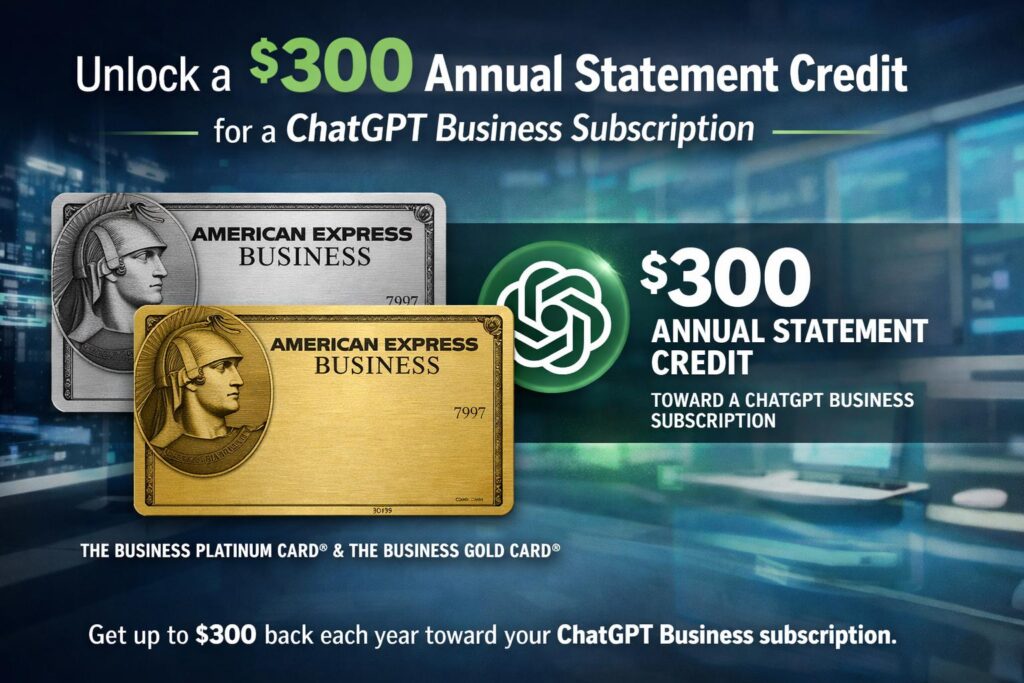
Starting May 2026, American Express introduced a new benefit for both Business Gold and Business Platinum cardholders: up to $300 per year in statement credits for ChatGPT Business subscriptions (enrollment required).
This is the first time a credit card has offered a credit specifically for ChatGPT Business, making it a unique benefit in the market and a clear signal that Amex is expanding its perks to cover AI software subscriptions for businesses. www.americanexpress.com
🧠 What Is ChatGPT Business and Who Needs It?
ChatGPT Business is the enterprise‑friendly plan (renamed from ChatGPT Team in August 2025). It provides a shared workspace for teams, including:
- Admin dashboard (user management, permissions).
- Single Sign‑On (SSO).
- 60+ connected apps (Slack, Google Drive, GitHub, SharePoint, Atlassian).
- No training on your data – commercially safe.
- Larger context window (up to 1M tokens on some plans) www.americanexpress.com
Pricing:
- $20/user/month (billed annually).
- $25/user/month (billed monthly).
- ⚠️ Minimum of two users required.
💰 Amex Credit Details
| Feature | Details |
|---|---|
| Amount | Up to $300 per calendar year. |
| Eligible cards | Amex Business Gold & Business Platinum. |
| Qualifying subscription | ChatGPT Business only (not Plus or Free). |
| Enrollment | Required – does not apply automatically. |
| How it posts | After paying with your enrolled card, the credit appears within 8 weeks. |
| Usage | Monthly or annual payments count toward the limit. |
🧮 Cost Analysis – Can It Be Cheaper Than ChatGPT Plus?
Let’s calculate the net cost for two seats (minimum required) after the $300 credit:
| Billing Cycle | Total Cost (2 seats) | After $300 Credit | Net Annual Cost |
|---|---|---|---|
| Monthly ($25/user/month) | $600 | –$300 | $300 |
| Annual ($20/user/month) | $480 | –$300 | $180 |
🔍 Comparison with ChatGPT Plus:
- ChatGPT Plus (1 user): $240/year.
- ChatGPT Business (2 seats) after annual billing + credit: $180/year.
✅ Result: You get a full Business plan with two seats for less than the price of a single Plus subscription – saving an extra $60 per year.chatgpt-business-pricing
📝 Step‑by‑Step Guide to Claim the Credit
- Make sure you have an Amex Business Gold or Platinum card (not the personal version).
- Enroll:
- Log into your Amex account.
- Go to Benefits → find ChatGPT Business Credit.
- Click Enroll.
- Subscribe to ChatGPT Business:
- Go to OpenAI’s platform.
- Choose the Business plan.
- Add at least two seats (you can add a colleague or a virtual second seat).
- Select annual billing for maximum savings.
- Pay with your enrolled Amex card.
- Wait up to 8 weeks for the credit to appear on your statement.
- Track remaining credit in your Amex benefits dashboard.
💡 Who Benefits the Most?
| User Type | Does it work? | Why? |
|---|---|---|
| Small business owner (2–5 employees) | ✅ Yes | Use both seats yourself and with an employee – cheaper than Plus. |
| Solo freelancer | ⚠️ Partially | Must pay for an extra seat. Share with a partner or colleague. |
| Large company (10+ employees) | ✅ Yes | Significant savings when buying multiple subscriptions. |
| Someone wanting only ChatGPT Plus | ❌ No | The credit only applies to Business. |
🚀 The Bigger Picture – Amex’s Move into AI
This is the first AI‑related statement credit ever offered on a credit card. It signals Amex is expanding its benefits ecosystem beyond traditional travel perks.
| Card | Other notable benefits |
|---|---|
| Business Gold | Up to $845/year in various credits (Squarespace, flexible business, etc.). |
| Business Platinum | 400Dellcredit,250 Adobe credit, 1,550+ airport lounge access. |
The new credit came without any annual fee increase – a pure addition for existing cardholders. best-ai-productivity-tools-in-2026
✅ Final Verdict
- If you already pay for ChatGPT Business → Getting one of these cards saves you $300/year, effectively covering one seat for free.
- If you’re considering upgrading to Business → This credit significantly lowers the cost, especially with Business Gold which nearly pays for its own annual fee through this credit alone.
- The secret sauce: Annual billing + enrollment + two seats.
💡 Pro tip for solo users: Find a partner or colleague to share the second seat – you’ll end up paying less for Business than you would for ChatGPT Plus.

❓ FAQ
Does this work for ChatGPT Plus?
No. Only ChatGPT Business.
Do I need to re‑enroll every year?
Typically once is enough, but check your Amex account annually.
What if the credit doesn’t show up after 8 weeks?
Contact Amex support via chat or phone.
Can I use both a Gold and Platinum card to get $600?
No – the credit is per card. You would need two separate ChatGPT Business accounts, which is impractical for most businesses. openai.com
Do you have an Amex Business Gold or Platinum card? Try this benefit today and share your experience in the comments.